37studio
by Shaitrish
Open-source AI alternative to Buffer and Opus Clip: Claude Code makes on-brand videos, posts them to 9 platforms and drafts replies. Self-hosted, your own keys.
52stars
10forks
Go
Added 10/24/2026
Available after the catalog security scan passes.
⚠️ Third-Party Software Notice
This skill is third-party open-source software developed and hosted independently on GitHub. SkillsLLM is an informational directory and does not control or maintain the underlying repository.
Any security checks, ratings, or warnings displayed by SkillsLLM are automated and limited in scope. They do not constitute a security certification or guarantee that the software is safe, error-free, or free from malicious code, vulnerabilities, compromised dependencies, or prompt-injection risks.
Review the source code, permissions, dependencies, and configuration before installing or running any third-party skill. Use is at your own risk. To the maximum extent permitted by applicable law, SkillsLLM is not liable for losses arising from third-party software.
The deep catalog scan for this skill is still queued. Run an instant dependency check now instead.
AI Agentsaiai-agentsclaude-codedockergolanghyperframesmcpmcp-serveropen-sourceself-hostedsocial-mediasocial-media-managementvideo-editing
Maintainer of this skill?
Installation
# Add to your Claude Code skills
git clone https://github.com/Shaitrish/37studio
Getting Started
Guides for using ai agents skills like 37studio.
- Caveman: Cut Claude Token Use by 65%How agent-side prompt compression works, when to use it, and when not to.
- What is an AI Skills Marketplace?Definitions, how marketplaces work, and how to choose between them in 2026.
- Getting Started with AI SkillsFirst-time install walkthrough for Claude Code, Codex CLI, and ChatGPT.
Compare with similar skills
See how 37studio compares with popular alternatives.
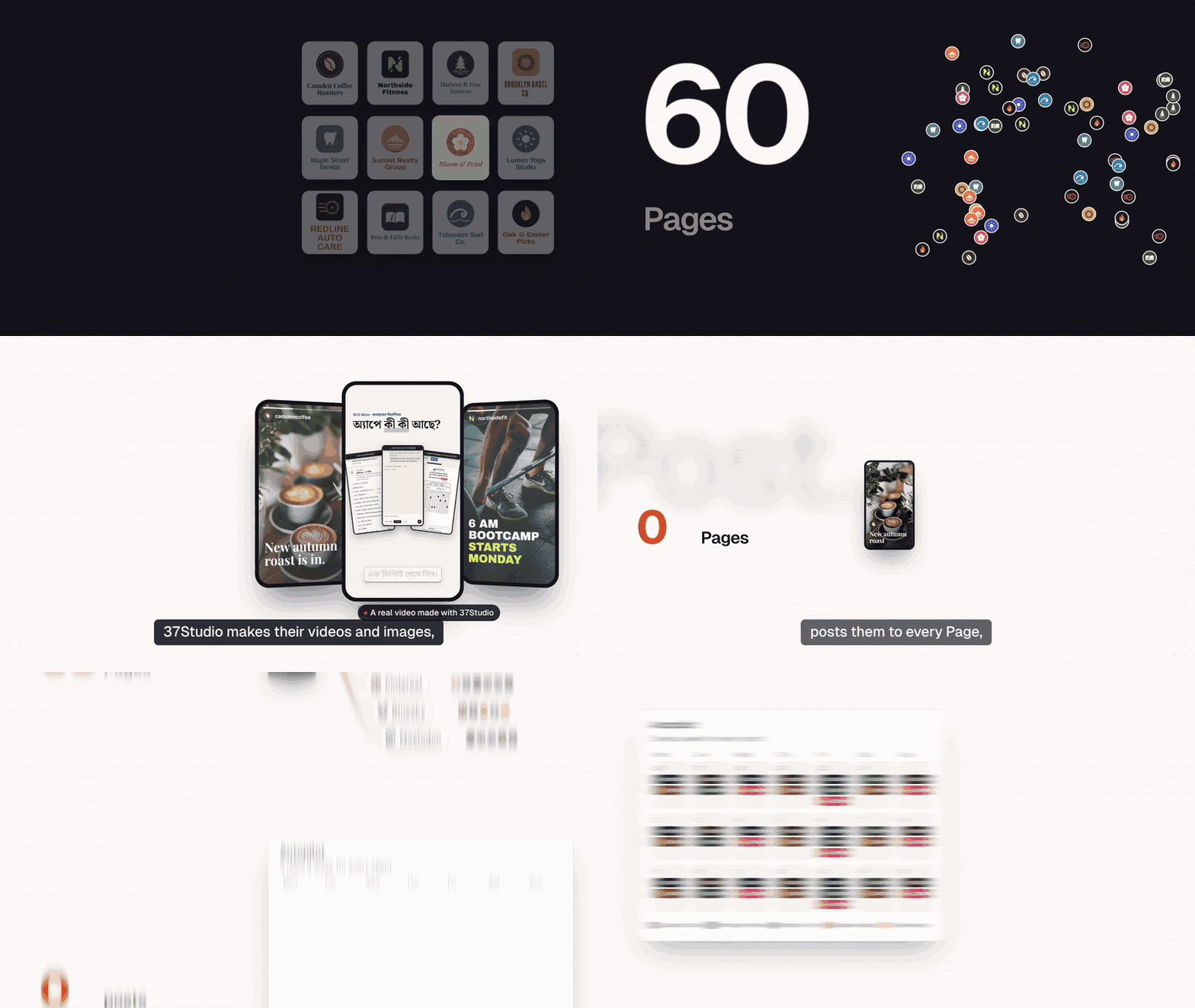

37Studio makes videos for a business and runs its social accounts, from one app on your own computer. Add a company from its website and it builds a brand library and a knowledge base. Brief a video and Claude Code, the editor agent, builds it as a HyperFrames composition in that brand, checks its own frames and renders it on your machine. Publish it to the company's accounts with a caption written for each platform, now, on a schedule or on Autopilot. Messages and comments land in one inbox with replies drafted from the knowledge base.
You bring your own keys (a Claude plan or an Anthropic API key; Gemini and ElevenLabs optional) and pay the providers directly. Every project shows what it cost in AI usage, in USD by default. 37Studio is free and open source under the MIT License, made by Shaitrish, a software team in Dhaka.
What it does
- Brand library from a website or folder. Paste a URL, or pick the company's own project folder, and get its logos, people, photos, fonts and exact colours sorted and captioned, plus a design system (
design.md) and a knowledge base (knowledge.md). - An editor agent. Claude Opus 5.5 builds each video as an animated HyperFrames composition, checks its own frames and takes changes in plain words. Edit by hand on a real timeline when you want to.
- Many kinds of output. Hook reels, captioned clips, motion-graphics explainers, podcast clips, promo ads, square and portrait posts, and thumbnails. Save any finished video as a template for the next one.
- Long recordings into many videos. A 2-hour class becomes ten reels. Transcription runs locally with faster-whisper: free, private, about 100 languages. YouTube and Google Drive links import directly.
- Generated media. Gemini images and video clips; ElevenLabs voiceover, sound effects and music. The agent uses them only when the footage and brand library can't do the job, and says what it made.
- Publishing and Autopilot. Post to any mix of a company's accounts on nine platforms now or on a schedule, or let a content plan make a fresh video before every slot and wait for one-click approval.
- One inbox. Messenger, Instagram and WhatsApp messages and Facebook and Instagram comments, with replies drafted in the customer's language, following the company's own rules. Off, drafts to approve, or fully automatic, per company.
- Assistant and MCP. Run everything by chatting with the Assistant in the sidebar, or from your own AI agent (Claude Code, Claude Desktop, Cursor) through 37Studio's MCP server: companies, campaigns, videos, publishing, Autopilot, settings and connections.
- Real costs. Every project, campaign and company shows its AI spend in your currency. No markup: you pay Anthropic, Google and ElevenLabs directly.
Everything runs in one Docker container, on your computer or your own server. Footage, brands and messages stay there; API keys and platform credentials are encrypted on disk.
Platforms
| Platform | Publishes | Inbox | You connect with |
|---|---|---|---|
| Facebook Pages | Reels and Page videos | Messenger, comments | Facebook Login through your own Meta app |
| Instagram (Business or Creator) | Reels | Messages, comments | The same sign-in as Facebook |
| YouTube | Videos | Your own Google OAuth client | |
| TikTok | Videos, or to the creator's drafts | Your own TikTok app | |
| Videos to your profile; company Pages with LinkedIn's approval | Your own LinkedIn app | ||
| X | Video posts | Your own X app | |
| Video Pins, on the boards you pick | Your own Pinterest app | ||
| Bluesky | Video posts | Handle and an app password | |
| Mastodon | Video posts | Server URL and an access token | |
| Messages | A WhatsApp Business API number and a Cloudflare Tunnel to your copy (or your own relay) |
Not possible: Threads (its API only takes a video from a public URL, which a local-first app doesn't have), Facebook Groups and personal profiles (Meta removed it), Reddit and Snapchat (no usable public video-posting API). Setup for each platform: Social publishing.
Quick start
You need Docker Desktop (Windows 10 or 11 with WSL 2, macOS on Intel or Apple Silicon) or Docker Engine (Linux), 16 GB of RAM and about 20 GB of free disk, plus a Claude plan or an Anthropic API key.
On your computer: the ready-made app
- Install Docker Desktop and open it once.
- Download 37studio.zip and unzip it into a folder you'll keep, for example
Documents/37Studio. - Double-click
start.bat(Windows) orstart.command(Mac; the first time, right-click → Open), or run./start.sh(Linux).
The launcher starts Docker, pulls the latest image (about 3 GB the first time) and opens the app at http://localhost:8080, which only accepts connections from your own computer. Every later start checks for updates first. Your work lives in the data folder next to the launcher; back it up. The setup guide walks through every step for Windows, Mac and Linux.
From source
git clone https://github.com/Shaitrish/37studio.git && cd 37studio
cp .env.example .env      # optional: keys can also be added later in Settings → Keys
docker compose up --build
# open http://localhost:8080
- Agent permissions. From source, the agent uses an allowlist (
safe: file edits, ffmpeg,npx hyperframes,37studioand a few shell basics) unless you setSTUDIO37_AGENT_PERMISSIONS=bypassin.env, which lets it run any command inside the container. The launcher and the cloud file setbypass, because the container is the sandbox.safekeeps the agent from running arbitrary code by accident, but it is not a security boundary: the agent can read the AI keys in its environment and the files in/data, and ffmpeg and WebFetch can reach the internet. The allowlist covers Claude Code runs; OpenCode runs follow OpenCode's own permission settings. - Windows. Use Docker Desktop with the WSL 2 backend. Footage under
./datais a bind mount, so for multi-GB files keep the repo inside the WSL filesystem (\\wsl$\...) rather than onC:\.
To work on the code with hot reload, see CONTRIBUTING.md.
Run it in the cloud
Run it on a server when a team shares it, or when Autopilot and auto-replies should keep going while your laptop sleeps. docker-compose.cloud.yml runs the app behind Caddy, which gets and renews an HTTPS certificate for your domain by itself.
Server. A Linux VPS with 16 GB of RAM (recommended) and 4 or more vCPUs: rendering and transcription run on the CPU, so more cores make them faster. Give it 50 GB or more of disk for the image, footage and renders. Both amd64 and arm64 servers work.
-
Point a DNS A record (and AAAA, if the server has IPv6) for your domain, for example
studio.example.com, at the server. -
Install Docker:
curl -fsSL https://get.docker.com | sh. -
Open TCP ports 80, 443 and 3100–3109 in the server's firewall (and in your cloud provider's firewall, if it has one).
-
Get the compose file and create
.envnext to it:mkdir 37studio && cd 37studio curl -fsSLO https://raw.githubusercontent.com/Shaitrish/37studio/main/docker-compose.cloud.yml printf 'STUDIO37_DOMAIN=studio.example.com\nSTUDIO37_PASSWORD=%s\n' "$(openssl rand -base64 24)" > .env cat .env # note the password mkdir -p data && sudo chown 1000:1000 data # the app runs as uid 1000 and writes here docker compose -f docker-compose.cloud.yml up -d -
Open
https://studio.example.comand sign in with any username and the password. Add your Claude key in Settings → Keys (for a subscription token, rundocker compose -f docker-compose.cloud.yml exec studio claude setup-token).
What is different on a server:
- Password. The cloud file won't start without
STUDIO37_PASSWORD. It is HTTP basic auth on every page, API call and timeline editor, over HTTPS. Use a long random one and share it only with people you trust with the agent (next point). - Agent permissions. The cloud file sets
STUDIO37_AGENT_PERMISSIONS=bypass, like the launcher: the agent can run any command inside the container. Anyone who can sign in can therefore have it run commands
Frequently Asked Questions
What is 37studio?
37studio is an open-source ai agents skill for AI coding assistants such as Claude Code, Codex CLI, and ChatGPT, built by Shaitrish. Open-source AI alternative to Buffer and Opus Clip: Claude Code makes on-brand videos, posts them to 9 platforms and drafts replies. Self-hosted, your own keys. It has 52 GitHub stars.
Is 37studio safe to use?
37studio's catalog security scan is still queued. You can run an instant dependency and prompt-injection check now with the "Scan for vulnerabilities" button above.
How do I install 37studio?
Clone the repository with "git clone https://github.com/Shaitrish/37studio" and add it to your Claude Code skills directory (see the Installation section above).
What programming language is 37studio written in?
37studio is primarily written in Go. It is open-source under Shaitrish on GitHub, so you can review or fork the full source.
Are there alternatives to 37studio?
Yes. SkillsLLM lists many other AI Agents skills you can browse and compare side by side. Open the AI Agents category from the badge at the top of this page, or use the Related Skills and comparison links further down to weigh 37studio against similar tools.
Comments (0)
to leave a comment.
No comments yet. Be the first to share your thoughts!
Related Skills
Reverse engineer anything with agents, from app behavior down to native binaries.
374,645
93,697
TypeScript
AI Agentsagent-skillsai-agents
The agent harness performance optimization system. Skills, instincts, memory, security, and research-first development for Claude Code, Codex, Opencode, Cursor and beyond.
287,505
42,630
JavaScript
AI Agentsai-agentsanthropic
Skills for Real Engineers. Straight from my .agents directory.
250,518
21,171
Shell
AI Agents
An agentic skills framework & software development methodology that works.
234,966
20,863
Shell
AI Agentsaibrainstorming