Chat Quality Agent (CQA)


Hệ thống phân tích chất lượng chăm sóc khách hàng bằng AI. Tự động đồng bộ tin nhắn từ Zalo OA, Facebook Messenger, dùng AI (Claude/Gemini) đánh giá chất lượng CSKH và gửi cảnh báo qua Telegram/Email.
📖 Hướng dẫn sử dụng chi tiết: https://tanviet12.github.io/chat-quality-agent/
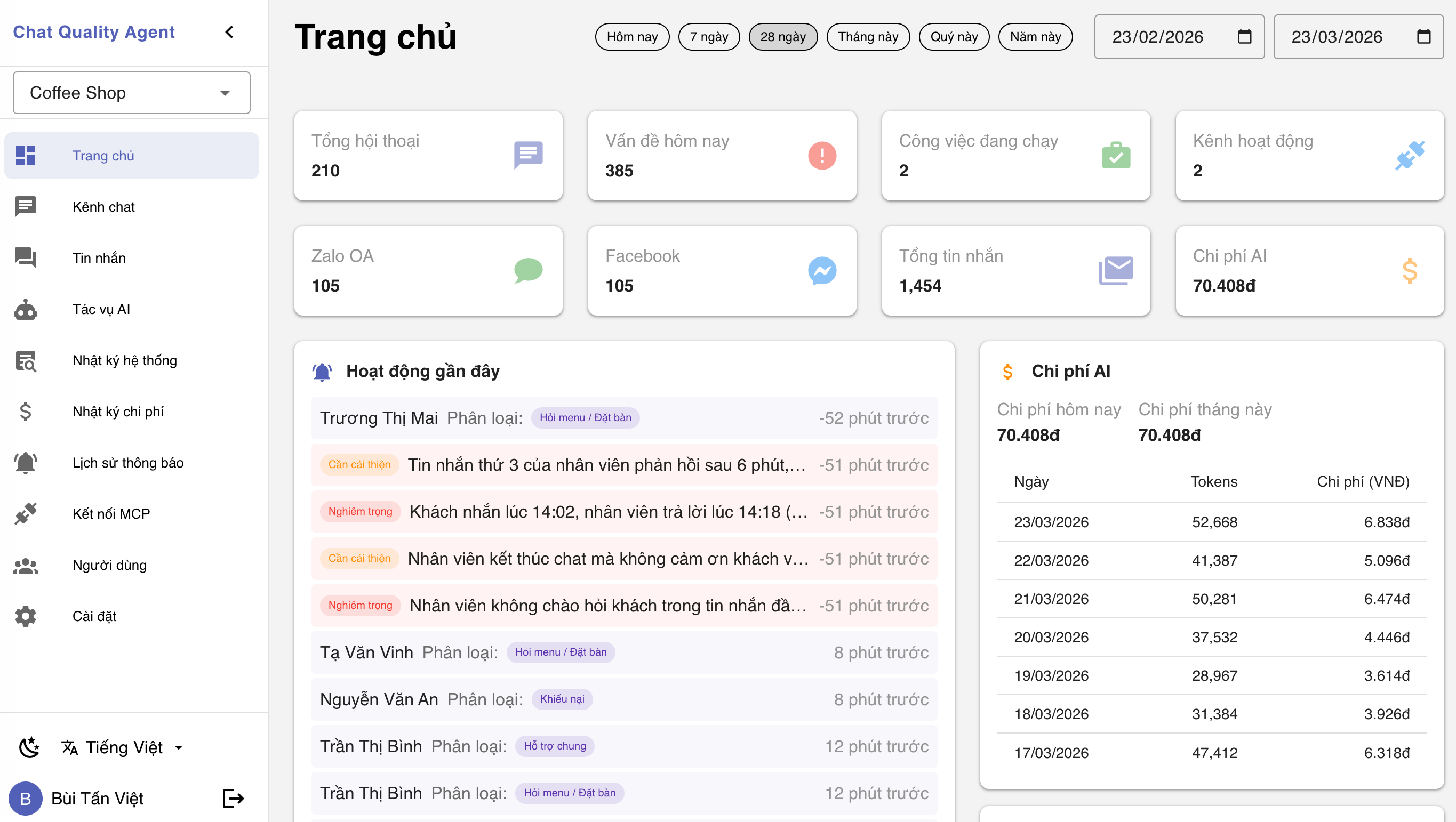
Tính năng
- Đồng bộ tin nhắn từ Zalo OA và Facebook Messenger
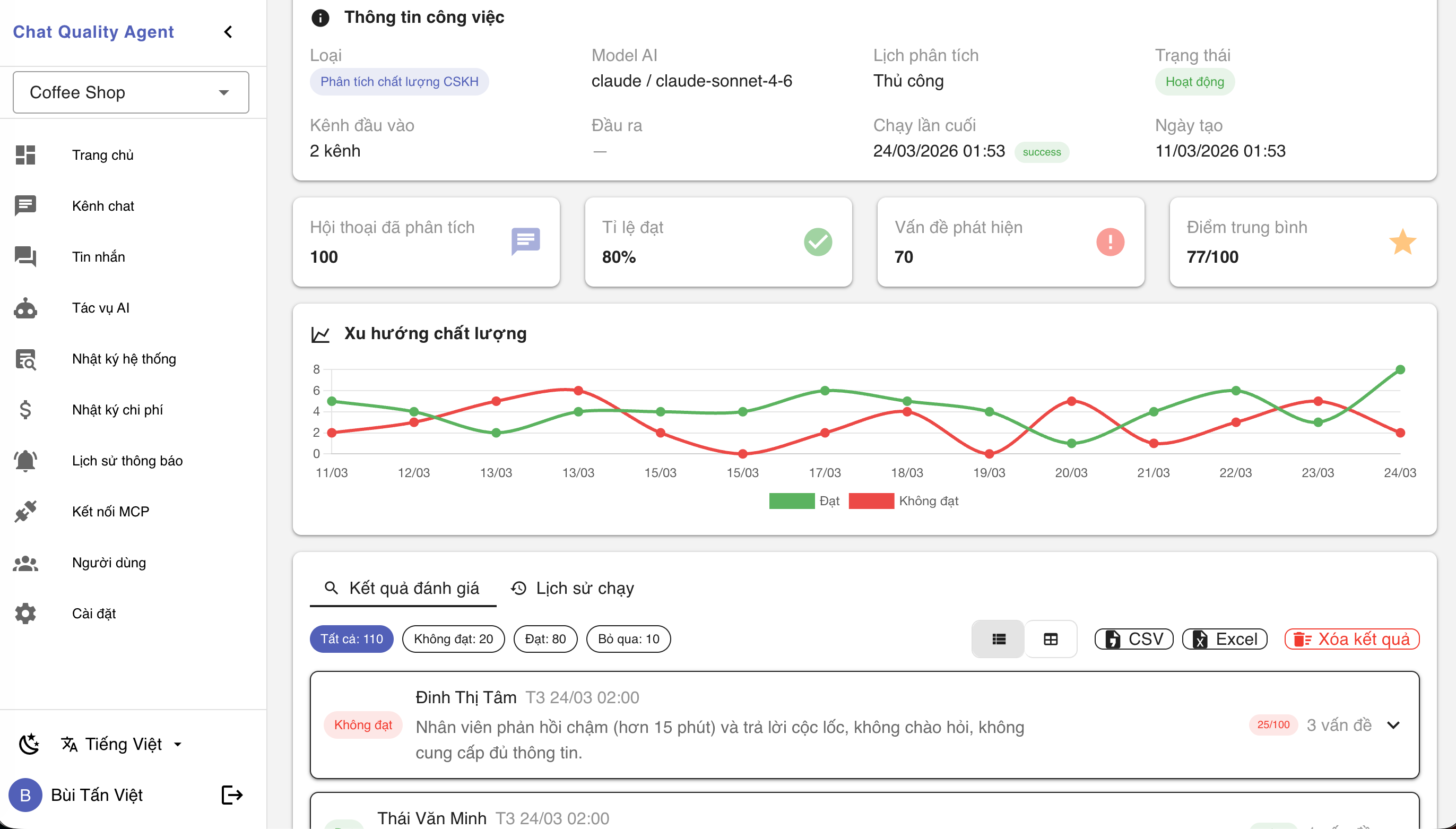
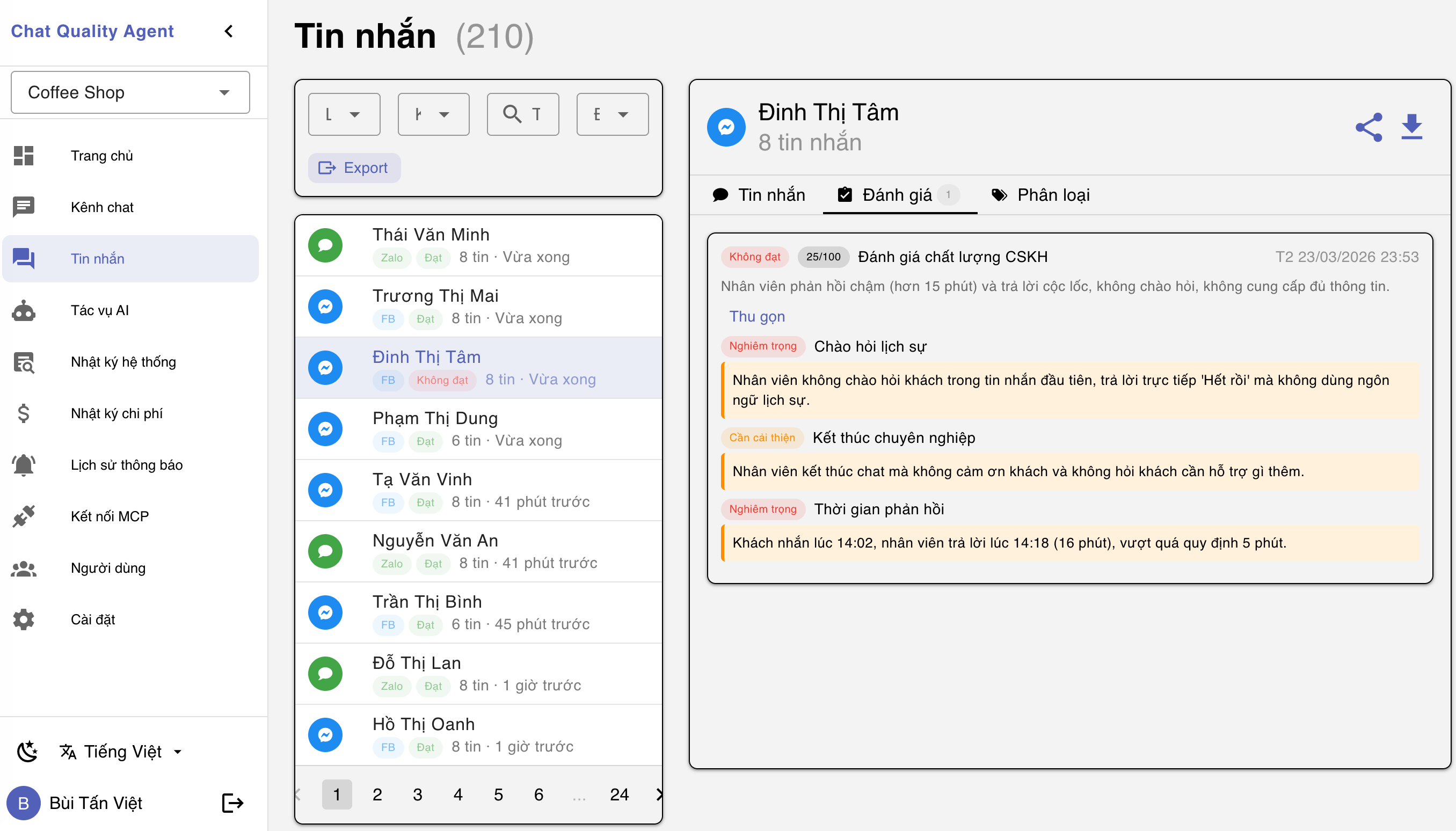
- Đánh giá chất lượng CSKH bằng AI (Claude hoặc Gemini) — Đạt/Không đạt, điểm 0-100, nhận xét chi tiết
- Phân loại chat theo chủ đề tùy chỉnh (khiếu nại, góp ý, hỏi giá...)
- Cảnh báo tự động qua Telegram và Email
- Batch AI mode — gom nhiều cuộc chat/lần gọi AI, tiết kiệm chi phí
- Dashboard với biểu đồ, thống kê, cảnh báo gần đây
- Multi-tenant — nhiều công ty trên 1 hệ thống, phân quyền Owner > Admin > Member
- Tích hợp MCP cho Claude Web/Desktop
- SSL tự động qua Let's Encrypt (tùy chọn)
Cài đặt nhanh
Cách 1: Cài tự động (khuyến nghị)
curl -s https://raw.githubusercontent.com/tanviet12/chat-quality-agent/main/install.sh | sudo bash
Script tự cài Docker, tạo secrets ngẫu nhiên, pull images và khởi chạy.
Cách 2: Build từ source
git clone https://github.com/tanviet12/chat-quality-agent.git
cd chat-quality-agent
cp .env.example .env
# Sửa .env
docker compose up -d --build
Truy cập: http://your-server-ip (hoặc http://localhost nếu cài trên máy local) — Lần đầu sẽ hiện trang Setup để tạo tài khoản admin.
Bật SSL (tùy chọn)
Thêm vào file .env:
LEGO_DOMAIN=cqa.yourdomain.com
LEGO_EMAIL=admin@yourdomain.com
Trỏ DNS A record về IP server, sau đó restart:
docker compose restart nginx
SSL sẽ tự động tạo và gia hạn qua Let's Encrypt.
Công nghệ
| Thành phần | Công nghệ |
|---|---|
| Backend | Go 1.25+ / Gin |
| Frontend | Vue 3 + Vuetify 4 + Vite |
| Database | MySQL 8.0 |
| AI | Claude (Anthropic) / Gemini (Google) |
| Reverse Proxy | Nginx + Let's Encrypt (Lego) |
| Deploy | Docker Compose |
Kiến trúc
                    ┌──────────────┐
  Internet ────────>│    Nginx     │ Port 80/443
                    │  (SSL + RP)  │
                    └──────┬───────┘
                           │
                    ┌──────┴───────┐
                    │   CQA App    │ Port 8080 (internal)
                    │ Go + Vue SPA │
                    └──────┬───────┘
                           │
                    ┌──────┴───────┐
                    │   MySQL 8.0  │ Port 3306 (internal)
                    └──────────────┘
Cấu trúc dự án
chat-quality-agent/
├── backend/            # Go API server
│   ├── ai/             # AI providers (Claude, Gemini)
│   ├── api/            # REST API handlers + middleware
│   ├── channels/       # Zalo OA, Facebook adapters
│   ├── db/             # GORM models + MySQL
│   ├── engine/         # Analyzer + Sync + Scheduler
│   ├── mcp/            # MCP server cho Claude
│   └── notifications/  # Telegram + Email
├── frontend/           # Vue 3 SPA
├── docker/             # Nginx + SSL configs
├── docs/               # Tài liệu hướng dẫn (VitePress)
├── docker-compose.yml      # Build từ source
├── docker-compose.hub.yml  # Dùng image Docker Hub
└── Dockerfile
Hướng dẫn sử dụng
- Kết nối kênh chat: Cài đặt > Kênh chat > Kết nối Facebook/Zalo
- Đồng bộ tin nhắn: Bấm "Đồng bộ ngay" hoặc chờ tự động
- Cấu hình AI: Cài đặt > AI > Chọn Claude/Gemini + nhập API key
- Tạo công việc: Công việc > Tạo mới > Wizard 6 bước
- Chạy phân tích: Chi tiết công việc > Chạy thử hoặc Chạy ngay
- Xem kết quả: Chi tiết công việc > Kết quả đánh giá
Biến môi trường
| Biến | Mô tả | Bắt buộc |
|---|---|---|
DB_PASSWORD |
Mật khẩu MySQL | Có |
MYSQL_ROOT_PASSWORD |
Mật khẩu root MySQL | Có |
JWT_SECRET |
Secret cho JWT tokens (min 32 ký tự) | Có |
ENCRYPTION_KEY |
Key 32 bytes cho AES-256-GCM | Có |
LEGO_DOMAIN |
Domain cho SSL tự động | Không |
LEGO_EMAIL |
Email cho Let's Encrypt | Không |
APP_URL |
URL công khai (cho links notification) | Không |
Xem đầy đủ trong .env.example.
Screenshots
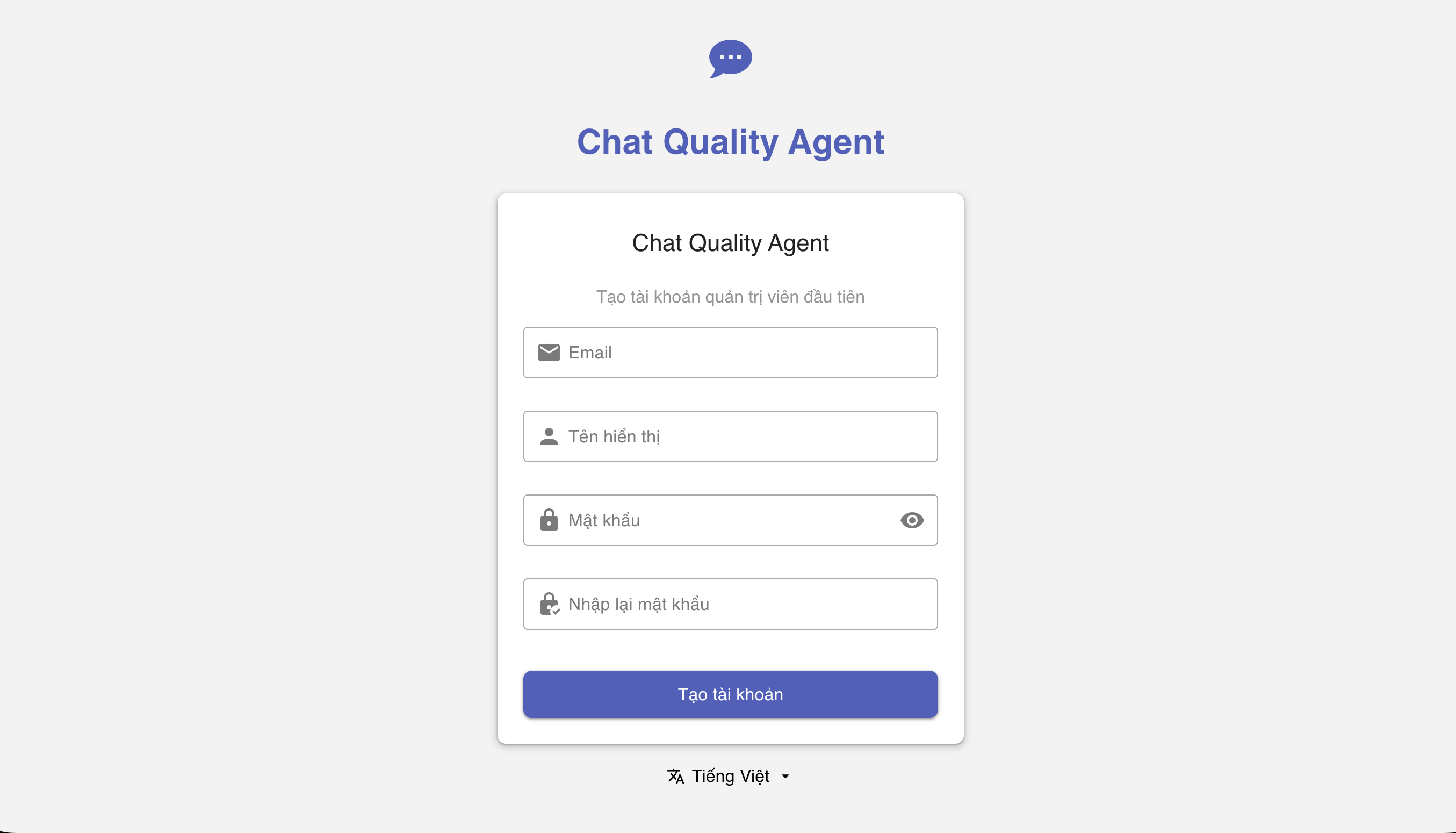 |
|
| Trang Setup lần đầu | Dashboard |
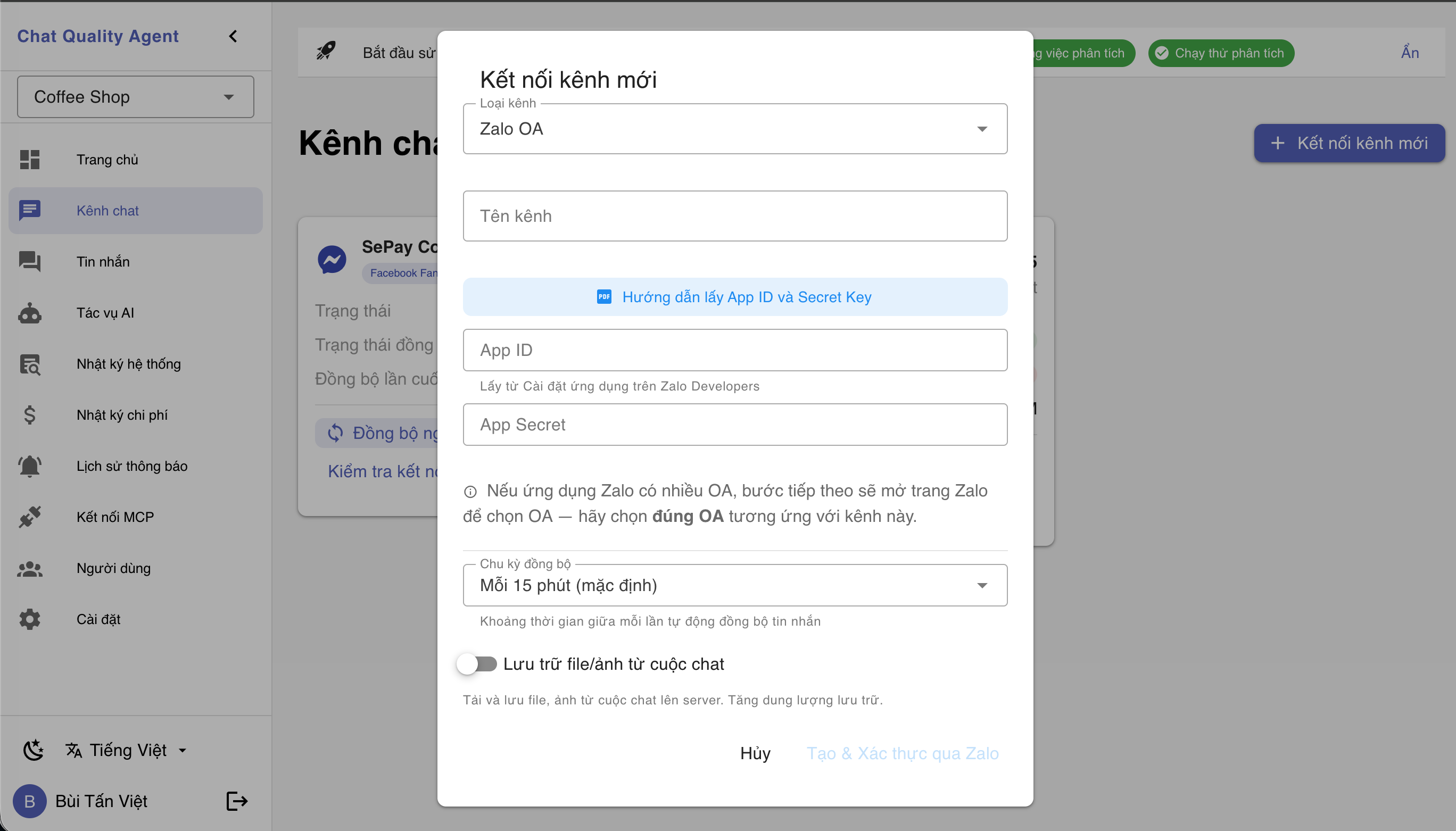 |
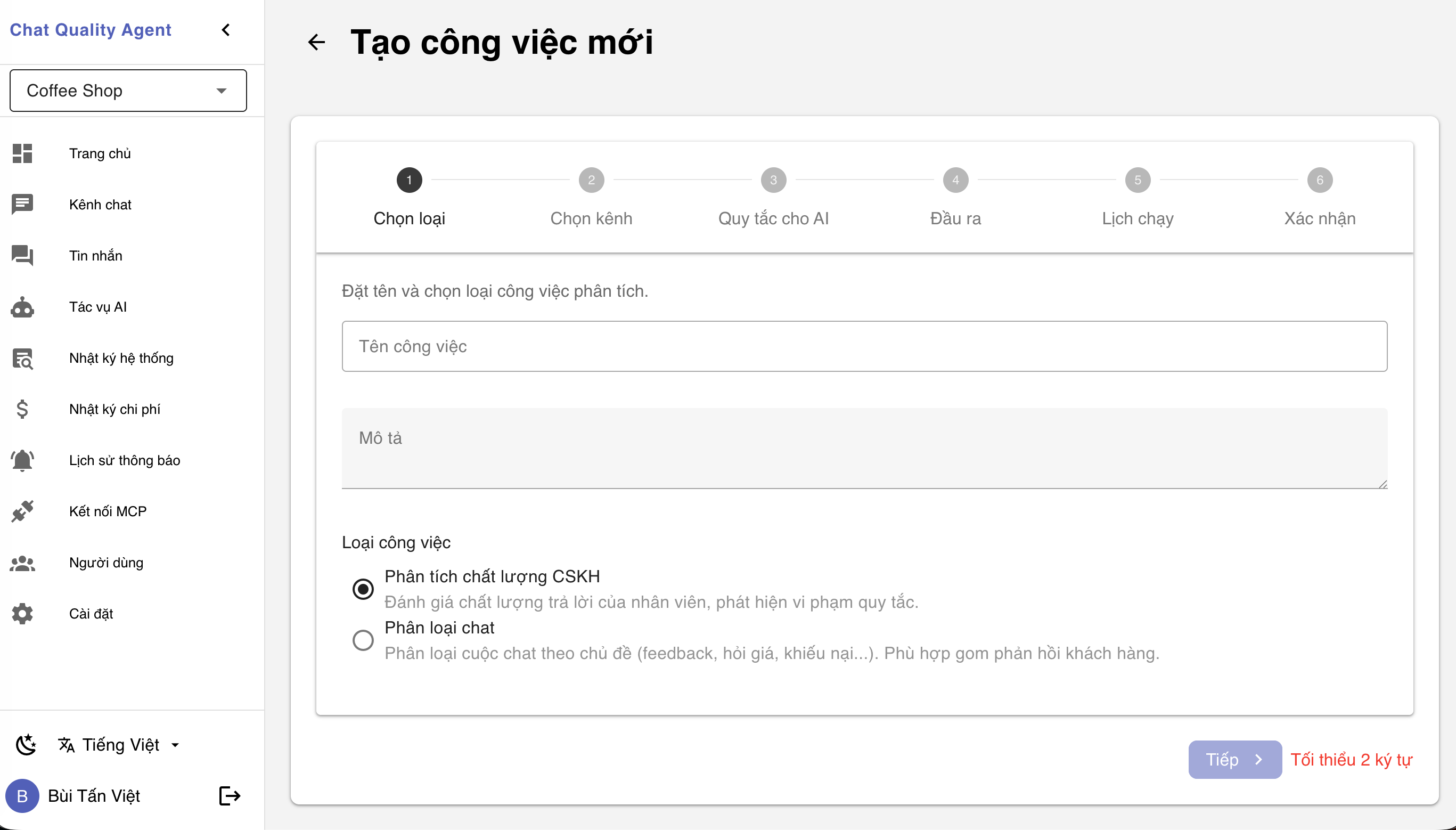 |
| Kết nối kênh chat | Tạo công việc |
 |
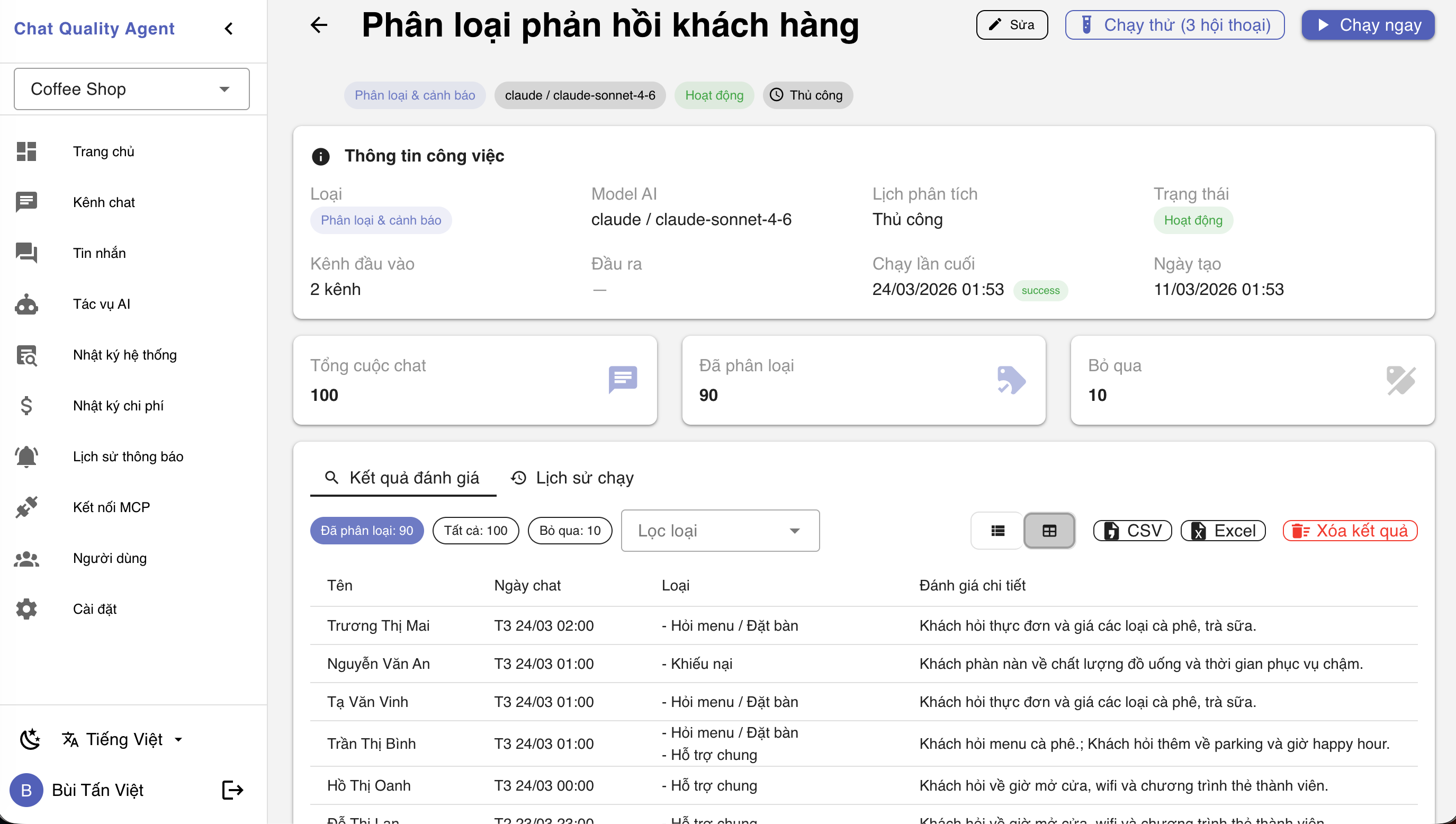 |
| Kết quả đánh giá QC | Kết quả phân loại |
 |
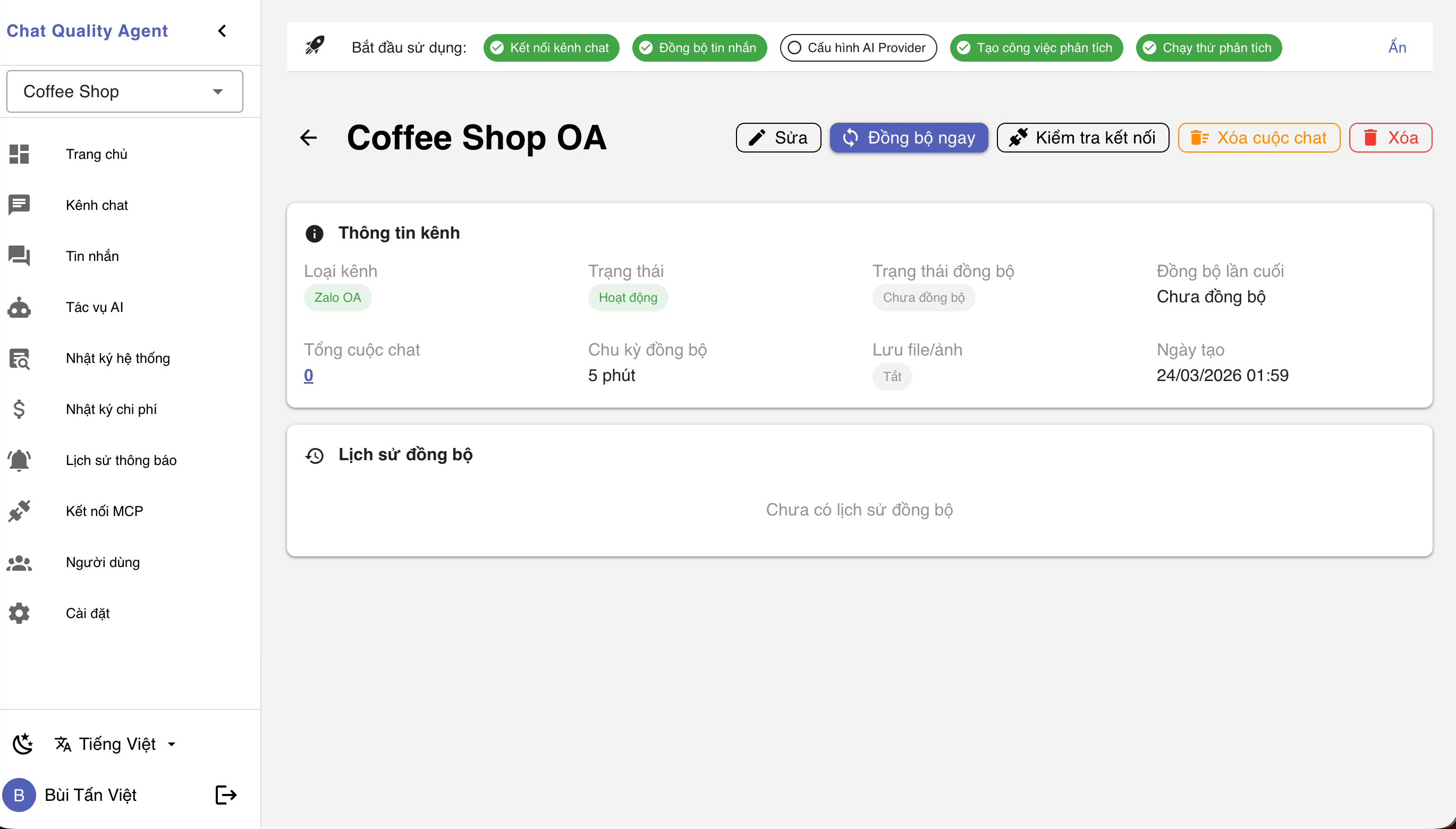 |
| Chi tiết tin nhắn + đánh giá | Chi tiết kênh chat |
Changelog
Xem lịch sử thay đổi tại: CHANGELOG.md
Tài liệu
Xem tài liệu chi tiết tại: https://tanviet12.github.io/chat-quality-agent/
License
MIT - SePay