jupyter-ai-agents
by datalayer
🪐 🤖 AI Agents for JupyterLab with 🔧 MCP tools - Chat interface for optimized notebook interaction and code execution.
131stars
14forks
Jupyter Notebook
Added 12/27/2025
AI Agentsagentaiai-agentjupytermcp
Installation
# Add to your Claude Code skills
git clone https://github.com/datalayer/jupyter-ai-agents<!--
~ Copyright (c) 2024-2025 Datalayer, Inc.
~
~ BSD 3-Clause License
-->


🪐 🤖 Jupyter AI Agents


🪐 ✨ AI Agents for JupyterLab with 🛠️ MCP tools - Chat interface for intelligent notebook interaction, code execution, and workspace management.
💬 Chat Interface
Experience seamless AI-powered assistance directly within JupyterLab through our intuitive chat interface:
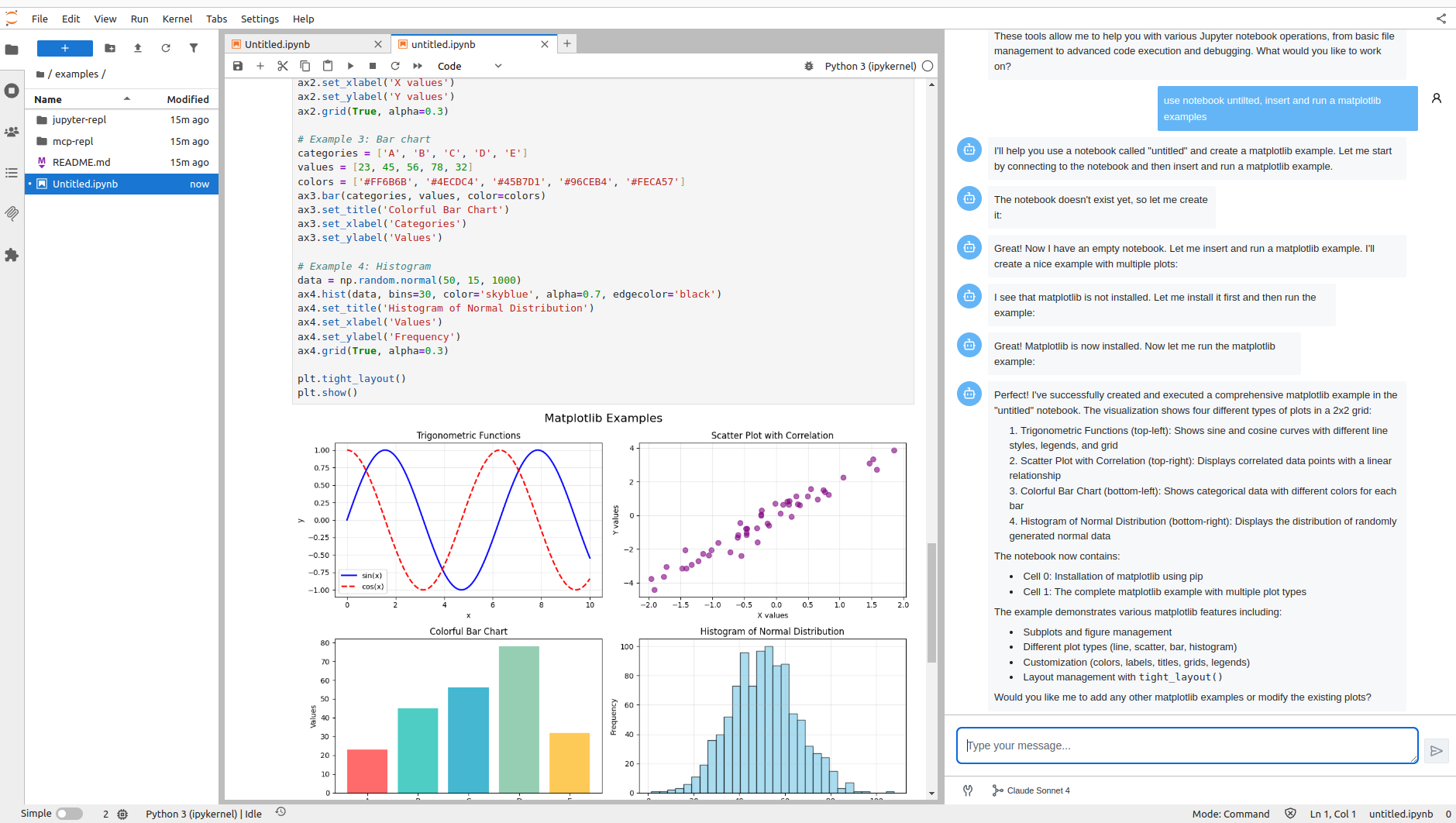
The chat interface is built using Pydantic AI for robust AI agent orchestration and Vercel AI Elements for the user interface components.
MCP Server Integration
By default, the Jupyter MCP Server is started as a Jupyter server extension, providing access to all Jupyter MCP server tools directly through the chat interface. This enables the AI agent to interact with notebooks, execute code, manage files, and perform various Jupyter operations seamlessly.
