dembrandt
by dembrandt
Extract any website’s design system into tokens in seconds: logo, colors, typography, borders & more. One command.
3,997stars
343forks
TypeScript
Added 9/27/2026
Requires a passing catalog security scan.
⚠️ Third-Party Software Notice
This skill is third-party open-source software developed and hosted independently on GitHub. SkillsLLM is an informational directory and does not control or maintain the underlying repository.
Any security checks, ratings, or warnings displayed by SkillsLLM are automated and limited in scope. They do not constitute a security certification or guarantee that the software is safe, error-free, or free from malicious code, vulnerabilities, compromised dependencies, or prompt-injection risks.
Review the source code, permissions, dependencies, and configuration before installing or running any third-party skill. Use is at your own risk. To the maximum extent permitted by applicable law, SkillsLLM is not liable for losses arising from third-party software.
MCP Serversbrand-auditsclaude-codeclicssdesign-engineeringdesign-mddesign-opsdesign-systemsdesign-to-codedesign-tokensdeveloper-experiencedtcgmcpnodejsopen-sourceplaywrightreverse-engineeringtailwind-csstoken-driftui-audit
Maintainer of this skill?
Installation
# Add to your Claude Code skills
git clone https://github.com/dembrandt/dembrandt
Getting Started
Guides for using mcp servers skills like dembrandt.
- Best MCP Servers in 2026Category-by-category picks: databases, dev tools, productivity, browser automation.
- What is an AI Skills Marketplace?Definitions, how marketplaces work, and how to choose between them in 2026.
- Getting Started with AI SkillsFirst-time install walkthrough for Claude Code, Codex CLI, and ChatGPT.
Security ReportWarning
Last scanned: 9/27/2026
{
  "issues": [
    {
      "type": "npm-audit",
      "message": "adm-zip: adm-zip extraction follows destination symlinks, allowing arbitrary file overwrite",
      "severity": "high"
    },
    {
      "type": "npm-audit",
      "message": "brace-expansion: brace-expansion: DoS via unbounded intermediate arrays, bypassing the CVE-2026-14257 mitigation",
      "severity": "high"
    },
    {
      "type": "npm-audit",
      "message": "fast-uri: fast-uri vulnerable to host confusion via backslash authority introducer",
      "severity": "high"
    },
    {
      "type": "npm-audit",
      "message": "hono: Hono: ReDoS in CORS middleware via Access-Control-Request-Headers",
      "severity": "medium"
    },
    {
      "type": "npm-audit",
      "message": "ip-address: ip-address: Address4 decodes leading-zero octets as decimal while resolvers decode them as octal, allowing SSRF and trust-boundary bypass",
      "severity": "high"
    },
    {
      "type": "npm-audit",
      "message": "qs: qs array-limit bypass via bracket-key comma parsing",
      "severity": "medium"
    }
  ],
  "status": "WARNING",
  "scannedAt": "2026-09-27T09:50:11.515Z",
  "npmAuditRan": true,
  "pipAuditRan": true,
  "promptInjectionRan": true
}
Compare with similar skills
See how dembrandt compares with popular alternatives.
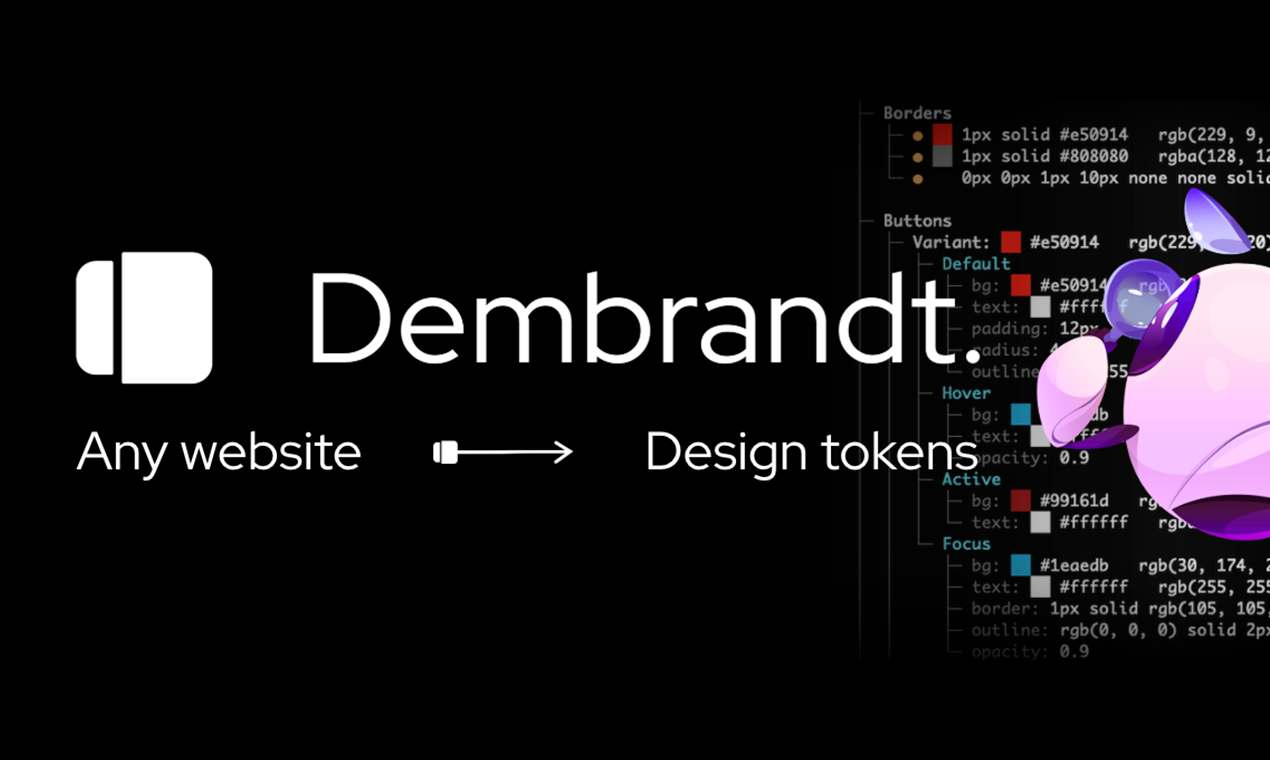
Dembrandt.




Extract any website's design system in one command. Enforce it in CI.
Logo, colors, typography, spacing, borders, shadows, motion, components. W3C design tokens in seconds.
Install
npm install -g dembrandt
dembrandt install-browser        # one-time: fetches the matching Chromium
dembrandt dembrandt.com
The browser step is required. dembrandt drives Chromium through playwright-core,
which ships no browser binaries, so a fresh install has nothing to launch until you
run it. Skipping it fails with browser engine not available.
Or use npx without installing: npx dembrandt dembrandt.com. The browser step applies
here too: run npx dembrandt install-browser first. Browsers land in a shared
Playwright cache, so either route only needs it once.
Requires Node.js 18+
Or install the MCP server straight into your editor and let the agent run it:


What you get
- Colors (semantic roles with the evidence behind each pick, curated palette, every detected colour, CSS variables, gradients)
- Typography (fonts, sizes, weights, sources, font file URLs)
- Spacing (margin/padding scales)
- Borders (radius, widths, styles, colors)
- Shadows
- Motion (duration scale, easing curves, hover patterns per component type)
- Components (buttons, badges, inputs, links)
- Breakpoints
- Icons & frameworks
Playwright renders the page, dembrandt reads computed styles from the DOM, analyzes color usage and confidence, groups similar typography, detects spacing patterns, and returns design tokens.
Flags
dembrandt dembrandt.com --shadcn        # shadcn/ui theme, observed slots only
dembrandt dembrandt.com --dtcg          # W3C design tokens, for Style Dictionary or Tokens Studio
dembrandt dembrandt.com --wcag          # WCAG 2.1 contrast on real DOM pairs
Default is formatted terminal output only. Every flag below; the detailed reference is docs/usage.md.
Export
| Flag | What you get |
|---|---|
--dtcg |
W3C design tokens (DTCG) |
--design-md |
DESIGN.md for AI agents |
--tailwind [path] |
Tailwind v4 @theme CSS |
--shadcn [path] |
shadcn/ui theme, observed slots only |
--html [path] |
Self-contained HTML report |
--brand-guide |
Brand guide PDF |
--json-only |
Raw JSON to stdout |
--save-output |
JSON to output/<domain>/ |
--screenshot <path> |
Viewport screenshot |
--color-format <f> |
Colour notation: hex, rgb, oklch, lch, source |
--raw-colors |
Pre-filter colours too |
Analysis
| Flag | What you get |
|---|---|
--wcag |
Contrast grades on real DOM pairs |
--compare <baseline> |
Drift gate; exits 1 when tokens moved |
--tokens <file> |
Check rendered colours, radii and font sizes against a W3C Design Tokens file; repeat for several |
--max-off-token <n> |
With --tokens: exit 1 when more than N rendered values match no token |
--tokens-report <path> |
With --tokens: Markdown summary with the nearest token per off-token value, wiki-ready |
--annotations <github|azure> |
CI annotations for drift and off-token values; detected from the runner by default |
--approve |
Accept the current run as the new baseline |
--ai |
ML brand-primary prediction (experimental) |
Coverage
| Flag | What you get |
|---|---|
--crawl [n] |
Merge N pages, cross-page confidence |
--sitemap |
Discover pages from sitemap.xml |
--dark-mode |
The dark theme's tokens |
--mobile |
Mobile viewport |
--slow |
3x timeouts for heavy sites |
--browser <type> |
chromium or firefox; CDP via env |
--no-sandbox |
For Docker and CI |
Access
| Flag | What you get |
|---|---|
--cookie <string> |
Reach pages behind a session |
--cookie-file <path> |
JSON cookies, Playwright storageState (incl. localStorage and the sessionStorage block --save-storage-state adds), or Netscape cookies.txt |
--basic-auth <user:pass> |
HTTP Basic for the browser context |
--login |
Open a visible browser to sign in; press Enter when ready, then extract (interactive terminal only) |
--save-storage-state <path> |
With --login, save the signed-in session (cookies, localStorage, sessionStorage) to a file; reuse it later with --cookie-file, also in CI |
--header <string> |
Any extra request header, repeat for several |
--no-headed-fallback |
Never open a visible browser on a failed navigation; for batch runs |
--user-agent <string> |
Custom user agent |
--locale <string> |
Locale for the fingerprint |
--timezone <string> |
Timezone for the fingerprint |
--accept-language <s> |
Accept-Language header |
--screen-size <WxH> |
Reported screen resolution |
--stealth |
Anti-detection; authorized use only |
--key <string> |
Sync runs to your account |
Catch design drift in CI
Extract a preview deployment, compare against a committed baseline, fail the job when tokens moved:
- uses: dembrandt/dembrandt@v0.39.2
  with:
    url: https://preview.example.com
    baseline: .dembrandt/baseline.json
The action is on the GitHub Marketplace and annotates the PR with the drifted tokens. On any other runner the gate is just an exit code plus JSON: dembrandt URL --compare baseline.json --json-only exits 1 on drift and prints per-token changes[]. See docs/ci.md for the Action inputs, the platform-neutral gate, and the exit code table.
Recipes
Copy a command, paste a prompt, get a result. Competitor benchmarking, WCAG audits, Figma token push, agentic design system builds. Filterable by role at dembrandt.com/recipes, with the basics in docs/recipes.md.
AI Agent Integration (MCP)
Use Dembrandt as a tool in Claude Code, Cursor, Windsurf, or any MCP-compatible client. Ask your agent to "extract the color palette from dembrandt.com" and it calls Dembrandt automatically.
Per-client setup, environment variables and the full tool list: docs/mcp.md and dembrandt.com/mcp.
claude mcp add --transport stdio dembrandt -- npx -y dembrandt mcp
The server is listed in the MCP Registry as io.github.dembrandt/dembrandt, so a client that reads the registry can install it by name.
Or add to your project's .mcp.json:
{
  "mcpServers": {
    "dembrandt": {
      "command": "npx",
      "args": ["-y", "dembrandt", "mcp"]
    }
  }
}
Available tools include get_design_tokens, get_color_palette, get_typography, get_component_styles, get_surfaces, get_spacing, and get_brand_identity, plus pure analysis tools (compute_drift, get_findings, export_dtcg, generate_design_md, render_report) and job-control tools.
Extraction tools accept slow, mobile, darkMode, wcag, cookie, cookieFile, basicAuth and header (for authenticated pages), userAgent, and noSandbox (Docker and most CI containers). Interactive --login stays CLI-only. Set pages above 1 to crawl and merge several pages, which produces a markedly stronger token set than one page; paths names them explicitly and sitemap discovers them from sitemap.xml.
Extraction returns a job_id. Poll it with get_job_status, then hand that same id to the pure tools instead of passing the extraction back as an argument:
get_design_tokens(url: "example.com", pages: 5)  ->  job_id
get_job_status(job_id)                           ->  tokens
get_findings(job_id)                             ->  contrast and consistency issues
export_dtcg(job_id)                              ->  W3C design tokens
Pair with dembrandt-skills to give your agent UX intelligence on top of extracted tokens: hierarchy, accessibility, interaction states, and a full 6-stage design pipeline orchestrator.
npx skills add dembrandt/dembrandt-skills
Dembrandt App (Beta)
Load extractions, track token drift, and compare snapshots
Frequently Asked Questions
What is dembrandt?
dembrandt is an open-source mcp servers skill for AI coding assistants such as Claude Code, Codex CLI, and ChatGPT, built by dembrandt. Extract any website’s design system into tokens in seconds: logo, colors, typography, borders & more. One command. It has 3,997 GitHub stars.
Is dembrandt safe to use?
dembrandt returned warnings in SkillsLLM's automated security scan. It has no critical vulnerabilities, but review the flagged issues in the Security Report section before adding it to your workflow.
How do I install dembrandt?
Clone the repository with "git clone https://github.com/dembrandt/dembrandt" and add it to your Claude Code skills directory (see the Installation section above).
What programming language is dembrandt written in?
dembrandt is primarily written in TypeScript. It is open-source under dembrandt on GitHub, so you can review or fork the full source.
Are there alternatives to dembrandt?
Yes. SkillsLLM lists many other MCP Servers skills you can browse and compare side by side. Open the MCP Servers category from the badge at the top of this page, or use the Related Skills and comparison links further down to weigh dembrandt against similar tools.
Comments (0)
to leave a comment.
No comments yet. Be the first to share your thoughts!
Related Skills
Reverse engineer anything with agents, from app behavior down to native binaries.
451,228
111,025
TypeScript
AI Agentsagent-skillsai
The agent harness performance optimization system. Skills, instincts, memory, security, and research-first development for Claude Code, Codex, Opencode, Cursor and beyond.
300,993
44,412
JavaScript
AI Agentsai-agentsanthropic
Fair-code workflow automation platform with native AI capabilities. Combine visual building with custom code, self-host or cloud, 400+ integrations.
210,126
61,457
TypeScript
MCP Serversaiapis
Makes your AI agent think like the laziest senior dev in the room. The best code is the code you never wrote.
188,689
10,488
JavaScript
AI Agentsagent-skillsai-agents
The agent harness performance optimization system. Skills, instincts, memory, security, and research-first development for Claude Code, Codex, Opencode, Cursor and beyond.
185,940
28,768
JavaScript
AI Agentsai-agentsanthropic
Popular in MCP Servers
Top skills in this category by stars
🕷️ The BEST Web Scraping framework that handles everything from a single request to a full-scale crawl! Don't be shy, join here: https://discord.gg/EMgGbDceNQ and follow here for daily tips and tricks: https://x.com/Scrapling_dev
101,390
10,574
Python
MCP Serversaiai-scraping
⭐AI-driven public opinion & trend monitor with multi-platform aggregation, RSS, and smart alerts.🎯 告别信息过载,你的 AI 舆情监控助手与热点筛选工具!聚合多平台热点 + RSS 订阅,支持关键词精准筛选。AI 智能筛选新闻 + AI 翻译 + AI 分析简报直推手机,也支持接入 MCP 架构,赋能 AI 自然语言对话分析、情感洞察与趋势预测等。支持 Docker ,数据本地/云端自持。集成微信/飞书/钉钉/Telegram/邮件/ntfy/bark/slack 等渠道智能推送。
63,579
24,919
Python
MCP Serversaibark
Developers Also Liked
Based on votes and bookmarks from developers who liked this skill
An agentic skills framework & software development methodology that works.
234,966
20,863
Shell
AI Agentsaibrainstorming
The agent harness performance optimization system. Skills, instincts, memory, security, and research-first development for Claude Code, Codex, Opencode, Cursor and beyond.
300,993
44,412
JavaScript
AI Agentsai-agentsanthropic
Skills for Real Engineers. Straight from my .agents directory.
250,518
21,171
Shell
AI Agents
Turn any idea, plan, or codebase into a beautiful interactive diagram. An agent skill for Claude Code, Codex, and more.
95,500
6,523
JavaScript
AI Agentsagent-skillsai-agents
The agent harness performance optimization system. Skills, instincts, memory, security, and research-first development for Claude Code, Codex, Opencode, Cursor and beyond.
185,940
28,768
JavaScript
AI Agentsai-agentsanthropic
Makes your AI agent think like the laziest senior dev in the room. The best code is the code you never wrote.
188,689
10,488
JavaScript
AI Agentsagent-skillsai-agents