Maintainer of this skill?
by Waishnav
Minimal Coding Agent Harness on MCP for ChatGPT, Claude, Hermes, Grok Bot, OpenClaw
# Add to your Claude Code skills
git clone https://github.com/Waishnav/devspaceLast scanned: 7/22/2026
{
  "issues": [
    {
      "type": "npm-audit",
      "message": "@anthropic-ai/claude-agent-sdk: Vulnerability found",
      "severity": "medium"
    },
    {
      "type": "npm-audit",
      "message": "@earendil-works/pi-agent-core: Vulnerability found",
      "severity": "medium"
    },
    {
      "type": "npm-audit",
      "message": "@earendil-works/pi-ai: Vulnerability found",
      "severity": "medium"
    },
    {
      "type": "npm-audit",
      "message": "@earendil-works/pi-coding-agent: Vulnerability found",
      "severity": "medium"
    },
    {
      "type": "npm-audit",
      "message": "@google/genai: Vulnerability found",
      "severity": "medium"
    },
    {
      "type": "npm-audit",
      "message": "@hono/node-server: Node.js Adapter for Hono: Path traversal in `serve-static` on Windows via encoded backslash (`%5C`)",
      "severity": "medium"
    },
    {
      "type": "npm-audit",
      "message": "@modelcontextprotocol/ext-apps: Vulnerability found",
      "severity": "medium"
    },
    {
      "type": "npm-audit",
      "message": "@modelcontextprotocol/sdk: Vulnerability found",
      "severity": "medium"
    },
    {
      "type": "npm-audit",
      "message": "body-parser: body-parser vulnerable to denial of service when invalid limit value silently disables size enforcement",
      "severity": "low"
    },
    {
      "type": "npm-audit",
      "message": "brace-expansion: brace-expansion: DoS via exponential-time expansion of consecutive non-expanding {} groups",
      "severity": "high"
    },
    {
      "type": "npm-audit",
      "message": "fast-uri: fast-uri vulnerable to host confusion via failed IDN canonicalization",
      "severity": "high"
    },
    {
      "type": "npm-audit",
      "message": "hono: Hono: API Gateway v1 adapter can drop a distinct repeated request header value during de-duplication",
      "severity": "medium"
    },
    {
      "type": "npm-audit",
      "message": "protobufjs: protobufjs: Denial of Service via infinite loop in .proto option parsing",
      "severity": "medium"
    }
  ],
  "status": "WARNING",
  "scannedAt": "2026-07-22T06:26:56.434Z",
  "npmAuditRan": true,
  "pipAuditRan": true,
  "promptInjectionRan": true
}See how devspace compares with popular alternatives.
devspace is an open-source ai agents skill for AI coding assistants such as Claude Code, Codex CLI, and ChatGPT, built by Waishnav. Minimal Coding Agent Harness on MCP for ChatGPT, Claude, Hermes, Grok Bot, OpenClaw. It has 5,279 GitHub stars.
devspace returned warnings in SkillsLLM's automated security scan. It has no critical vulnerabilities, but review the flagged issues in the Security Report section before adding it to your workflow.
Clone the repository with "git clone https://github.com/Waishnav/devspace" and add it to your Claude Code skills directory (see the Installation section above).
devspace is primarily written in TypeScript. It is open-source under Waishnav on GitHub, so you can review or fork the full source.
Yes. SkillsLLM lists many other AI Agents skills you can browse and compare side by side. Open the AI Agents category from the badge at the top of this page, or use the Related Skills and comparison links further down to weigh devspace against similar tools.
No comments yet. Be the first to share your thoughts!
Based on votes and bookmarks from developers who liked this skill
Requires a passing catalog security scan.
⚠️ Third-Party Software Notice
This skill is third-party open-source software developed and hosted independently on GitHub. SkillsLLM is an informational directory and does not control or maintain the underlying repository.
Any security checks, ratings, or warnings displayed by SkillsLLM are automated and limited in scope. They do not constitute a security certification or guarantee that the software is safe, error-free, or free from malicious code, vulnerabilities, compromised dependencies, or prompt-injection risks.
Review the source code, permissions, dependencies, and configuration before installing or running any third-party skill. Use is at your own risk. To the maximum extent permitted by applicable law, SkillsLLM is not liable for losses arising from third-party software.
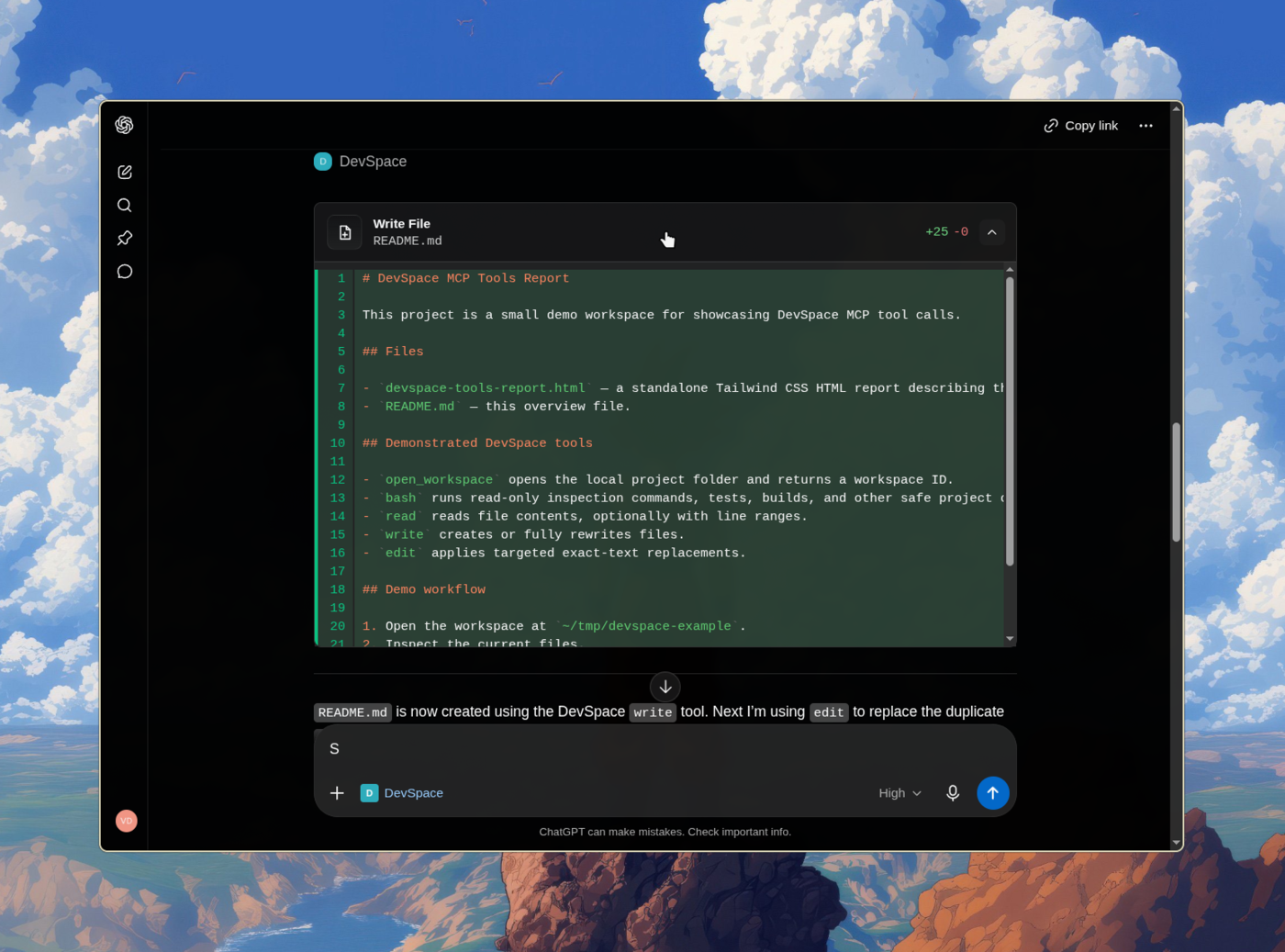
Give ChatGPT a secure connection to your own machine and Turn ChatGPT into Codex
DevSpace is a self-hosted MCP server that lets ChatGPT read, edit, search, and run code in your real local projects — your files, your tools, your terminal — without uploading anything to a third party. You run it on your machine, expose it through a tunnel you control, and approve the connection with a password only you have.
The same /mcp endpoint serves the 2026-07-28 per-request protocol and automatically supports older 2025-era clients through stateless compatibility handling. There is no protocol mode to configure.
DevSpace requires Node >=22.19 <27.
Install the DevSpace CLI:
npm install -g @waishnav/devspace
Then initialize DevSpace:
devspace init
Or run it without a global install:
npx @waishnav/devspace init
During setup, DevSpace asks for:
The first choice is where you invoke DevSpace from. The subagent choice is separate: ChatGPT or another coding agent can delegate work through DevSpace to the agents you select there.
If you select ChatGPT, setup also asks which local project folders it may open and for your public HTTPS base URL from Cloudflare Tunnel, ngrok, Pinggy, Tailscale Funnel, or another reverse proxy. A Coding Agents-only setup asks neither question: local commands use the current Git project, or the current directory outside a repository.
Use the public origin without /mcp during setup:
https://your-tunnel-host.example.com
You will configure your MCP client with the public /mcp URL after setup.
Run devspace serve when using ChatGPT. For Coding Agents, setup prints a
skills command and lets the Skills CLI handle installation.
When the client connects, DevSpace opens an Owner password approval page. Enter
the Owner password printed by devspace init. It is also stored in:
~/.devspace/auth.json
Keep that password private.
The default local endpoint is:
http://127.0.0.1:7676/mcp
Most users should connect through a public HTTPS tunnel:
https://your-tunnel-host.example.com/mcp
[!NOTE] Using DevSpace as an MCP connector isn't against OpenAI's Usage Policies — it's a standard custom App/connector setup, and writing or running code isn't a restricted use case. But your account is governed by your usage, not by DevSpace. Don't point it at anything that would violate your provider's terms. Used normally, you're fine. (Based on OpenAI's Usage Policies and Service Terms as of June 2026.)
Once connected, ChatGPT can open one of your approved project folders as a workspace. From there, it can inspect the repo, make scoped edits, run commands, and show you what changed.
DevSpace gives ChatGPT tools to:
AGENTS.md and CLAUDE.mdDevSpace is remote access to selected local folders.
You decide which roots are allowed. The MCP client still has powerful local capabilities inside an opened workspace, including shell execution. Treat a connected client like a trusted coding partner with access to your machine.
For a normal ChatGPT coding session:
devspace serve./mcp URL.DevSpace supports Linux, macOS, and Windows environments with a Bash-compatible shell.
| Platform | Status | Notes |
|---|---|---|
| Linux | Supported | Requires Node, npm, Git, and Bash. |
| macOS | Supported | Requires Node, npm, Git, and Bash. |
| Windows with Git Bash, WSL, MSYS2, or Cygwin Bash | Supported | Git Bash is the simplest native Windows setup. |
Windows PowerShell or cmd.exe only |
Not supported yet | Install Git Bash or use WSL. |
Run this to inspect your local setup:
devspace doctor
Every piece of software is becoming conversational. Natural language is redefining how we interact with tools, workflows, and systems.
My bet is that ChatGPT becomes the operating system for everything. Once we reach AGI, we will simply talk to ChatGPT, and it will prompt, coordinate, and orchestrate sub-agents that set up the right loops for us.
We are not there yet.
DevSpace is one attempt to fast-forward that future: a way for MCP-capable hosts like ChatGPT and Claude to work directly with local project files through explicit, inspectable tools.
I'm Waishnav. I like building opinionated products and tools, and Artifacts is one example.
This year, I began my journey to build a one-person, multi-agent company capable of generating millions in revenue. If you want to follow the failures, wins, lessons, and everything in between, come hang out with me on X.
For working on DevSpace itself:
Install pnpm 11.25.0, the version pinned in package.json, with
npm install --global pnpm@11.25.0, then:
pnpm install --frozen-lockfile
pnpm dev:seed
pnpm dev
pnpm typecheck
pnpm test
pnpm build
pnpm start
dev:seed forks your normal DevSpace config and SQLite state into an ignored
checkout-local .devspace-dev/ directory so source builds and migrations do not
modify your normal installation. Use pnpm dev:reset to discard that QA state
and fork it again. See Development and Manual QA for
worktree switching, ChatGPT, and database-migration workflows.