Maintainer of this skill?

Automated security scan — not a certification.
by samuelfaj
Get FAR MORE done with FAR FEWER tokens 🔥
# Add to your Claude Code skills
git clone https://github.com/samuelfaj/distillLast scanned: 5/14/2026
{
  "issues": [],
  "status": "PASSED",
  "scannedAt": "2026-05-14T06:46:56.203Z",
  "semgrepRan": false,
  "npmAuditRan": true,
  "pipAuditRan": true
}See how distill compares with popular alternatives.
distill is an open-source ai agents skill for AI coding assistants such as Claude Code, Codex CLI, and ChatGPT, built by samuelfaj. Get FAR MORE done with FAR FEWER tokens 🔥. It has 731 GitHub stars.
Yes. distill passed SkillsLLM's automated security scan — a dependency vulnerability audit plus prompt-injection heuristics — with no high-severity issues. You can read the full report in the Security Report section on this page.
Clone the repository with "git clone https://github.com/samuelfaj/distill" and add it to your Claude Code skills directory (see the Installation section above).
distill is primarily written in Rust. It is open-source under samuelfaj on GitHub, so you can review or fork the full source.
Yes. SkillsLLM lists many other AI Agents skills you can browse and compare side by side. Open the AI Agents category from the badge at the top of this page, or use the Related Skills and comparison links further down to weigh distill against similar tools.
No comments yet. Be the first to share your thoughts!
30 days in the Featured rail · terms & refunds
⚠️ Third-Party Software Notice
This skill is third-party open-source software developed and hosted independently on GitHub. SkillsLLM is an informational directory and does not control or maintain the underlying repository.
Any security checks, ratings, or warnings displayed by SkillsLLM are automated and limited in scope. They do not constitute a security certification or guarantee that the software is safe, error-free, or free from malicious code, vulnerabilities, compromised dependencies, or prompt-injection risks.
Review the source code, permissions, dependencies, and configuration before installing or running any third-party skill. Use is at your own risk. To the maximum extent permitted by applicable law, SkillsLLM is not liable for losses arising from third-party software.
Automated security scan — not a certification.
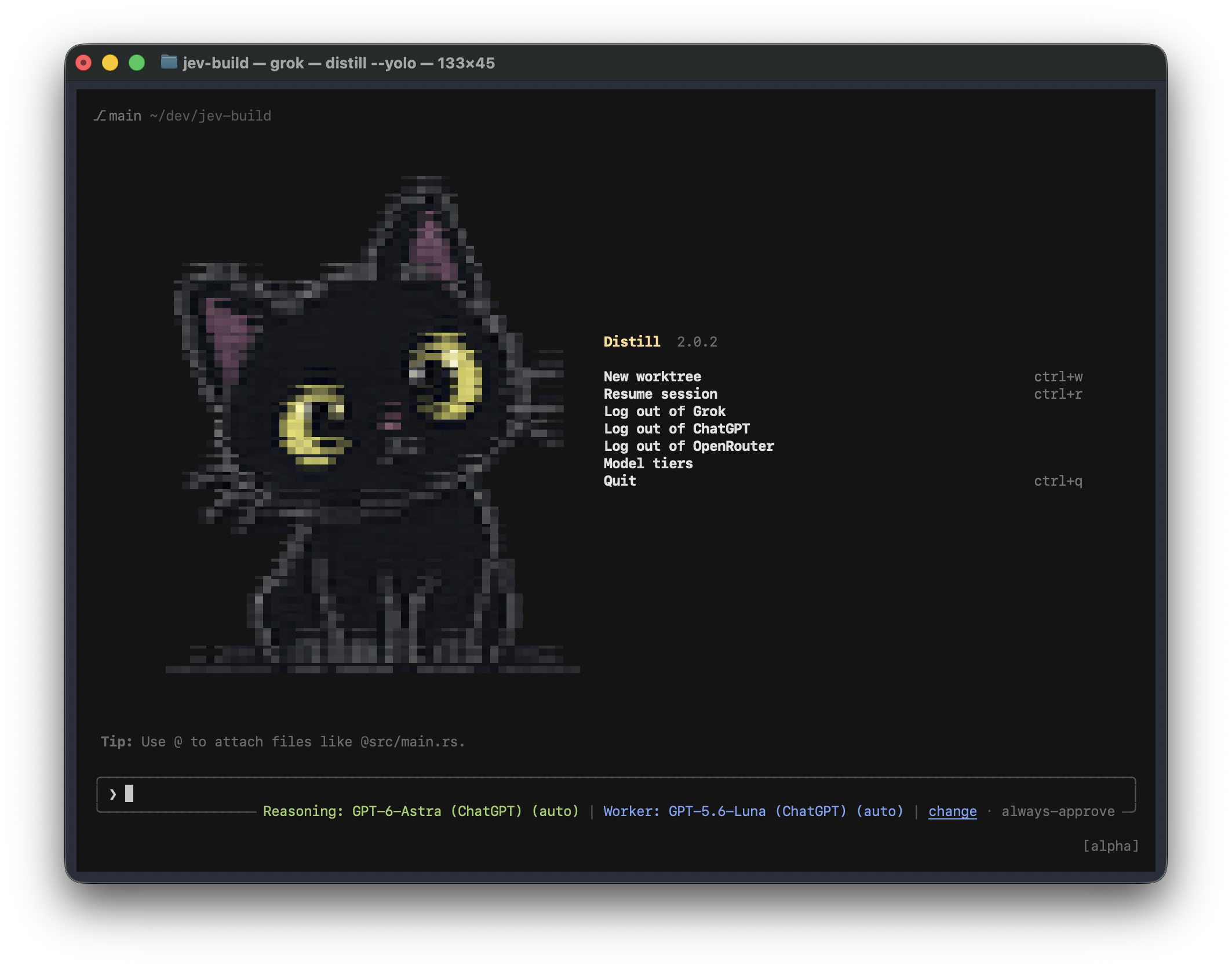
Distill is a lightweight coding agent harness and TUI, built to get far more done with far fewer tokens.
It works with Grok and Codex subscriptions, and with any model that speaks the OpenAI-compatible protocol.
Steps:

See BENCHMARKS.md for the full results tables, definitions, methodology, cost bounds, reproduction commands, and source JSON.
curl -fsSL https://raw.githubusercontent.com/samuelfaj/distill/main/install.sh | sh
export PATH="$HOME/.local/share/distill/bin:$PATH"
distill --version
irm https://raw.githubusercontent.com/samuelfaj/distill/main/install.ps1 | iex
$bin = "$env:LOCALAPPDATA\distill\bin"; [Environment]::SetEnvironmentVariable('Path', "$bin;" + [Environment]::GetEnvironmentVariable('Path', 'User'), 'User')
distill --version
For an installation made with the release installer:
distill update
Open Model tiers on the home screen, click change beside the current
model, or enter /tiers. You can edit each tier in that screen.
| Tier | Purpose | Picker |
|---|---|---|
| Main model | Required. Owns every session: it plans, specifies, delegates, and reviews the work. | /model or /tiers main |
| Worker model | Optional. Runs every delegated assignment the main model hands it as a precise spec. Without it, the main model does all the work. | /worker-model or /tiers worker |
| Utility model | Handles bounded tasks such as extraction, summaries, and compression. | /utility-model or /tiers utility |
Pick your strongest model as the main model and a cheaper one as the worker:
the main model gives the worker as much of the work as it can do well. Each
tier takes an effort level or auto, which lets Jev pick the effort for every
call; auto is the default. In the Model tiers screen, enter a tier as
model effort (for example gpt-6-luna auto). You can supply each selection
directly:
/model gpt-6-sol auto
/worker-model gpt-6-luna auto
/utility-model openrouter-qwen37 auto
Two rule sets are built into every system prompt, for the main model and for its subagents, and neither has an off switch:
/caveman lite|full|ultra changes how hard it compresses
(default full); a stored off is ignored.