DrissionPage MCP Server
Professional browser automation for Codex, Claude Code, and MCP clients, powered by DrissionPage.
DrissionPage is a Python web automation library built around direct Chromium/CDP control with requests-style HTTP session support. This server exposes its browser-facing capabilities as typed, atomic MCP tools.




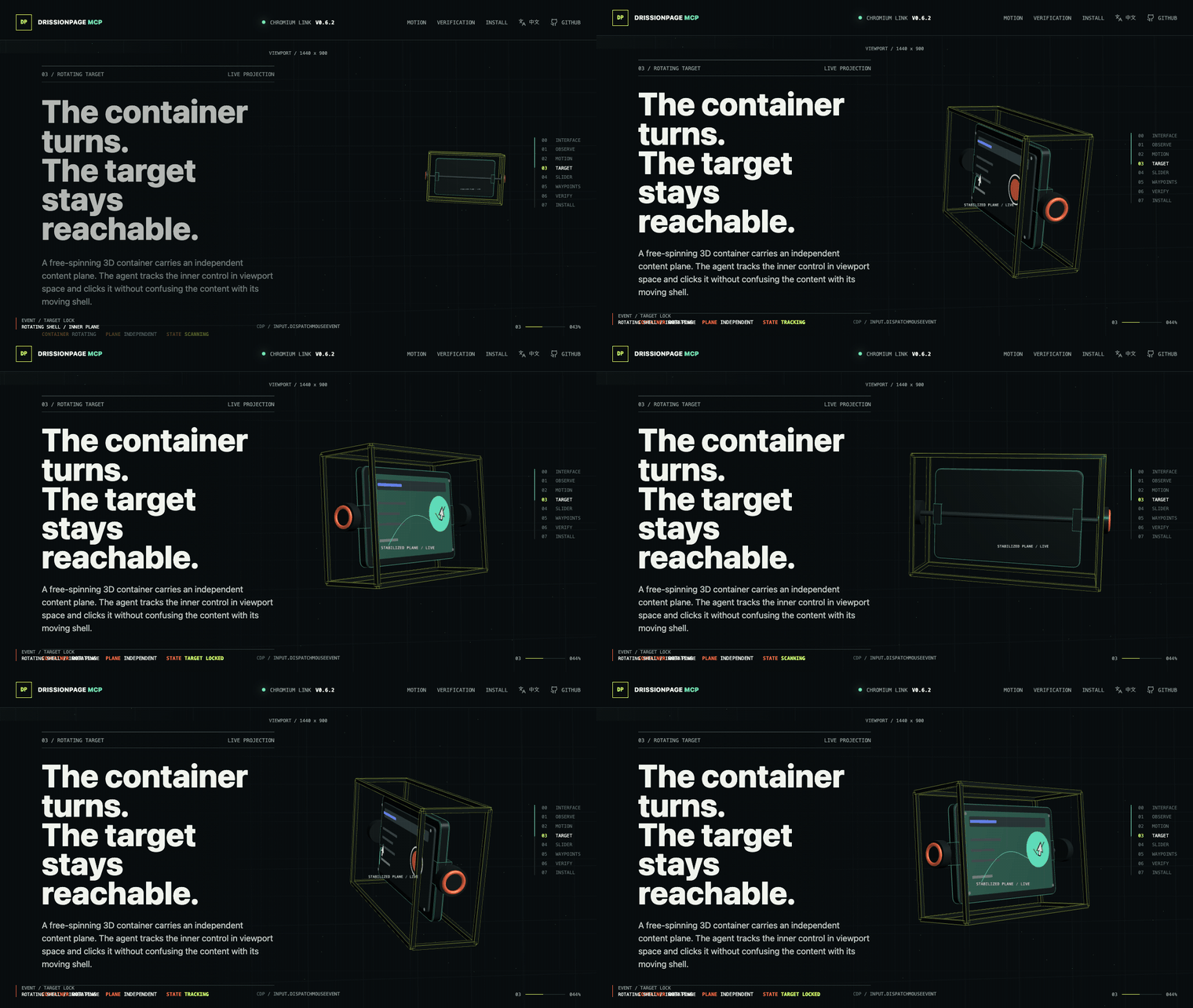
Open the interactive Browser Lab to replay bounded natural pointer motion, drag controls, and verify observable state.
Official Repositories: GitHub | GitCode
🖱️ Atomic Browser Control with Natural Pointer Motion
DrissionPage MCP 0.8.8 exposes 69 typed browser capabilities. The MCP server provides accurate low-level observation and interaction; the client or an optional Skill composes those capabilities for a site, component library, challenge, or business workflow.
The model decides what to do; the MCP executes the requested browser operation exactly.
Screenshot / page observation
        ↓
Multimodal model identifies viewport coordinates
        ↓
page_click_xy(x=442, y=369, profile="natural")
        ↓
24-step eased cubic path → exact target → press → release
        ↓
Observe and verify the resulting page state
Core interaction guarantees
- Two bounded profiles:
directemits one exact move;naturalemits a deterministic 24-step eased cubic path with reproducible 8-14ms intervals and exact final arrival. - No hidden randomness: the same start, target, and profile produce the same path; there is no jitter, overshoot, or anti-detection logic. Pointer position is stateful, so a repeated call can begin from the previous endpoint.
- Explicit sequences: click is the selected move profile, optional caller-specified delay, press, release; drag keeps one press across the selected path and ordered waypoints.
- Failure-safe input: a pressed pointer button is released if execution fails after the press.
- Fresh browser evidence: selector geometry is resolved immediately before selector-backed drag operations.
- Typed results: outputs report the executed coordinates, button, step count, and explicit delay metadata.
Use structured DOM targets when reliable selectors exist. Use coordinates, natural motion, and explicit drag waypoints for canvas controls, editors, maps, charts, and other visual-only surfaces. Component-specific target discovery, challenge observation, multi-click sequencing, login procedures, and other business policy belong in the client or an optional Skill.
{
  "x": 442,
  "y": 369,
  "profile": "natural",
  "button": "left",
  "element": "visually identified control"
}
Designed for authorized browser automation, testing, accessibility workflows, and technical research. The core does not provide challenge-specific or site-specific workflows.
🧭 Client Setup Navigation
- Atomic browser control
- Install + screenshot walkthrough
- Codex CLI/IDE quick setup
- Codex CLI/IDE integration example
- Skills and reusable procedures
- Claude Code setup
- Cursor setup
- Claude Desktop setup
- Troubleshooting
🚀 What is DrissionPage MCP?
DrissionPage MCP Server is a local Model Context Protocol (MCP) server that brings DrissionPage browser automation tools to Codex CLI/IDE, Claude Code, Claude Desktop, and other MCP clients.
The standalone server exposes 69 typed tools, zero MCP prompts, and one static optional-Skills catalog resource. Version 0.8.8 keeps that registry stable while adding correlated network-listener generations, explicit packet cursors, timeout evidence, cancellation recovery, and tab-owned cleanup. Every tool loads by default; there is no capability profile or opt-in full mode. Models compose these atomic capabilities, while reusable challenge and site procedures live outside the distribution as optional Skills. Browser execution is powered by DrissionPage.
🌟 Why Choose DrissionPage MCP?
- Structured-First, Vision-Ready: Uses DOM structure when available and multimodal coordinates when visual interaction is the better tool
- Deterministic: Reliable element selection with CSS/XPath normalization for LLM-friendly selectors
- Natural Pointer Motion: Offers exact direct movement and a bounded deterministic 24-step eased trajectory from the same atomic tools
- Fast & Lightweight: Built on DrissionPage's efficient engine with minimal overhead
- Type-Safe: Full type hints and Pydantic validation for all tools
- Open-source Friendly: Includes compatibility notes, troubleshooting, and CI checks for maintainable contributions
- Easy Integration: Simple
pip install+ Codex TOML or MCP JSON configuration
✅ Quality and Real-World Validation
DrissionPage MCP is backed by a strict regression suite and browser-backed scenario checks:
- Strict automated tests: unit, protocol, schema snapshot, response-contract, resource, release-metadata, security-policy, browser-integration, and coverage checks run in CI.
- 95% coverage floor: CI enforces the current 95% coverage threshold and uploads coverage reports.
- Real browser verification: Chrome/Chromium-backed integration tests exercise the same MCP tools exposed to clients.
- Document-boundary verification: focused browser tests prove cross-origin OOPIF reads and DrissionPage-exposed closed Shadow DOM lookup without JavaScript piercing fallbacks.
- Challenge-surface verification: local fixtures cover normal, hidden, off-viewport, delayed, and CSS 3D cross-origin widgets; official Turnstile dummy keys cover visible, invisible, pass, fail, and forced-interactive callbacks without retaining tokens.
- Scenario validation: the playground MCP Lab covers realistic forms, commerce pages, social feeds, timelines, dynamic waits, iframe cases, and recovery paths without depending on public demo websites.
⚡ First Success Path
# Install or update Codex CLI (macOS/Linux)
curl -fsSL https://chatgpt.com/codex/install.sh | sh

# Install from PyPI
python -m pip install -U "drissionpage-mcp>=0.8.8"

# Verify package and environment
drissionpage-mcp --version
drissionpage-mcp doctor
The official installer updates an existing Codex CLI installation as well. For Windows and the Codex desktop app, see the official Codex CLI and app documentation.
Then add the Codex or MCP client configuration below and restart your client.
📦 Setup in Codex CLI/IDE (30 seconds)
Codex supports local stdio MCP servers through config.toml; the CLI and IDE extension share the same MCP configuration.
-
Edit Codex configuration:
- User-level:
~/.codex/config.toml - Project-level:
.codex/config.tomlinside a trusted project
- User-level:
-
Add this configuration:
[mcp_servers.drissionpage] command = "drissionpage-mcp" startup_timeout_sec = 20 tool_timeout_sec = 60 -
Restart Codex. In the TUI, run
/mcp; from a shell, runcodex mcp list.
For Claude Code, Claude Desktop, and other JSON-based MCP clients, see Integration Examples.
🎯 Quick Examples
Navigate and Screenshot
"Visit https://example.com and take a screenshot for me"
Search and Extract
"Go to Wikipedia, search for Python, and get the first paragraph"
Form Automation
"Fill out the form at https://httpbin.org/forms/post and submit it"
Data Scraping
"Get the top 10 news headlines from news.ycombinator.com"
🛠️ 69 Typed Browser Tools
All 63 tab-scoped tools accept an optional tab_id. Omit it to capture the MCP
current tab once at call start, or pass an MCP/native DrissionPage tab id to
target explicitly. Successful tab-scoped results return the resolved MCP
tab_id; independent tabs can run concurrently while actions on one tab remain