dsh-plugin-subscriptions
by V1ki
Use ChatGPT (Codex), Claude, and Grok (X Premium) subscriptions as DeepSeek Harness LLM providers — OAuth login in the web UI, no API keys
417stars
67forks
TypeScript
Added 8/18/2026
⚠️ Third-Party Software Notice
This skill is third-party open-source software developed and hosted independently on GitHub. SkillsLLM is an informational directory and does not control or maintain the underlying repository.
Any security checks, ratings, or warnings displayed by SkillsLLM are automated and limited in scope. They do not constitute a security certification or guarantee that the software is safe, error-free, or free from malicious code, vulnerabilities, compromised dependencies, or prompt-injection risks.
Review the source code, permissions, dependencies, and configuration before installing or running any third-party skill. Use is at your own risk. To the maximum extent permitted by applicable law, SkillsLLM is not liable for losses arising from third-party software.
Installation
# Add to your Claude Code skills
git clone https://github.com/V1ki/dsh-plugin-subscriptions
Getting Started
Guides for using ai agents skills like dsh-plugin-subscriptions.
- Caveman: Cut Claude Token Use by 65%How agent-side prompt compression works, when to use it, and when not to.
- What is an AI Skills Marketplace?Definitions, how marketplaces work, and how to choose between them in 2026.
- Getting Started with AI SkillsFirst-time install walkthrough for Claude Code, Codex CLI, and ChatGPT.
Security ReportVerified
Last scanned: 8/19/2026
{
  "issues": [],
  "status": "PASSED",
  "scannedAt": "2026-08-19T04:36:02.283Z",
  "npmAuditRan": false,
  "pipAuditRan": true,
  "promptInjectionRan": true
}
Compare with similar skills
See how dsh-plugin-subscriptions compares with popular alternatives.
dsh-plugin-subscriptions 
English | 中文
Use your ChatGPT (Codex), Claude, Grok (X Premium), GitHub Copilot, and Google Antigravity subscriptions as LLM providers in DeepSeek Harness — no API keys. Codex, Grok, and Antigravity log in via OAuth in the dsh web UI (Settings → Subscriptions), while Copilot uses the GitHub OAuth device flow; Claude imports credentials from an existing Claude Code session when there is one (macOS Keychain or ~/.claude/.credentials.json) and otherwise falls back to the same browser OAuth flow, so the Claude Code CLI is not required. Tokens live at ~/.dsh/plugins/subscriptions/auth.json (mode 0600) and refresh automatically.
Demo
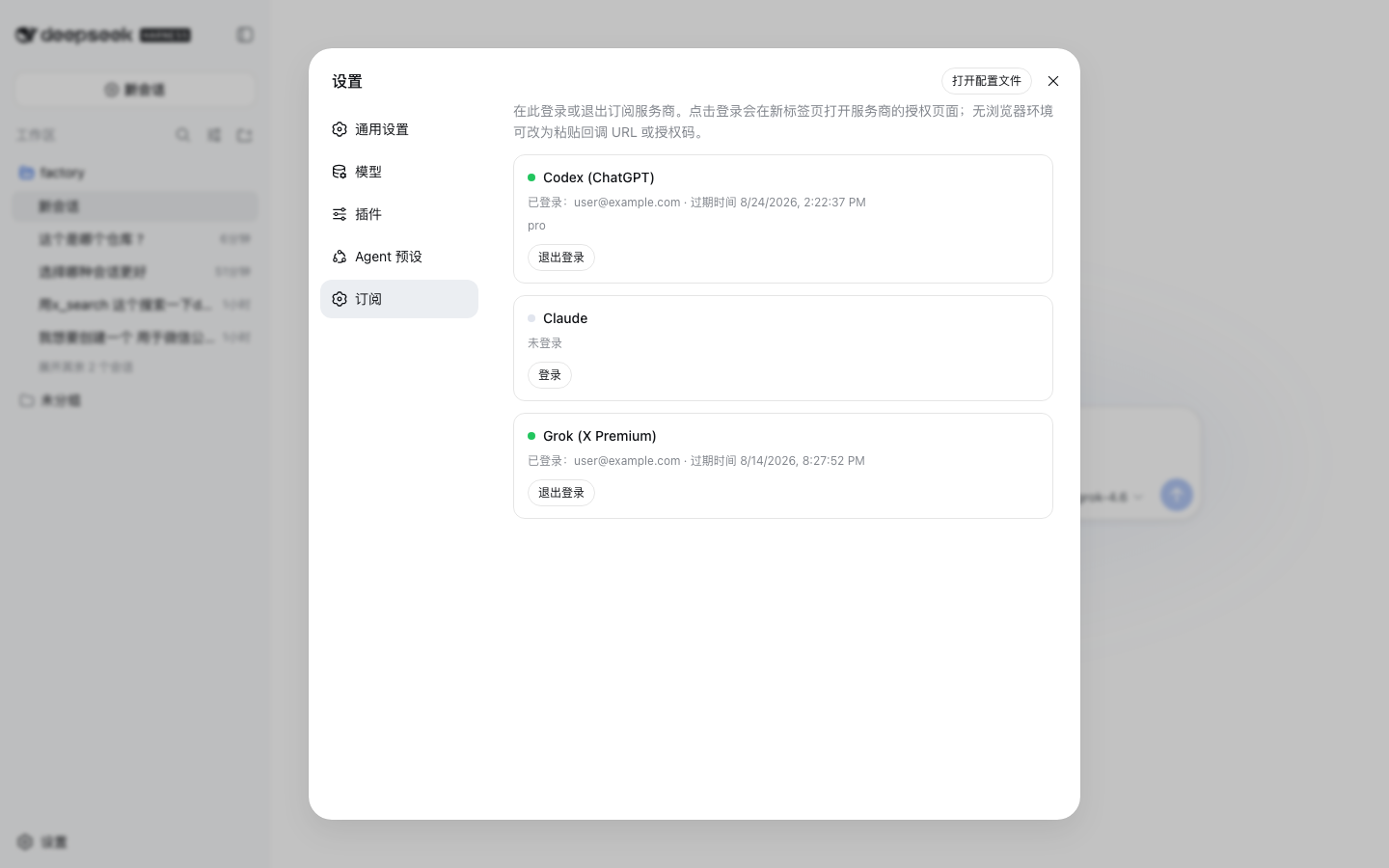
Settings → Subscriptions: per-provider login/logout, no API keys. Claude imports credentials from Claude Code when available and otherwise uses OAuth, as Codex and Grok always do (settings screenshots use demo accounts and catalog data):
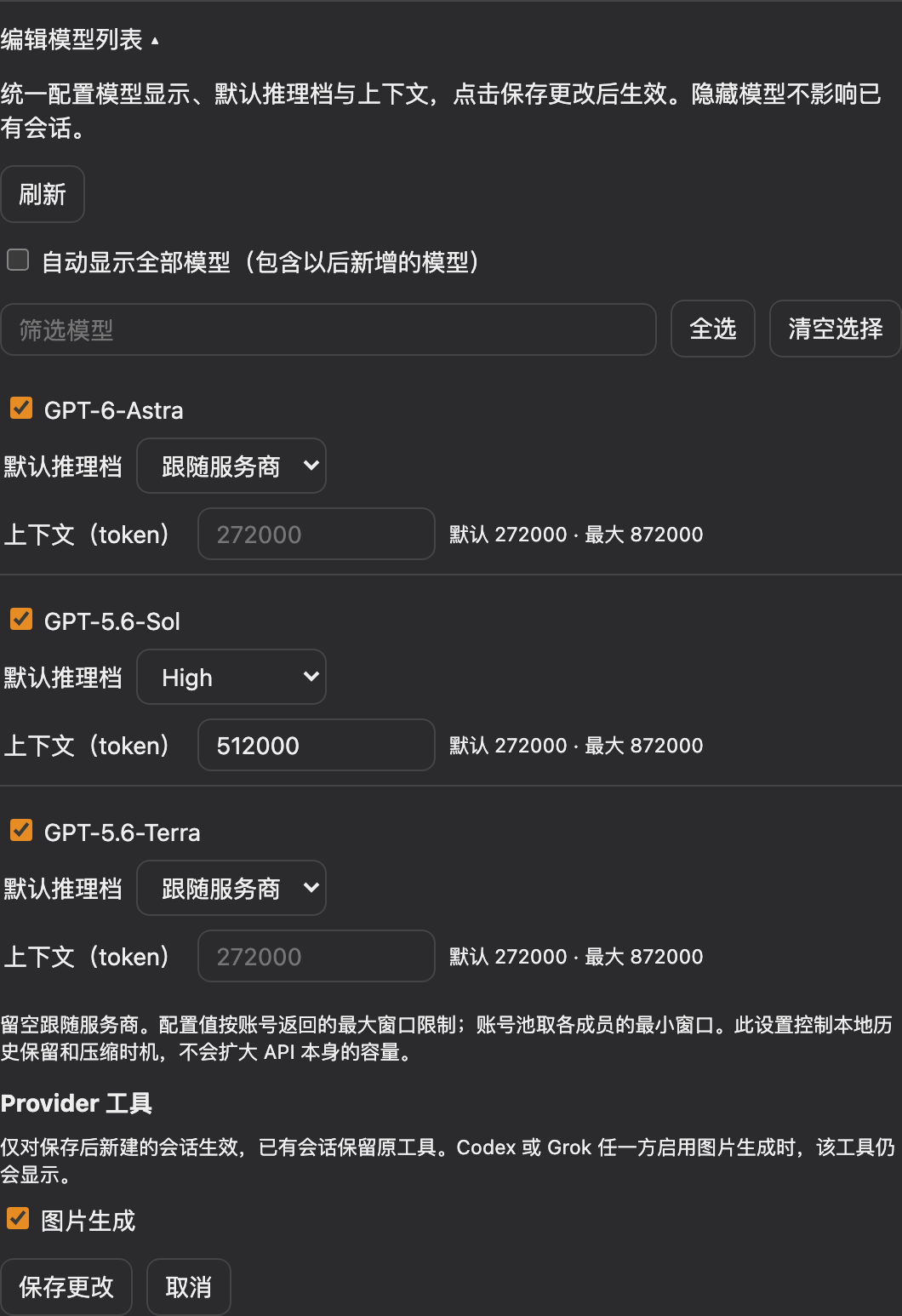
Configure visibility, default reasoning effort, and context together in Edit model list, with shared Save and Cancel actions:
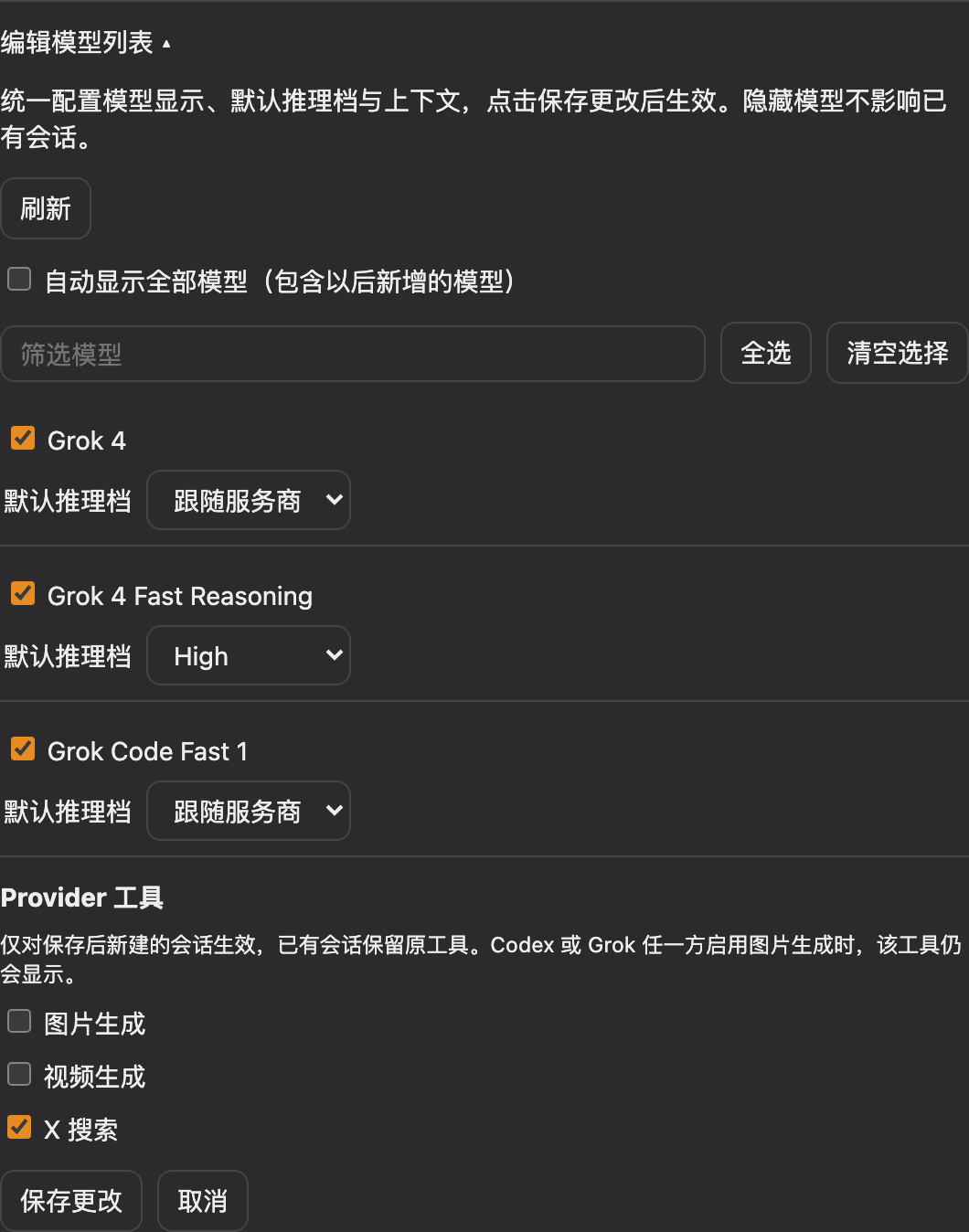
Configure image generation, video generation, and X search per provider. Tool switches apply only to sessions created after saving:
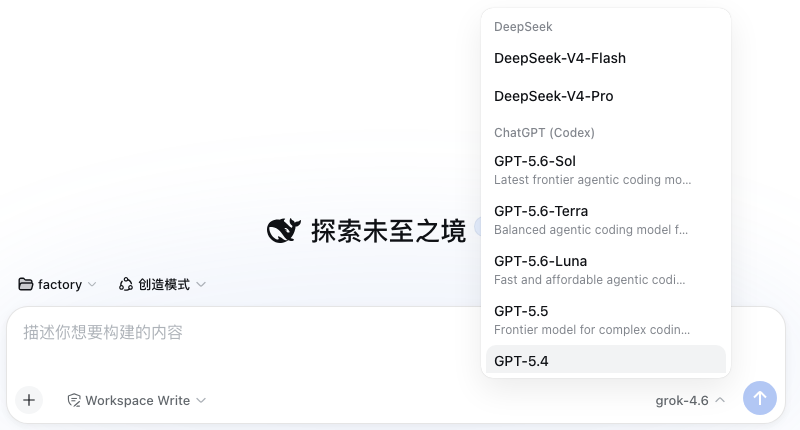
Logged-in providers join the session model picker with their live model catalogs:
Models that advertise reasoning levels get an Effort selector in the same menu — Codex models, Grok 4.6 / 4.5, and Copilot's reasoning models (levels and defaults come from each provider's live catalog, not a hardcoded list; Copilot's capabilities.supports.reasoning_effort array is sent as reasoning_effort on chat completions and reasoning.effort on the Responses wire). Models listing both Copilot endpoints (gpt-5.4, gpt-5-mini) normally speak chat completions but reroute to /responses when a request combines function tools with an effort — Copilot rejects that combination on the chat wire:
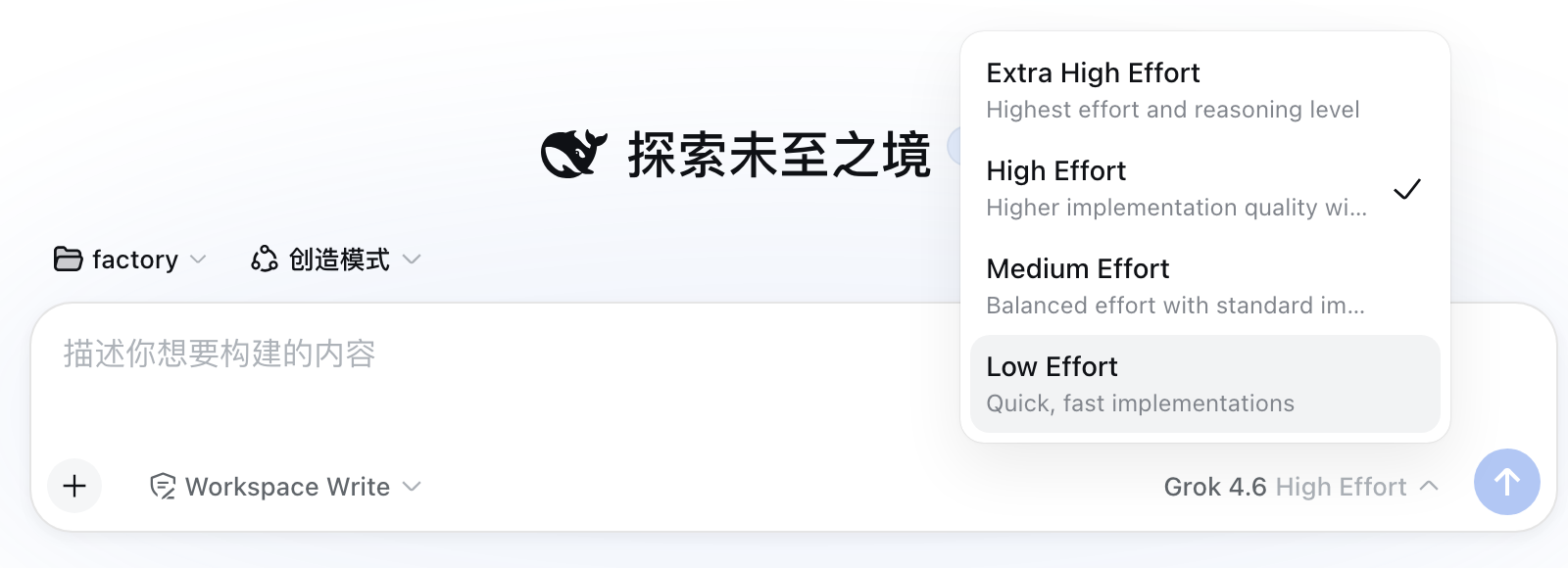
Codex models whose catalog advertises the fast tier (the codex CLI's fast mode) get a Speed toggle in the composer's tool row, next to the model selector — Standard or Fast (service_tier: priority), per session. The /fast slash command offers the same choice as a popup; it errors with an explanation when the current model has no fast tier.

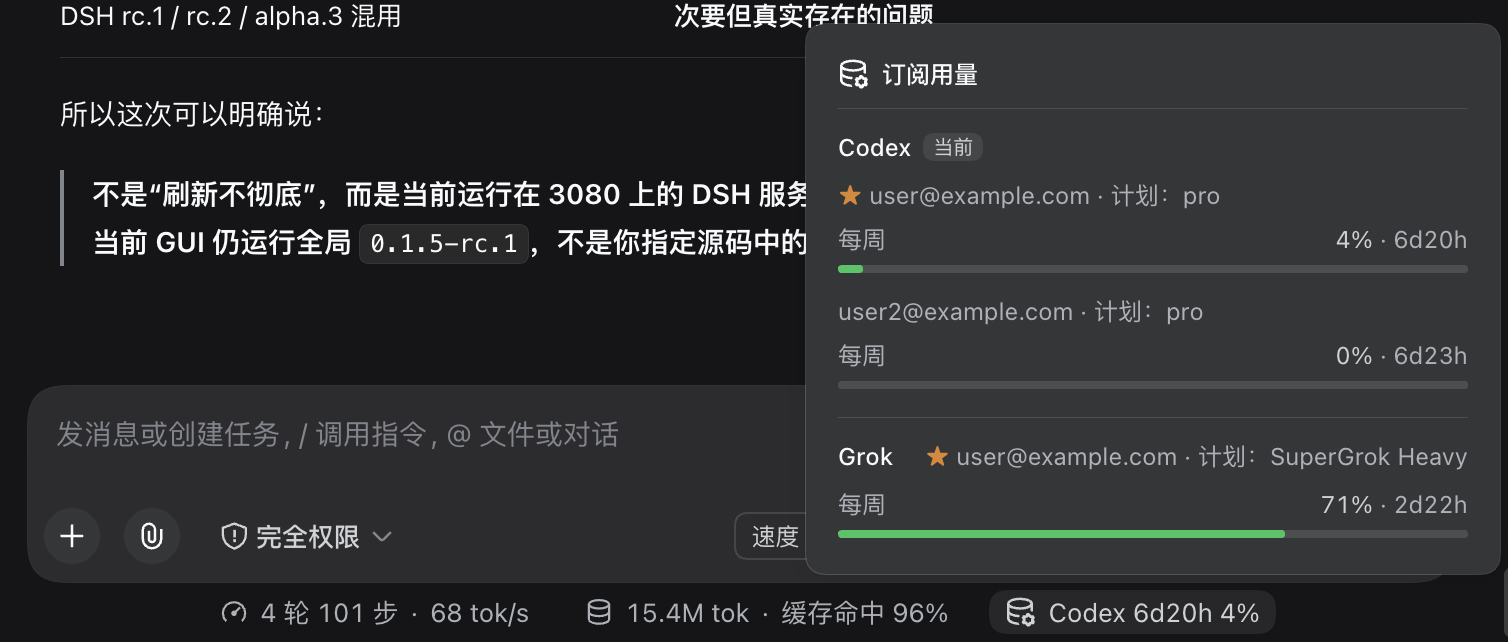
The composer's stats row gains a subscription usage pill showing the used percentage and reset window for the provider of the session's current model (Codex for a Codex model, Grok for a Grok model, and so on). It shows at most one provider: when switching to a non-subscription model, it keeps the most recent subscription selected in the mounted conversation view, or stays hidden if there is none. This recent-model history is not persisted across page reloads. Click the pill to expand every logged-in provider and account — the default account is starred, and the current provider is listed first. Antigravity previews only the current model's windows (at most two per account); the other model windows remain available in a closed disclosure.
Settings → Subscriptions → Status-bar quota display selects Current / most recent subscription only (default) or Hidden. The display preference is saved in the current browser, applies immediately, survives reloads, and synchronizes between tabs of the same origin. It does not hide usage details in Settings, change model selection, or change account routing.
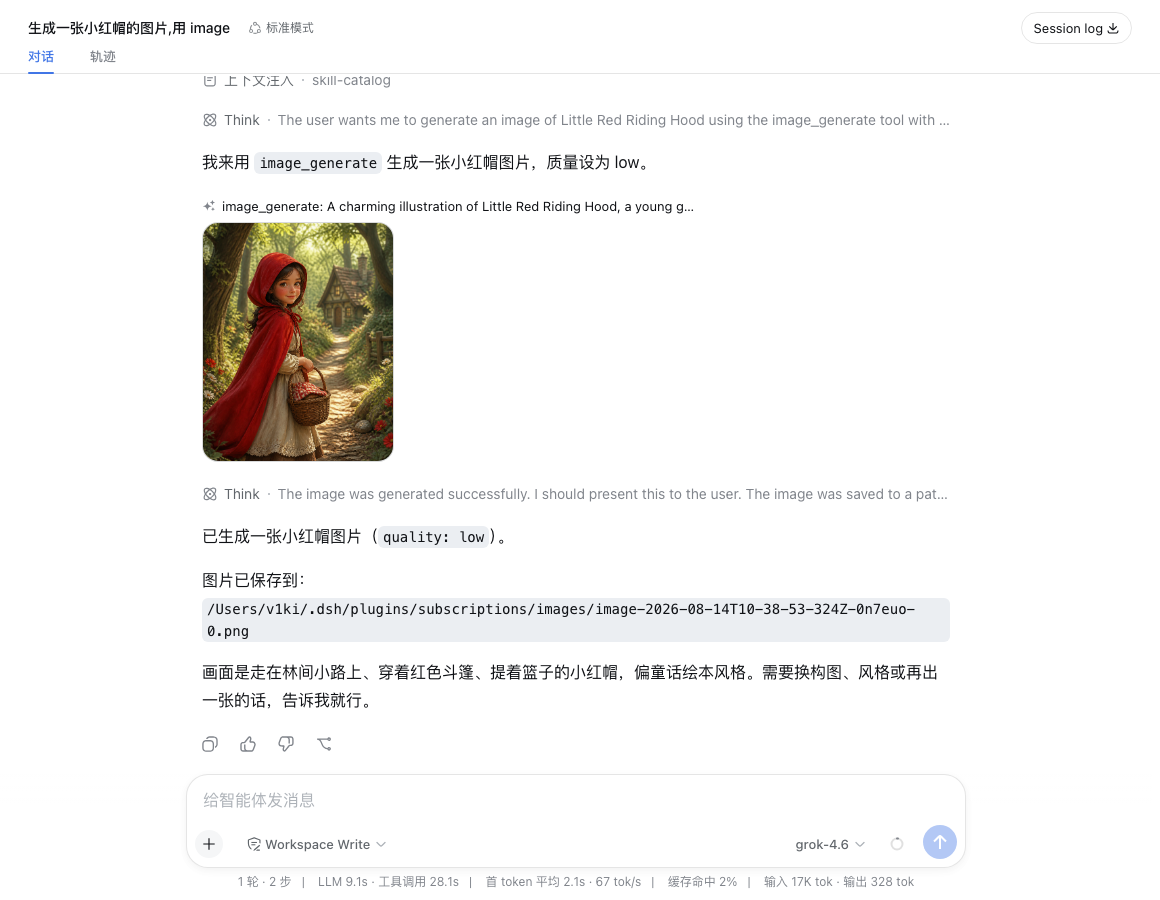
The image_generate tool renders its result inline in the conversation:
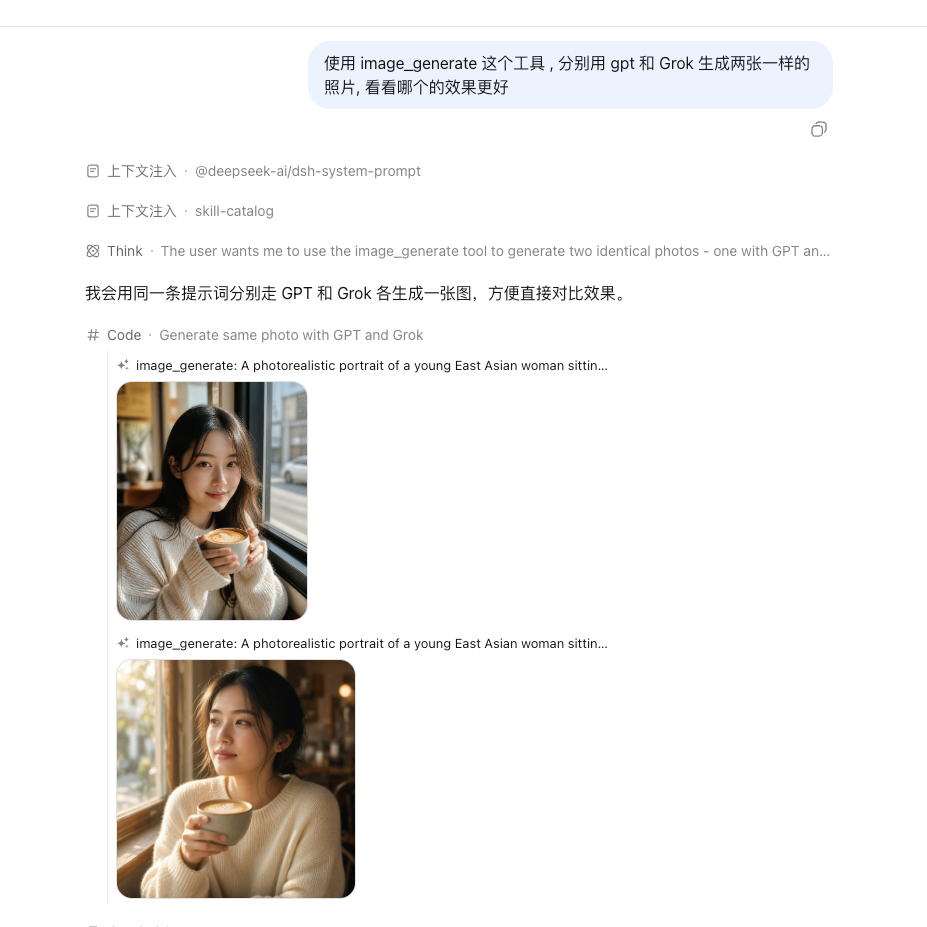
Its provider parameter picks the image backend — the same prompt through GPT (gpt-image-2, top) and Grok (grok-imagine-image-2.0, bottom):
The video_generate tool plays the generated clip inline:

Providers
| Route | Subscription | Models |
|---|---|---|
codex |
ChatGPT Plus/Pro | live catalog from chatgpt.com/backend-api/codex/models |
claude |
Claude Pro/Max | all models available in your subscription (Opus, Sonnet, Haiku, Fable — static catalog, updated with the plugin) |
grok |
X Premium (xAI) | live catalog from api.x.ai/v1/models (chat models only); reasoning efforts from the Grok CLI catalog (cli-chat-proxy.grok.com/v1/models) |
copilot |
GitHub Copilot | live catalog from api.githubcopilot.com/models (chat models on both wires, with per-model vision flags and reasoning efforts); login uses the OAuth device flow (enter the shown code at github.com/login/device) |
antigravity |
Google Antigravity | live catalog from Antigravity v1internal:fetchAvailableModels; requests use generateContent / streamGenerateContent with text, image, streaming reasoning, and tool-call conversion |
Only logged-in providers appear in the session model picker; the lists above refresh on login/logout. Vision-capable models declare ['text', 'image'] input modalities, and image content is translated to each provider's wire format.
Logged-in cards also show subscription usage — per rate-limit window (5-hour session, weekly, and per-model weekly where the plan has one) with the used percentage, a progress bar, and the reset time, plus a Refresh button. Codex usage comes from chatgpt.com/backend-api/wham/usage (also reports the plan), Claude usage from api.anthropic.com/api/oauth/usage, and Grok usage from the Grok Build CLI proxy's cli-chat-proxy.grok.com/v1/billing (the source of the CLI's /usage panel; reports the shared weekly pool and the subscription tier). Antigravity reports plan, credits, and per-model quotas from loadCodeAssist and fetchAvailableModels when those fields are present. Copilot exposes no usage endpoint, so its card shows no usage section.
Also included, registered when the matching provider is enabled:
web_searchprovider (Codex) — uses Codex's hosted web search through DSH's native tool and citation UI. It follows the default Codex account and the plugin's proxy configuration. It registers as one candidate behind the host'swebseam and does not claim it: with no other search provider mounted DSH auto-selects it, and alongside another one you pick the winner with the host's ownweb.searchProvidersetting. Turning Web search off under Codex's Provider tools withdraws this provider, leaving the host'sweb_searchtool to whatever else is registered.x_searchtool (Grok) — xAI's hosted X search, returning{ answer, citations }.image_generatetool (ChatGPT or Grok) —gpt-image-2via the Codex backend, orgrok-imagine-image-2.0viaapi.x.ai/v1/images/generations. Theproviderargument picks the preferred provider (gpt, the default, orgrok); when the preferred one is logged out the other serves as fallback. Images are saved under~/.dsh/plugins/subscriptions/images/and the paths returned. Thesize/qualityarguments map onto Grok'saspect_ratio/qualityon the Grok path.video_generatetool (Grok) —grok-imagine-video-1.5viaapi.x.ai/v1/videos(async submit + poll); MP4s are saved under~/.dsh/plugins/subscriptions/videos/, the path returned, and the clip plays inline in the conversation. Supports duration (1–15 s), aspect ratio, resolution, and image-to-video viaimage_url.
image_generate also supports editing: the model passes optional referenceImages (1–5 complete DSH attachment references) to edit or use existing images as sources; omitting it keeps text-to-image generation. References can come from uploads, read_image, or previous generated images. Read local files with read_image first; paths are not attachment references. Copy references from the image reference text or structured tool results. Their order matches the prompt's image order. Edits save new files and return reusable references, including for subsequent edits with another provider.
Codex edits use /backend-api/codex/images/edits; Grok edits use /v1/images/edits. Existing provider preference, logged-out fallback, and session tool policy still apply. Empty arrays, duplicate or invalid references, and attachment-limit violations fail explicitly instead of generating a new image. Editing requires the DSH attachment service.
Image generation and editing share same-provider account scheduling: try the default account first, then prefer the successful account in that session. Explicit quota, authentication, or image-entitlement rejection tries the remaining accounts; a 401 gets at most one credential refresh a
Frequently Asked Questions
What is dsh-plugin-subscriptions?
dsh-plugin-subscriptions is an open-source ai agents skill for AI coding assistants such as Claude Code, Codex CLI, and ChatGPT, built by V1ki. Use ChatGPT (Codex), Claude, and Grok (X Premium) subscriptions as DeepSeek Harness LLM providers — OAuth login in the web UI, no API keys. It has 417 GitHub stars.
Is dsh-plugin-subscriptions safe to use?
Yes. dsh-plugin-subscriptions passed SkillsLLM's automated security scan — a dependency vulnerability audit plus prompt-injection heuristics — with no high-severity issues. You can read the full report in the Security Report section on this page.
How do I install dsh-plugin-subscriptions?
Clone the repository with "git clone https://github.com/V1ki/dsh-plugin-subscriptions" and add it to your Claude Code skills directory (see the Installation section above).
What programming language is dsh-plugin-subscriptions written in?
dsh-plugin-subscriptions is primarily written in TypeScript. It is open-source under V1ki on GitHub, so you can review or fork the full source.
Are there alternatives to dsh-plugin-subscriptions?
Yes. SkillsLLM lists many other AI Agents skills you can browse and compare side by side. Open the AI Agents category from the badge at the top of this page, or use the Related Skills and comparison links further down to weigh dsh-plugin-subscriptions against similar tools.
Comments (0)
to leave a comment.
No comments yet. Be the first to share your thoughts!
Related Skills
The agent harness performance optimization system. Skills, instincts, memory, security, and research-first development for Claude Code, Codex, Opencode, Cursor and beyond.
270,878
40,498
JavaScript
AI Agentsai-agentsanthropic
Skills for Real Engineers. Straight from my .agents directory.
250,518
21,171
Shell
AI Agents
An agentic skills framework & software development methodology that works.
234,966
20,863
Shell
AI Agentsaibrainstorming
Fair-code workflow automation platform with native AI capabilities. Combine visual building with custom code, self-host or cloud, 400+ integrations.
206,484
60,976
TypeScript
MCP Serversaiapis