Maintainer of this skill?

Automated security scan — not a certification.
Agent skills for building iOS apps on iPhone Duo, Apple's first foldable iPhone — adaptive layout, vertical bars, hinge & scenes, camera, and design review.
# Add to your Claude Code skills
git clone https://github.com/mirzaaghazadeh/iphone-duo-skillsGuides for using ai agents skills like iphone-duo-skills.
Last scanned: 9/23/2026
{
  "issues": [],
  "status": "PASSED",
  "scannedAt": "2026-09-23T09:07:42.042Z",
  "npmAuditRan": true,
  "pipAuditRan": true,
  "promptInjectionRan": true
}See how iphone-duo-skills compares with popular alternatives.
iphone-duo-skills is an open-source ai agents skill for AI coding assistants such as Claude Code, Codex CLI, and ChatGPT, built by mirzaaghazadeh. Agent skills for building iOS apps on iPhone Duo, Apple's first foldable iPhone — adaptive layout, vertical bars, hinge & scenes, camera, and design review. It has 143 GitHub stars.
Yes. iphone-duo-skills passed SkillsLLM's automated security scan — a dependency vulnerability audit plus prompt-injection heuristics — with no high-severity issues. You can read the full report in the Security Report section on this page.
Clone the repository with "git clone https://github.com/mirzaaghazadeh/iphone-duo-skills" and add it to your Claude Code skills directory (see the Installation section above).
iphone-duo-skills is primarily written in Python. It is open-source under mirzaaghazadeh on GitHub, so you can review or fork the full source.
Yes. SkillsLLM lists many other AI Agents skills you can browse and compare side by side. Open the AI Agents category from the badge at the top of this page, or use the Related Skills and comparison links further down to weigh iphone-duo-skills against similar tools.
No comments yet. Be the first to share your thoughts!
From $49 · 30 days · terms & refunds
⚠️ Third-Party Software Notice
This skill is third-party open-source software developed and hosted independently on GitHub. SkillsLLM is an informational directory and does not control or maintain the underlying repository.
Any security checks, ratings, or warnings displayed by SkillsLLM are automated and limited in scope. They do not constitute a security certification or guarantee that the software is safe, error-free, or free from malicious code, vulnerabilities, compromised dependencies, or prompt-injection risks.
Review the source code, permissions, dependencies, and configuration before installing or running any third-party skill. Use is at your own risk. To the maximum extent permitted by applicable law, SkillsLLM is not liable for losses arising from third-party software.
Automated security scan — not a certification.
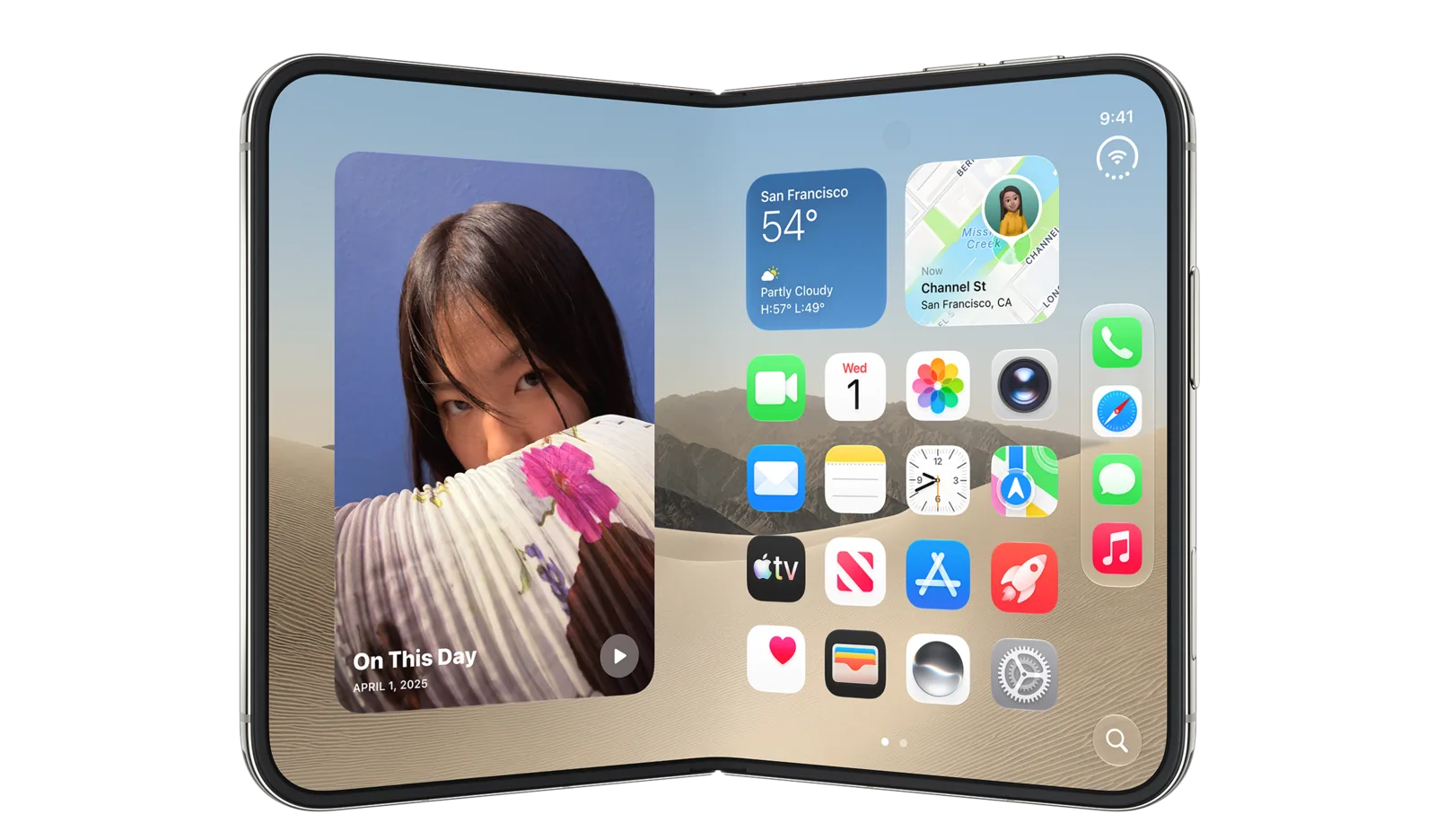
Image © Apple Inc., from the iPhone Duo developer page, used for identification. Not affiliated with or endorsed by Apple.
Agent skills for building iOS apps on iPhone Duo — Apple's first foldable iPhone, announced September 9, 2026.
Apple's developer material for iPhone Duo is now six Tech Talk videos, the Designing for iPhone Duo HIG page, the Prepare checklist, and the API reference. The last two landed after this repo started — the API reference corrected three claims, and the Prepare guide added several more. Both passes are reflected here.
These skills distill all of it into structured guidance an agent can act on, plus reference sheets for device facts and the full API surface.
npx skills add mirzaaghazadeh/iphone-duo-skills
Installs all eleven. The CLI detects your agent — Claude Code, Cursor, Copilot, Gemini and others — and puts them where that agent looks.
Useful flags:
# just one skill
npx skills add mirzaaghazadeh/iphone-duo-skills --skill iphone-duo-readiness

# user-level instead of project-level
npx skills add mirzaaghazadeh/iphone-duo-skills --global

# see what's in here without installing
npx skills add mirzaaghazadeh/iphone-duo-skills --list
To try a skill without installing it at all:
npx skills use mirzaaghazadeh/iphone-duo-skills@iphone-duo-readiness
git clone https://github.com/mirzaaghazadeh/iphone-duo-skills.git
cp -r iphone-duo-skills/skills/* ~/.claude/skills/
Or project-level, into .claude/skills/ in a repo.
Each skill is a self-contained SKILL.md with YAML frontmatter, so it also works
anywhere that reads plain Markdown instructions. Restart the session and the
skills appear; invoke one by name or just describe the task.
| Skill | Works with | Use it when |
|---|---|---|
| iphone-duo-readiness | SwiftUI · UIKit | Entry point. Auditing or porting an existing app — SDK tiers, fixed-assumption hunting, safe areas, routing to the rest. |
| iphone-duo-adaptive-layout | SwiftUI · UIKit | Content lands in the fold. Reserved regions, division vs occlusion, displacement patterns, ArrangementView. |
| iphone-duo-vertical-bars | SwiftUI · UIKit | Toolbars and tab bars. The vertical axis, symbol vs text, AxisBehavior, overflow and visibility priority. |
| iphone-duo-hinge-and-scenes | SwiftUI · UIKit | Hinge-driven effects, Split View, multiple scenes, dual-display UI via scene accessories. |
| iphone-duo-camera | AVFoundation · AVKit | Capture apps. Virtual front camera vs individual cameras, direction coordinator, mirroring, preview. |
| iphone-duo-dual-pane-patterns | SwiftUI · UIKit | Deciding what goes in each pane. Pixel/point dimensions, safe-area and layout tokens, exact hinge callback types, pose → pattern mapping, hinge-driven effects, two-pane paywalls, fold-aware onboarding. |
| iphone-duo-design-review | Any framework | Design critique rather than code — poses, side controls, asymmetry, fold avoidance, sheets. |
| iphone-duo-games | Unity · Unreal · Godot · SpriteKit · Metal | The project is a game. Filling the screen across poses, aspect ratio vs letterboxing, touch controls clear of the fold. |
| iphone-duo-flutter | Flutter · Dart | The app is Flutter. What MediaQuery gives you, why displayFeatures doesn't work here, bridging via platform channels. |
| iphone-duo-react-native | React Native · Expo | The app is React Native. Asymmetric insets, resize handling, bridging via a native module. |
| iphone-duo-capacitor | Capacitor · Ionic · Angular · React · Vue | The app runs in a web view. Why Device Posture and Viewport Segments do not reach it, safe-area asymmetry, and getting fold state from the native side. |
Native iOS — SwiftUI or UIKit. Start with iphone-duo-readiness, which routes
you to the rest. The five Swift-focused skills name real iOS 27.1 APIs you can
call directly; iphone-duo-design-review applies whatever you build in.
Flutter. Read iphone-duo-flutter first, then iphone-duo-design-review —
the design guidance is framework-neutral and applies unchanged. Skim
iphone-duo-adaptive-layout for the reasoning behind reserved regions and
displacement; the concepts transfer even though the code doesn't.
React Native or Expo. Same shape: iphone-duo-react-native, then
iphone-duo-design-review, then iphone-duo-adaptive-layout for background.
Any framework, if you capture photo or video. iphone-duo-camera matters
regardless of stack, because the two front cameras and the "which way is this
camera facing" problem are AVFoundation-level facts. Cross-platform apps hit them
through whatever camera plugin they use, or through their own bridge.
Games — Unity, Unreal, Godot, SpriteKit, Metal. Read iphone-duo-games. Games
sidestep most of the UI guidance but not resizing, and the fold is a genuine
hazard for on-screen touch controls.
Capacitor, Ionic or another web view. Read iphone-duo-capacitor first,
then iphone-duo-design-review. The twist there is that the standard web APIs
for this exist but are flagged off in a WKWebView, so the fold has to come
from the native side even though the CSS for it is specified.
Kotlin Multiplatform, .NET MAUI and friends. No dedicated skill,
but the pattern from the Flutter and React Native skills carries over directly:
everything is either resize and safe-area handling you can do in your existing
layer, or a native bridge to the iOS 27.1 APIs. Read whichever cross-platform
skill is closer to your setup, plus iphone-duo-design-review.
Cross-platform reality check. Neither Flutter nor React Native supports iPhone Duo yet. Flutter's
MediaQuery.displayFeaturesis documented as populated only on Android, so it returns an empty list here; React Native has no fold API at all. Both skills split what works today from what needs a native bridge, so you don't lose an afternoon hunting for an API that isn't there.
reference/device-facts.md — displays (pixels,
ppi, points), dimensions, silicon, cameras, poses, and the size-class tablereference/api-index.md — every announced API by
job, with framework and minimum SDKreference/sources.md — every source, linkedIf you read nothing else:
iPhone Duo is not a new idiom — it's a wider continuum of sizes. Every bug in a foldable port comes from an app asserting something fixed (this idiom, this orientation, this screen, this width, this symmetric inset), and every fix replaces that assertion with a question about the space available right now.
Diagram by this project. The underlying behavior is documented across Apple's
iPhone Duo Tech Talks and
Designing for iPhone Duo;
see reference/sources.md.
Three concrete consequences:
UIScreen.main is ambiguous here and slated for deprecation. Use the
environment, the trait collection, or the scene's bounds.width - safeAreaInsets.left * 2 is a defect.And the highest-leverage single change: build against the iOS 27.1 SDK. It's the gate for edge-to-edge content, vertical bars, reserved regions and arrangements.
Every technical claim traces to Apple's Tech Talks, the Designing for iPhone Duo HIG page, the published API reference, or the Newsroom announcement.
Verified against Apple's API reference on 25 September 2026. The symbol docs
are now live, so the signatures in reference/api-index.md come from them rather
than from the Tech Talk sessions. That pass corrected three things that had been
wrong:
AVCaptureDeviceDirectionMap, not an AVCaptureDeviceDescriptor — it hands you
arrays of forward- and backward-facing descriptors to choose from.animated: parameter.toolbarVerticalEdge reports the system's preferred edge whether or not a
vertical bar is visible — it isn't a "are items vertical right now" flag.A second pass on 27 September 2026 covered the hinge types and the SwiftUI reserved-region query, and corrected three more:
UIHinge.angle is in radians, and UIHinge.Status has a fourth
case, .unknown. SwiftUI's DeviceHinge.Status is a struct, not an enum.reservedRegions query takes a layoutDirectionBehavior:
parameter (default .mirrors).