ExcelMcp - MCP Server for Microsoft Excel








Website · Installation · Features · Troubleshooting · 2-minute demo
Automate real Microsoft Excel with AI. Excel MCP Server lets GitHub Copilot, Claude, ChatGPT, and other agents control Excel through natural-language requests—using either MCP or a token-efficient CLI.
Unlike file-parser tools, ExcelMcp drives the actual Excel application through
its official COM API. It can refresh Power Query, recalculate formulas, evaluate
DAX, run VBA and Python =PY(), and preserve PivotTables, charts, macros, the
Data Model, and workbook formatting.
31 tools with 326 operations cover end-to-end Excel automation.
[!IMPORTANT] Requires Windows, Microsoft Excel 2016 or later, and an interactive desktop. It is not intended for Linux, macOS, or server-side batch processing.
🚀 Get Started
| Use case | Recommended path |
|---|---|
| VS Code | Install the extension |
| Claude Desktop or another MCP client | Install the MCP Server |
| Coding agents and scripts | Install the CLI |
| Not sure which to choose? | Read the installation overview |
Close open Excel workbooks before starting; ExcelMcp requires exclusive access while automating them.
What You Can Automate
- Data & analytics: Power Query, DAX, Power Pivot, Excel Tables, PivotTables, and data connections.
- Cells & workbooks: ranges, formulas, formatting, worksheets, files, calculation, and named ranges.
- Charts & visuals: charts, slicers, conditional formatting, screenshots, drawings, and sparklines.
- Automation & advanced: VBA, Python in Excel, Goal Seek, scenarios, data tables, windows, and XML Maps.
Explore the complete reference for all 326 operations.
See It in Action
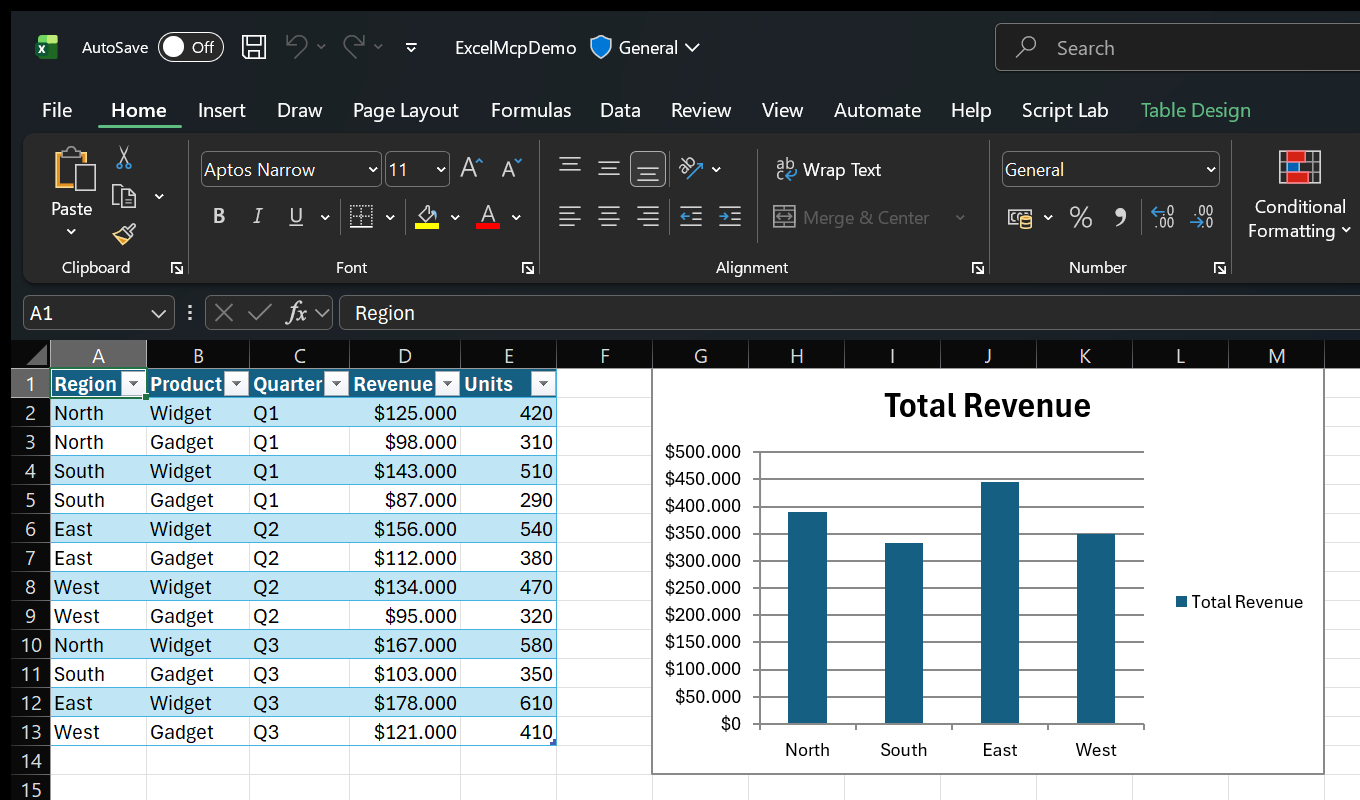
Ask in plain language:
- "Import products.csv with Power Query and load it to the Data Model."
- "Create a PivotTable showing revenue by region, then add a column chart."
- "Use Goal Seek to find the price that produces $100,000 profit."
- "Show me Excel while you work."
Because Excel performs the work, you can inspect results live and continue editing the workbook normally.
See more examples and use cases.
MCP Server or CLI?
Both entry points expose the same Core commands and behavior.
| Interface | Best for | Why |
|---|---|---|
| MCP Server | Conversational assistants and exploratory work | Rich schemas, tool discovery, and persistent sessions |
CLI (excelcli) |
Coding agents, automation, and scripts | One compact tool surface and substantially lower token usage |
The MCP Server calls the ExcelMcp service in-process. The CLI uses a background daemon so workbook sessions persist across commands.
AI assistant or script
        │
   MCP Server / CLI
        │
 ExcelMcp Core commands
        │
 Real Excel COM API
Read the architecture or browse the MCP Server and CLI guides.
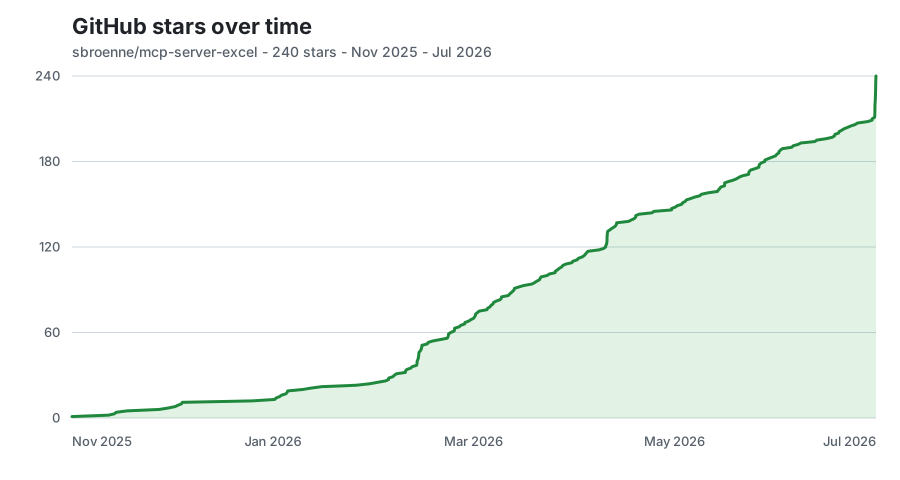
⭐ GitHub Star History
📋 Additional Information
Documentation · Changelog · Contributing · Security · Privacy
License: MIT License - see LICENSE file
Related Projects
Other projects by the author:
- PowerPoint MCP Server — AI-powered PowerPoint automation via MCP, the sister project to this one
- pytest-skill-engineering — LLM-powered testing framework for AI agents
- Windows MCP Server — AI-powered Windows automation via MCP
- OBS Studio MCP Server — AI-powered OBS Studio automation