nocobase
by nocobase
NocoBase is an open-source AI + no-code platform for building business systems fast. Instead of generating everything from scratch, AI works on top of production-proven infrastructure and a WYSIWYG no-code interface, so you get both speed and reliability.
24,183stars
2,872forks
TypeScript
Added 5/1/2026
⚠️ Third-Party Software Notice
This skill is third-party open-source software developed and hosted independently on GitHub. SkillsLLM is an informational directory and does not control or maintain the underlying repository.
Any security checks, ratings, or warnings displayed by SkillsLLM are automated and limited in scope. They do not constitute a security certification or guarantee that the software is safe, error-free, or free from malicious code, vulnerabilities, compromised dependencies, or prompt-injection risks.
Review the source code, permissions, dependencies, and configuration before installing or running any third-party skill. Use is at your own risk. To the maximum extent permitted by applicable law, SkillsLLM is not liable for losses arising from third-party software.
AI Agentsadmin-dashboardai-agentai-agentsai-assistantai-toolscrmcruddsh-pluginerpinternal-toolinternal-toolslow-codelowcodeno-codenocodeproject-managementsalesforceself-hostedworkflows
Installation
# Add to your Claude Code skills
git clone https://github.com/nocobase/nocobase
Getting Started
Guides for using ai agents skills like nocobase.
- Caveman: Cut Claude Token Use by 65%How agent-side prompt compression works, when to use it, and when not to.
- What is an AI Skills Marketplace?Definitions, how marketplaces work, and how to choose between them in 2026.
- Getting Started with AI SkillsFirst-time install walkthrough for Claude Code, Codex CLI, and ChatGPT.
Security ReportVerified
Last scanned: 5/1/2026
{
  "issues": [],
  "status": "PASSED",
  "scannedAt": "2026-05-01T06:37:28.604Z",
  "semgrepRan": false,
  "npmAuditRan": false,
  "pipAuditRan": true
}
Compare with similar skills
See how nocobase compares with popular alternatives.
English | 简体中文 | 日本語 | Français | Español | Português | Português (BR) | Bahasa Indonesia | Tiếng Việt | Deutsch
https://github.com/user-attachments/assets/3b89d965-f60f-48e0-8110-24186c2911d2
Table of Contents
What is NocoBase
NocoBase is an open-source AI + no-code platform for building business systems fast. Instead of generating everything from scratch, AI works on top of production-proven infrastructure and a WYSIWYG no-code interface, so you get both speed and reliability.
Homepage:
https://www.nocobase.com/
Online demo:
https://demo.nocobase.com/new
Documentation:
https://docs.nocobase.com/
Forum:
https://forum.nocobase.com/c/english-forum/5
User stories:
https://www.nocobase.com/en/blog/tags/customer-stories
Quick Start
# Install NocoBase CLI
npm install -g @nocobase/cli
nb --version

# Install a NocoBase app
nb init --ui

# Optional: build together with an AI Agent
codex # claude, opencode
Detailed steps:
- Install a NocoBase app
- AI Agent Integration Guide
Release Notes
Our release notes are updated regularly on the blog, with weekly summaries of important changes.
Distinctive Features
1. Collaborative: AI and people build together
Coding agents get a full CLI and skills, while people get a WYSIWYG no-code interface, so both can collaborate efficiently.
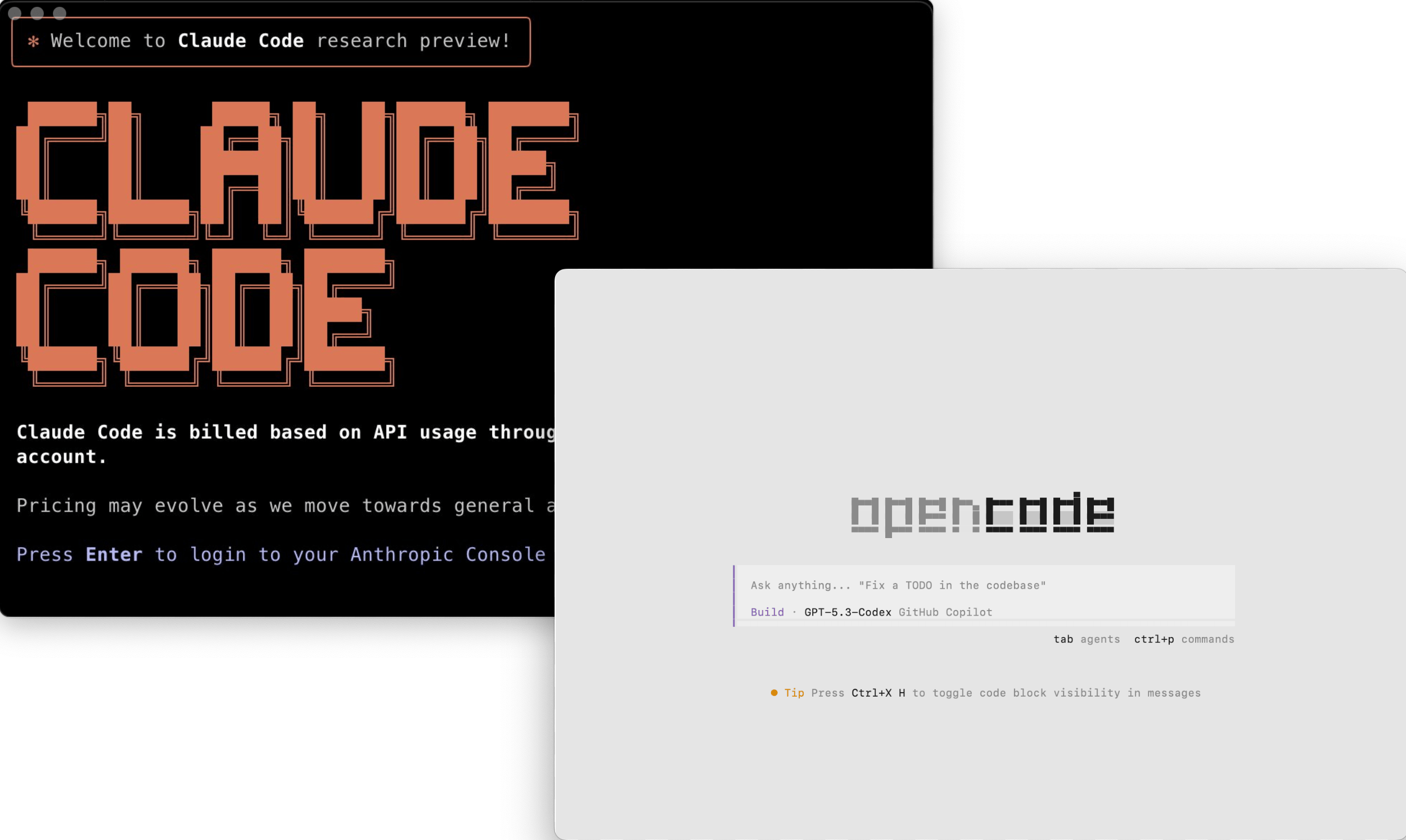
Build with the AI coding agents you already know
Go from deployment to a working system in minutes with mainstream coding agents.
- Works with mainstream agents like Claude Code, Cursor, Codex, OpenCode, and TRAE
- Agents can handle setup, development, migration, and release end to end
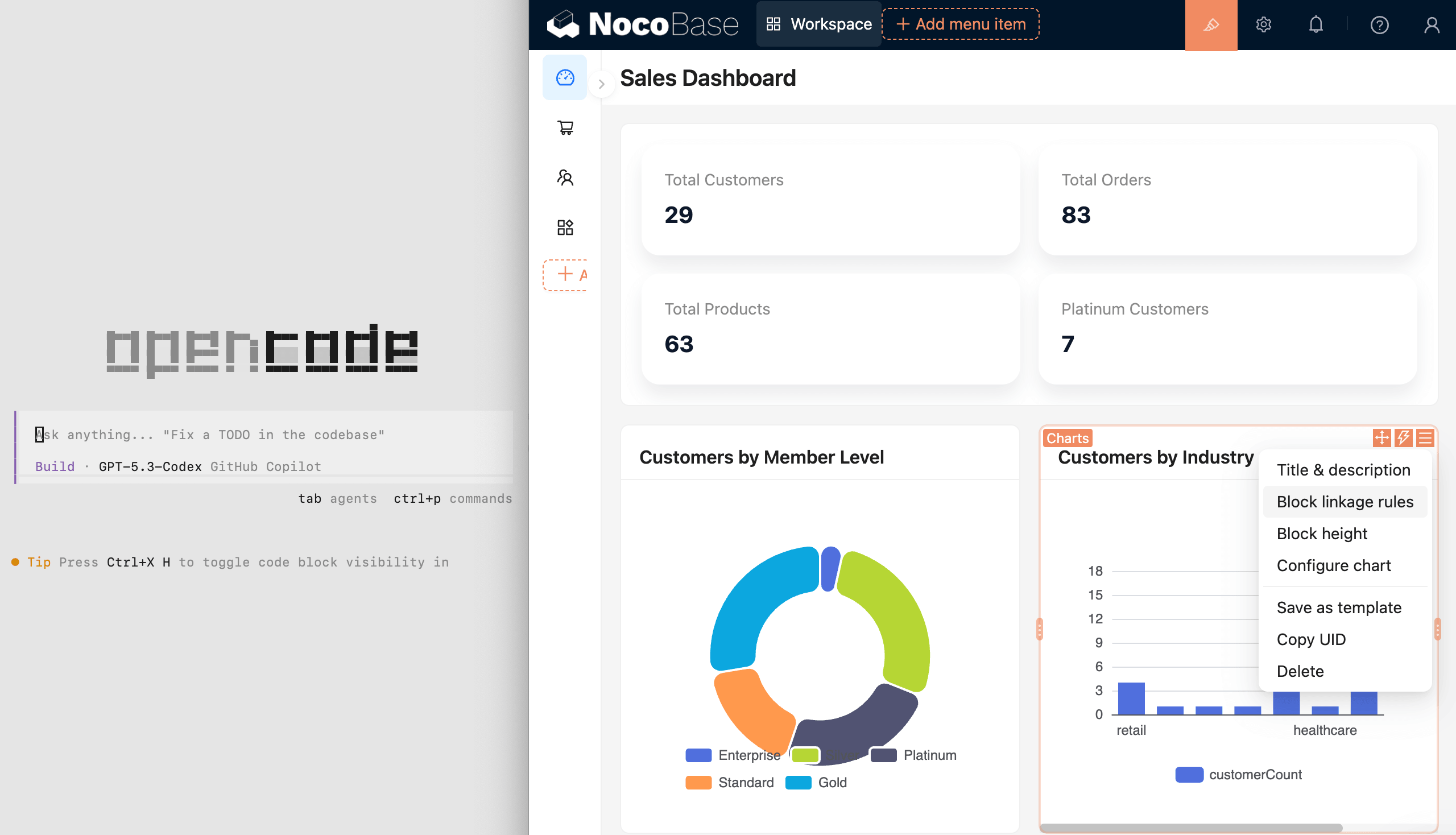
Build manually in a WYSIWYG no-code interface
People can build and modify visually in a WYSIWYG interface, even without AI.
- Switch between usage mode and configuration mode with one click
- Review and configure data models, pages, workflows, and permissions visually
- Designed for regular users, not just developers

Mix AI development and manual building however you need
Split the work as needed: people can refine what AI builds, and AI can continue from human configuration.
- AI can quickly create data models, pages, and workflows
- People can quickly refine the UI and interactions
- Collaborate as needed and keep iterating
2. Intelligent: AI helps run the business, not just build the system
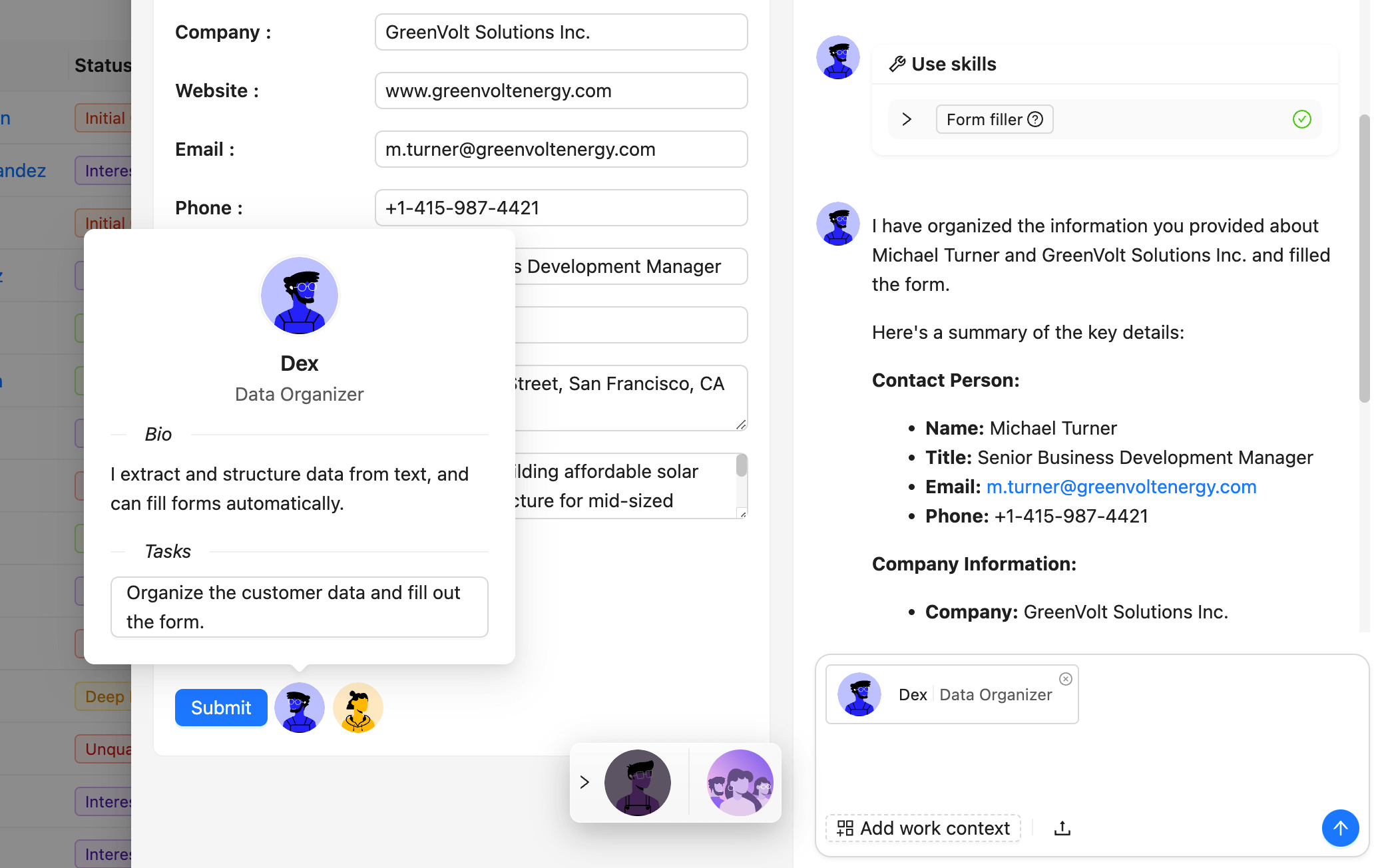
NocoBase includes AI employees, so AI can work directly inside the system.
AI employees integrated into business workflows
AI employees get business context automatically and execute tasks directly inside the system.
- Front-end: help with analysis, Q&A, form filling, and more
- Back-end: handle document recognition, risk monitoring, and task routing automatically
- Integrated with workflows, AI employees can join decisions and execution
Open interfaces for the agent ecosystem
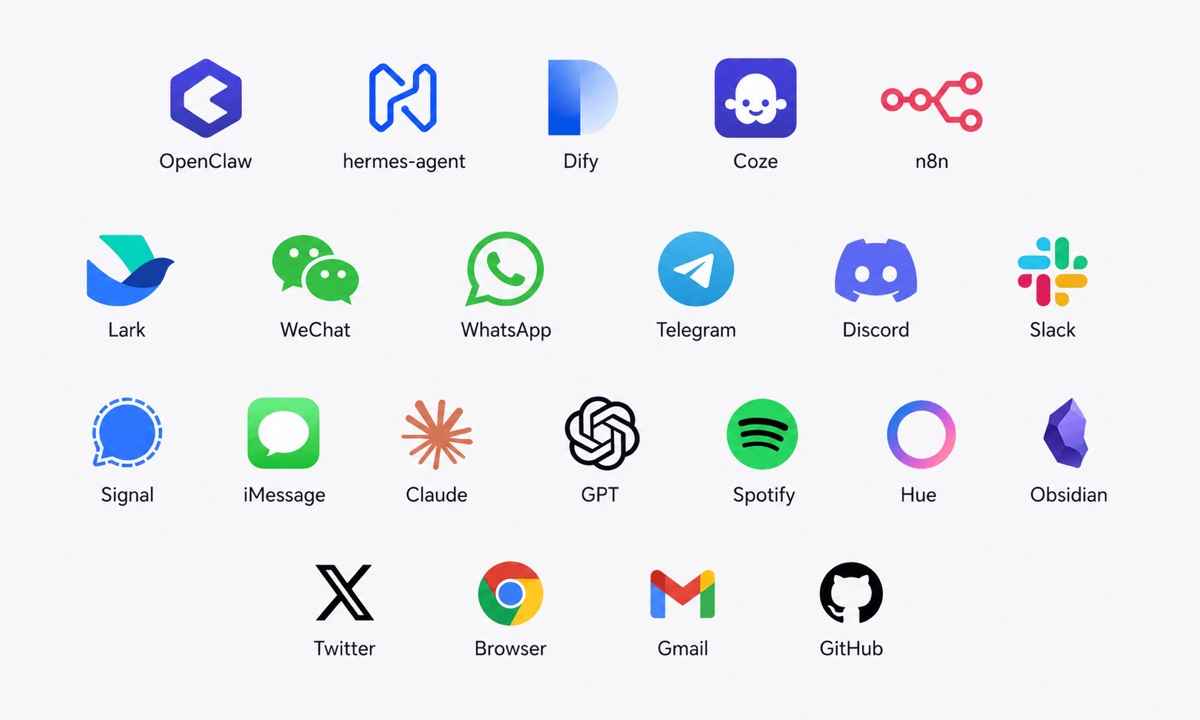
MCP, HTTP APIs, CLI, and rich skills let external agents connect securely.
- Platforms like OpenClaw, Hermes, Dify, Coze, and n8n connect through standard protocols
- Connects with Telegram, WhatsApp, Slack, and Gmail to query data, trigger actions, and execute business workflows
- One interface model keeps internal and external agents within the same boundaries
Permission controls keep AI behavior under control
Every AI action follows the same fine-grained permissions as human users.
- Each AI employee has its own role, with field-level read and write permissions
- Audit logs make every data change and workflow trigger traceable
- Admins can adjust AI permissions at any time to keep boundaries clear
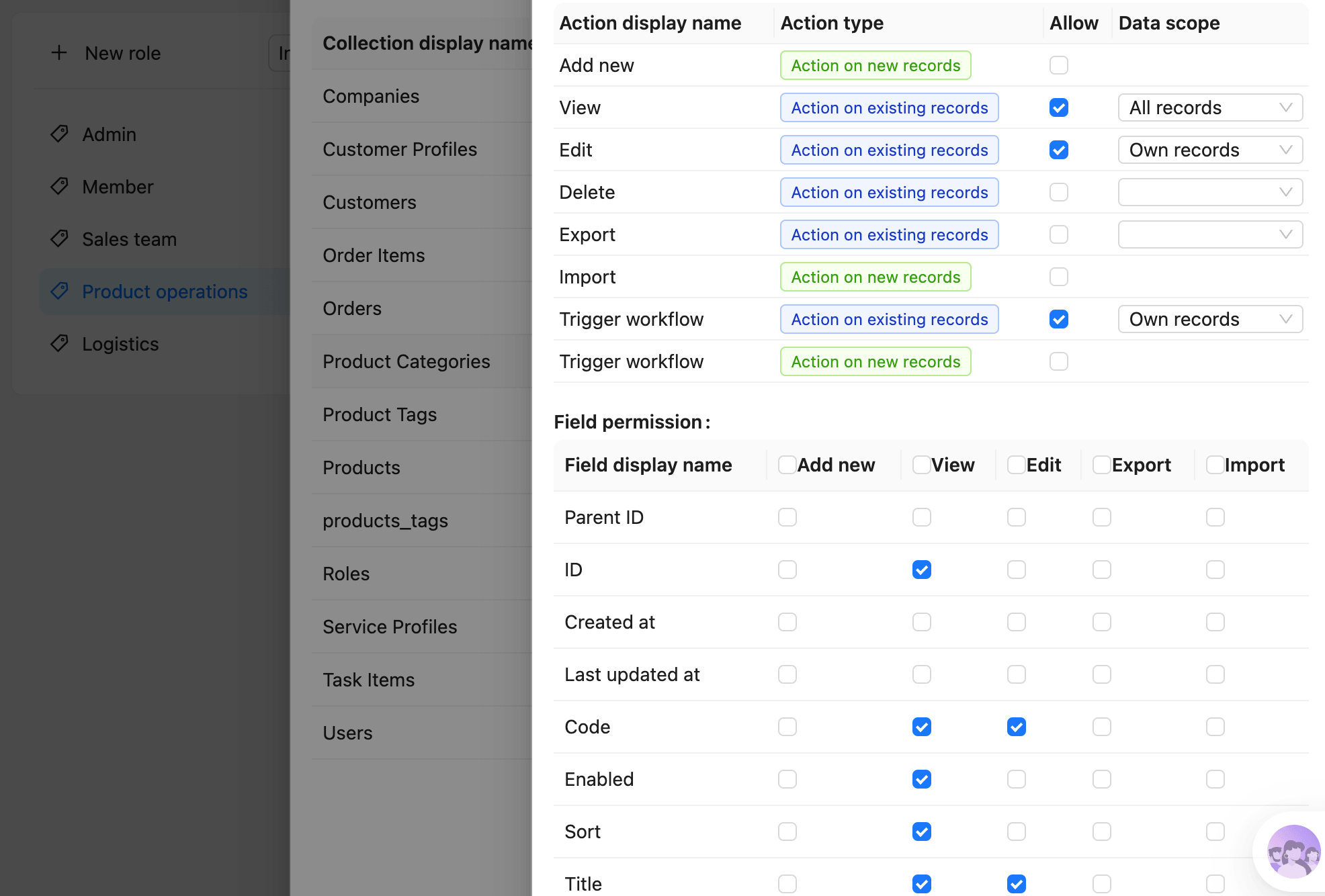
3. Reliable: ready infrastructure for real business
Data models, permissions, and workflows are complex and error-sensitive.
NocoBase provides them as built-in infrastructure, tested and proven in production.
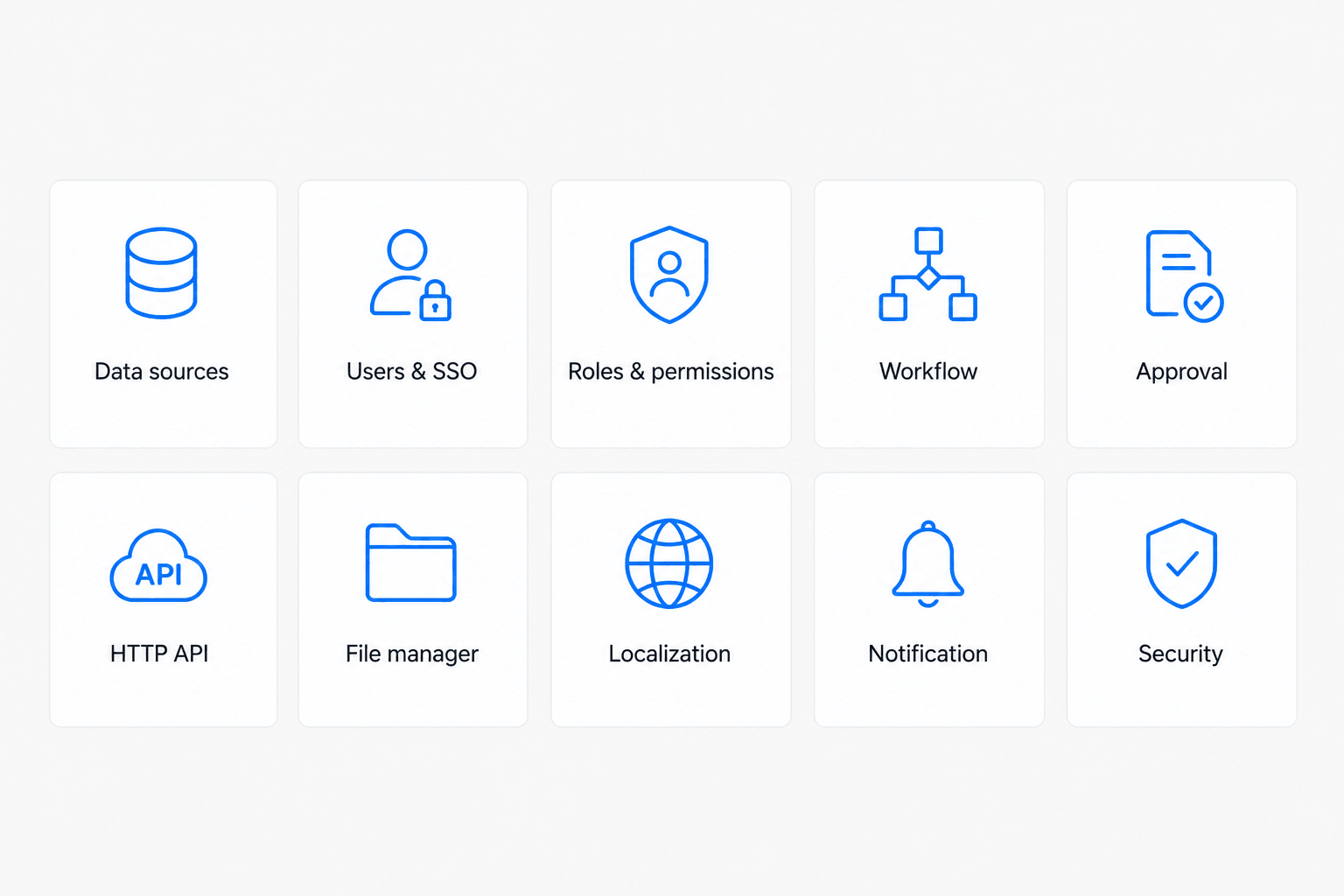
Complete infrastructure, without starting from scratch
Dozens of built-in modules cover the most common business needs.
- Data models, permissions, workflows, and audit logs work out of the box
- Proven in production, instead of regenerated as black-box code each time
- Built-in guardrails keep AI output aligned with the system architecture
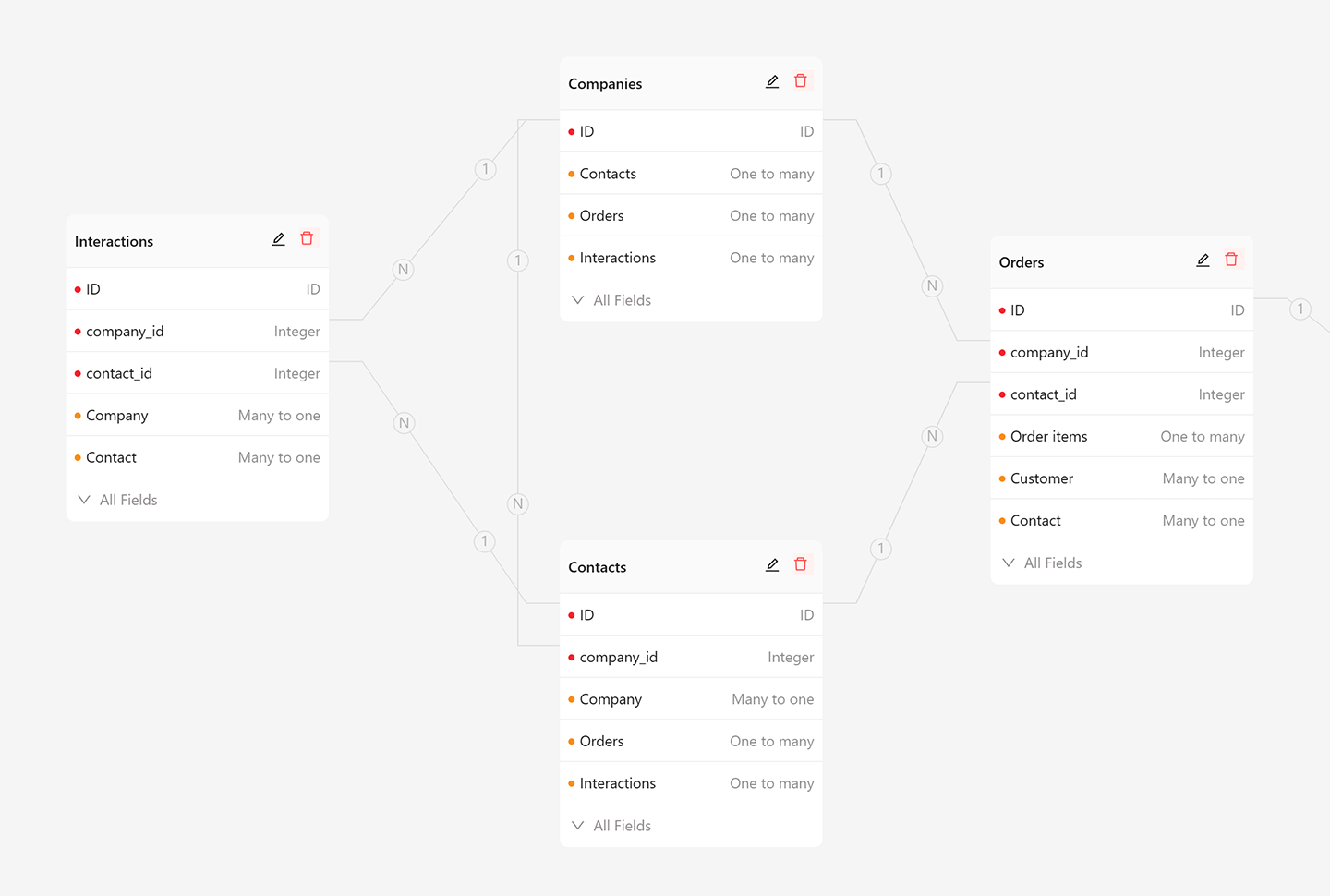
Data-model driven, with data decoupled from UI
Business data stays in standard relational structures, separate from the UI.
- Use the main database, external databases, and third-party APIs as data sources
- AI and people work on the same data model, so results stay transparent
- Your data always stays in your own database, without platform lock-in
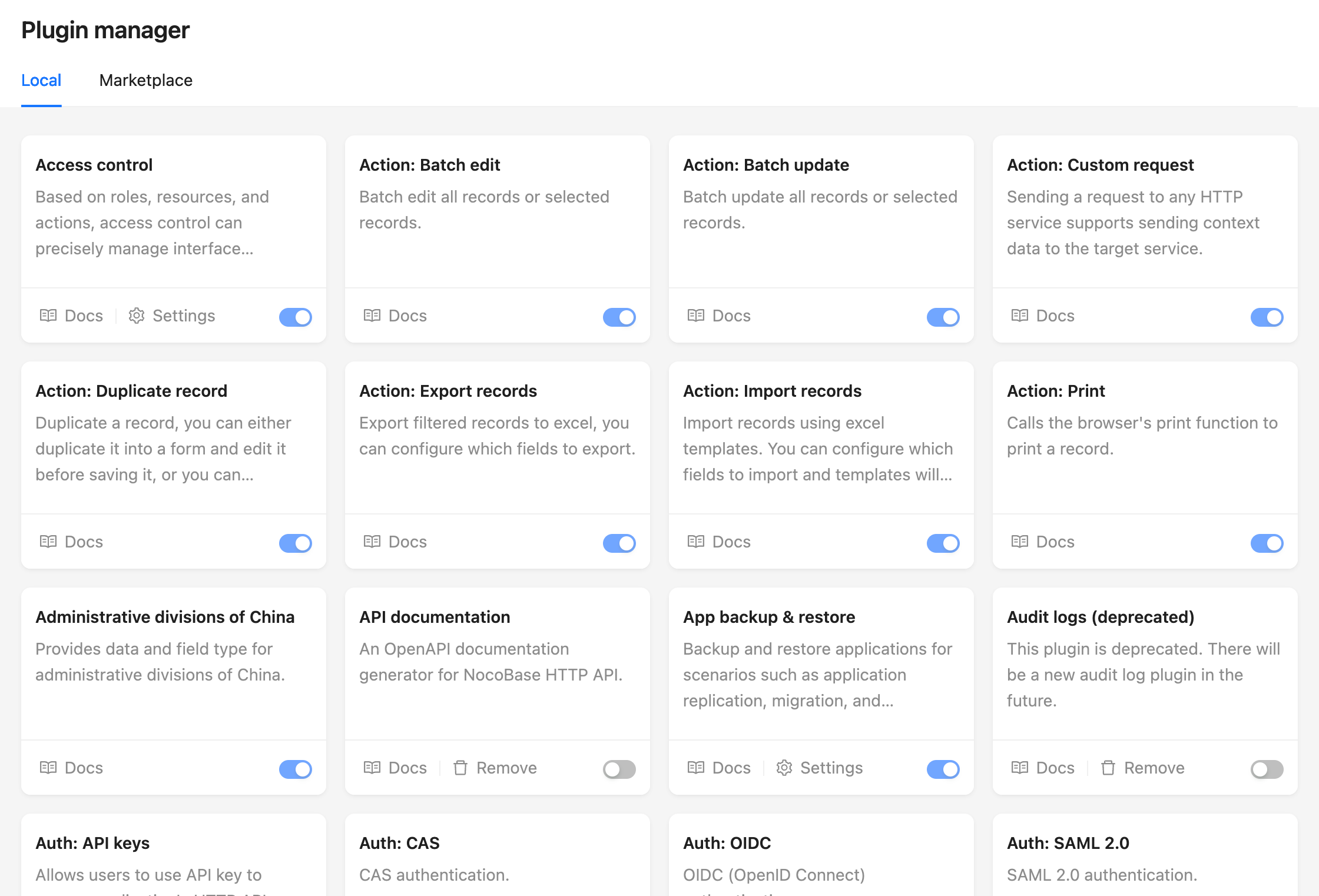
Plugin architecture for sustainable growth
With a microkernel design, everything is a plugin and the system can grow without losing control.
- New features are added through composable plugins with shared conventions
- Mix custom and official plugins to fit your business
- The same architecture applies to both AI-built and manually built plugins
Frequently Asked Questions
What is nocobase?
nocobase is an open-source ai agents skill for AI coding assistants such as Claude Code, Codex CLI, and ChatGPT, built by nocobase. NocoBase is an open-source AI + no-code platform for building business systems fast. Instead of generating everything from scratch, AI works on top of production-proven infrastructure and a WYSIWYG no-code interface, so you get both speed and reliability. It has 24,183 GitHub stars.
Is nocobase safe to use?
Yes. nocobase passed SkillsLLM's automated security scan — a dependency vulnerability audit plus prompt-injection heuristics — with no high-severity issues. You can read the full report in the Security Report section on this page.
How do I install nocobase?
Clone the repository with "git clone https://github.com/nocobase/nocobase" and add it to your Claude Code skills directory (see the Installation section above).
What programming language is nocobase written in?
nocobase is primarily written in TypeScript. It is open-source under nocobase on GitHub, so you can review or fork the full source.
Are there alternatives to nocobase?
Yes. SkillsLLM lists many other AI Agents skills you can browse and compare side by side. Open the AI Agents category from the badge at the top of this page, or use the Related Skills and comparison links further down to weigh nocobase against similar tools.
Comments (0)
to leave a comment.
No comments yet. Be the first to share your thoughts!
Related Skills
The agent harness performance optimization system. Skills, instincts, memory, security, and research-first development for Claude Code, Codex, Opencode, Cursor and beyond.
257,289
38,498
JavaScript
AI Agentsai-agentsanthropic
Skills for Real Engineers. Straight from my .agents directory.
250,518
21,171
Shell
AI Agents
An agentic skills framework & software development methodology that works.
234,966
20,863
Shell
AI Agentsaibrainstorming
Fair-code workflow automation platform with native AI capabilities. Combine visual building with custom code, self-host or cloud, 400+ integrations.
204,137
60,650
TypeScript
MCP Serversaiapis
The agent harness performance optimization system. Skills, instincts, memory, security, and research-first development for Claude Code, Codex, Opencode, Cursor and beyond.
185,940
28,768
JavaScript
AI Agentsai-agentsanthropic
Developers Also Liked
Based on votes and bookmarks from developers who liked this skill
Mine your Claude Code and Codex logs into a local you.md agent profile.
290
29
Python
AI Agentsagent-memoryagent-skills
Gridgeist turns product intent into a rigorous visual system—without the generic AI SaaS aftertaste.
108
7
HTML
AI Agentsagent-skillsai-agents
Reverse engineer anything with agents, from app behavior down to native binaries.
401
34
TypeScript
AI Agentsagent-skillsai-agent-tools
An open-source Digital Worker platform for reliable execution, continuous co-evolution, and building Enterprise AI assets.
252
34
Python
AI Agentsagent-evolutionagent-framework
Let AI agents share your everyday, logged-in Chrome through a Skill + CLI — locally or across multiple machines.
127
17
JavaScript
AI Agentsagent-skillai-agent