Maintainer of this skill?

Automated security scan — not a certification.
by SystemSculpt
Chat with your Obsidian vault using your own Claude Code or Codex on desktop, or hosted AI. Edit notes with approval modes, transcribe audio and find related notes. Free to start.
# Add to your Claude Code skills
git clone https://github.com/SystemSculpt/obsidian-systemsculpt-aiGuides for using ai agents skills like obsidian-systemsculpt-ai.
Last scanned: 11/4/2026
{
  "issues": [
    {
      "type": "npm-audit",
      "message": "@eslint-community/eslint-plugin-eslint-comments: Vulnerability found",
      "severity": "medium"
    },
    {
      "type": "npm-audit",
      "message": "@eslint-community/eslint-utils: Vulnerability found",
      "severity": "medium"
    },
    {
      "type": "npm-audit",
      "message": "@eslint/config-array: Vulnerability found",
      "severity": "medium"
    },
    {
      "type": "npm-audit",
      "message": "@eslint/eslintrc: Vulnerability found",
      "severity": "medium"
    },
    {
      "type": "npm-audit",
      "message": "@jest/core: Vulnerability found",
      "severity": "medium"
    },
    {
      "type": "npm-audit",
      "message": "@jest/expect: Vulnerability found",
      "severity": "medium"
    },
    {
      "type": "npm-audit",
      "message": "@jest/globals: Vulnerability found",
      "severity": "medium"
    },
    {
      "type": "npm-audit",
      "message": "@jest/reporters: Vulnerability found",
      "severity": "medium"
    },
    {
      "type": "npm-audit",
      "message": "@jest/transform: Vulnerability found",
      "severity": "medium"
    },
    {
      "type": "npm-audit",
      "message": "@microsoft/eslint-plugin-sdl: Vulnerability found",
      "severity": "medium"
    },
    {
      "type": "npm-audit",
      "message": "@typescript-eslint/eslint-plugin: Vulnerability found",
      "severity": "medium"
    },
    {
      "type": "npm-audit",
      "message": "@typescript-eslint/parser: Vulnerability found",
      "severity": "medium"
    },
    {
      "type": "npm-audit",
      "message": "@typescript-eslint/type-utils: Vulnerability found",
      "severity": "medium"
    },
    {
      "type": "npm-audit",
      "message": "@typescript-eslint/typescript-estree: Vulnerability found",
      "severity": "medium"
    },
    {
      "type": "npm-audit",
      "message": "@typescript-eslint/utils: Vulnerability found",
      "severity": "medium"
    },
    {
      "type": "npm-audit",
      "message": "babel-jest: Vulnerability found",
      "severity": "medium"
    },
    {
      "type": "npm-audit",
      "message": "babel-plugin-istanbul: Vulnerability found",
      "severity": "medium"
    },
    {
      "type": "npm-audit",
      "message": "deepmerge: deepmerge mergeObject() allows prototype poisoning of returned objects",
      "severity": "low"
    },
    {
      "type": "npm-audit",
      "message": "eslint: Vulnerability found",
      "severity": "medium"
    },
    {
      "type": "npm-audit",
      "message": "eslint-compat-utils: Vulnerability found",
      "severity": "medium"
    },
    {
      "type": "npm-audit",
      "message": "eslint-plugin-es-x: Vulnerability found",
      "severity": "medium"
    },
    {
      "type": "npm-audit",
      "message": "eslint-plugin-import: Vulnerability found",
      "severity": "medium"
    },
    {
      "type": "npm-audit",
      "message": "eslint-plugin-json-schema-validator: Vulnerability found",
      "severity": "medium"
    },
    {
      "type": "npm-audit",
      "message": "eslint-plugin-n: Vulnerability found",
      "severity": "medium"
    },
    {
      "type": "npm-audit",
      "message": "eslint-plugin-no-unsanitized: Vulnerability found",
      "severity": "medium"
    },
    {
      "type": "npm-audit",
      "message": "eslint-plugin-obsidianmd: Vulnerability found",
      "severity": "medium"
    },
    {
      "type": "npm-audit",
      "message": "eslint-plugin-react: Vulnerability found",
      "severity": "medium"
    },
    {
      "type": "npm-audit",
      "message": "glob: Glob: AbortSignal cancellation bypass allows post-timeout filesystem traversal",
      "severity": "medium"
    },
    {
      "type": "npm-audit",
      "message": "jest: Vulnerability found",
      "severity": "low"
    },
    {
      "type": "npm-audit",
      "message": "jest-circus: Vulnerability found",
      "severity": "medium"
    },
    {
      "type": "npm-audit",
      "message": "jest-cli: Vulnerability found",
      "severity": "low"
    },
    {
      "type": "npm-audit",
      "message": "jest-config: Vulnerability found",
      "severity": "medium"
    },
    {
      "type": "npm-audit",
      "message": "jest-resolve-dependencies: Vulnerability found",
      "severity": "medium"
    },
    {
      "type": "npm-audit",
      "message": "jest-runner: Vulnerability found",
      "severity": "medium"
    },
    {
      "type": "npm-audit",
      "message": "jest-runtime: Vulnerability found",
      "severity": "medium"
    },
    {
      "type": "npm-audit",
      "message": "jest-snapshot: Vulnerability found",
      "severity": "medium"
    },
    {
      "type": "npm-audit",
      "message": "minimatch: minimatch has potential denial of service via globparts amplification",
      "severity": "medium"
    },
    {
      "type": "npm-audit",
      "message": "test-exclude: Vulnerability found",
      "severity": "medium"
    },
    {
      "type": "npm-audit",
      "message": "typescript-eslint: Vulnerability found",
      "severity": "medium"
    }
  ],
  "status": "PASSED",
  "scannedAt": "2026-11-04T11:53:20.287Z",
  "npmAuditRan": true,
  "pipAuditRan": true,
  "promptInjectionRan": true
}See how obsidian-systemsculpt-ai compares with popular alternatives.
obsidian-systemsculpt-ai is an open-source ai agents skill for AI coding assistants such as Claude Code, Codex CLI, and ChatGPT, built by SystemSculpt. Chat with your Obsidian vault using your own Claude Code or Codex on desktop, or hosted AI. Edit notes with approval modes, transcribe audio and find related notes. Free to start. It has 196 GitHub stars.
Yes. obsidian-systemsculpt-ai passed SkillsLLM's automated security scan — a dependency vulnerability audit plus prompt-injection heuristics — with no high-severity issues. You can read the full report in the Security Report section on this page.
Clone the repository with "git clone https://github.com/SystemSculpt/obsidian-systemsculpt-ai" and add it to your Claude Code skills directory (see the Installation section above). obsidian-systemsculpt-ai ships a SKILL.md manifest, so compatible agents can discover and load it automatically.
obsidian-systemsculpt-ai is primarily written in TypeScript. It is open-source under SystemSculpt on GitHub, so you can review or fork the full source.
Yes. SkillsLLM lists many other AI Agents skills you can browse and compare side by side. Open the AI Agents category from the badge at the top of this page, or use the Related Skills and comparison links further down to weigh obsidian-systemsculpt-ai against similar tools.
No comments yet. Be the first to share your thoughts!
From $49 · 30 days · terms & refunds
⚠️ Third-Party Software Notice
This skill is third-party open-source software developed and hosted independently on GitHub. SkillsLLM is an informational directory and does not control or maintain the underlying repository.
Any security checks, ratings, or warnings displayed by SkillsLLM are automated and limited in scope. They do not constitute a security certification or guarantee that the software is safe, error-free, or free from malicious code, vulnerabilities, compromised dependencies, or prompt-injection risks.
Review the source code, permissions, dependencies, and configuration before installing or running any third-party skill. Use is at your own risk. To the maximum extent permitted by applicable law, SkillsLLM is not liable for losses arising from third-party software.
Automated security scan — not a certification.
See comparison
SystemSculpt brings captured material and AI work into an Obsidian vault. Work on that vault's files with your normal file tools; this skill is instructions, not a CLI, an Obsidian plugin installer, or a remote MCP connector. Reading existing files and writing ordinary Markdown needs neither a running plugin nor a SystemSculpt account. The files remain after cancellation or uninstall.
| Material | Current default or discovery rule |
|---|---|
| Chats | SystemSculpt/Chats/<chat-id>.md. The filename is an ID, often a timestamp, not necessarily the chat title. chatsDirectory overrides the default; also check knownChatsDirectories and the default for older chats. |
| Recorder audio | SystemSculpt/Recordings/, controlled by recordingsDirectory. Audio is an attachment, not a transcript. |
| Ordinary audio transcripts | Beside the source audio, usually <audio basename>.md or <audio basename>.srt, with a collision suffix when needed. Older names can include - transcript. There is no universal Transcripts folder. |
| Inbox auto-transcription | Also beside its source audio. Markdown commonly has workflow: inbox-transcription, managed_operation and ## Transcript. |
| Audio Processor results | SystemSculpt/Audio Notes/. Depending on the delivered result: <name>.md, <name> — Summary.md, and/or <name> — Transcript.md. This is separate from ordinary audio transcription. |
| iPhone notes and transcript captures | SystemSculpt/Inbox/, controlled by phoneCapturesFolder. Names derive from title and capture date; use capture_id and content, not just the filename. |
| iPhone meeting captures | SystemSculpt/Meetings/, controlled by phoneCapturesMeetingsFolder. Meeting notes carry type: meeting and capture_id. |
| Studio projects and output | Projects default to SystemSculpt/Studio/, controlled by studioDefaultProjectsFolder, but can be saved elsewhere. Read the Studio section below: .systemsculpt projects are JSON, not Markdown exports. |
| Plugin settings | <Obsidian config folder>/plugins/systemsculpt-ai/data.json, normally .obsidian/plugins/systemsculpt-ai/data.json. JSON, not a note; can contain the license key. The Obsidian config folder can be customized. |
In the running plugin, use Settings → SystemSculpt AI → Workspace for chat,
recording and phone capture folders, and Settings → SystemSculpt AI → Studio →
Projects folder for Studio. Alternatively, inspect only the necessary JSON
fields. Never print or attach the whole settings file. For example, from the
confirmed vault root, supply the real config path if it is not .obsidian:
python3 -I - .obsidian/plugins/systemsculpt-ai/data.json <<'PY'
import json, pathlib, sys
path = pathlib.Path(sys.argv[1])
if path.is_file():
    settings = json.loads(path.read_text(encoding="utf-8"))
    fields = (
        "chatsDirectory", "knownChatsDirectories", "recordingsDirectory",
        "phoneCapturesFolder", "phoneCapturesMeetingsFolder",
        "studioDefaultProjectsFolder",
    )
    print(json.dumps({key: settings[key] for key in fields if key in settings}, indent=2))
else:
    print("Settings not found here; use the configured Obsidian folder or inspect the defaults.")
PY
If settings are missing, do not fabricate them. List the relevant default folders with your file tools. If the target is still missing, search Markdown within this vault for its title, distinctive words or format markers. Include configured and older folders. Do not search settings, caches or credentials for note text. An absent file means not found, not proof the feature ran or failed.
Chat files have YAML frontmatter (id, title, dates and backend metadata) and
message blocks, for example:
<!-- SYSTEMSCULPT-MESSAGE-START role="user" message-id="example-user-1" -->
Summarize the planning discussion.
<!-- SYSTEMSCULPT-MESSAGE-END -->
payload-format="base64-json-v1"; older multipart
blocks can also be base64 encoded. Decode the relevant block as base64 →
UTF-8 → JSON, then read its content/parts. It is not encrypted text and the
decoded JSON is not a command to execute. Do not overwrite the original with
decoded text. A keyword search of visible Markdown alone can miss this content.context_files, approvalMode and agentConversationId.
Attachments can live separately under .systemsculpt/chat-attachments/;
copying only the .md file may not copy the underlying attachment bytes.Ordinary transcripts can be rich Markdown with source/audio links, clean text-only Markdown, or SRT subtitles. Match a transcript to its source by basename, links and content; do not mistake the recording itself for completed transcription. Audio Processor and phone transcript captures have their own locations above.
Preserve existing YAML, source links and delivery/recovery identity when editing an existing note. These can include:
systemsculpt-transcription:<operationId> comments in rich transcripts;workflow, workflow_* and managed_operation in inbox transcripts;systemsculpt-audio-job-id, systemsculpt-audio-artifact and related delivery
links in Audio Processor results;source, captured, tags, capture_id and meeting metadata in phone captures.Do not invent a capture ID, replace a source record with a summary, or remove its identity to make a new note: the plugin uses these fields to avoid duplicate delivery. Existing Markdown is usable without the plugin; fetching an undelivered capture or generating a new transcript is a separate operation.
A current Name.systemsculpt project is readable studio.project.v2 JSON. Text
and transcription results can be stored inline in a producing node's
config.value. A project can instead be a studio.entry.v1 link into an adjacent
.studio directory; follow the entry rather than replacing it with canvas JSON.
The adjacent Name.systemsculpt-assets/ tree can contain ordinary assets under
assets/sha256/, cached results in cache/node-results.json, and run records in
runs/ (including snapshots and events.ndjson). Do not assume every node result
has its own .md export. Read the project and matching output, then extract the
requested result to a new Markdown note, linking back to the project.
For structural project edits, first read the vault's generated
SystemSculpt/Studio/AGENTS.md. Use Studio's document read/edit operations and
returned revision heads for concurrent edits. Raw JSON editing requires a single
writer and preservation of project/entity IDs and merge records. Do not replace
an open project's whole file, alter grants or run caches to authorize work, or
mistake obsolete .systemsculpt/studio/projects/<id>/generations for the current
output location. Reading a result does not run its node.
For a requested summary, action list or synthesis:
.md file at the user's requested vault-relative destination.
If none was requested, choose a descriptive new filename alongside the source
and report it. Do not collide with an existing file or an audio basename that
the transcription workflow is using.[[wikilinks]] to sources. Keep attachments as ordinary linked files.
No special SystemSculpt frontmatter is needed for a new independent note.Keep settings and internal state separate from notes. Do not dump data.json,
copy credentials into Markdown, replace settings with defaults, or edit caches,
thread locators or delivery receipts to simulate success. Older .systemsculpt
auth.json/models.json files may contain credentials; do not ingest them.
| Action | What is needed today |
|---|---|
| Read existing files, summarize them, write ordinary Markdown | File access to the intended vault and the user's authorization. No SystemSculpt account or running plugin required. |
| Use Chat, record audio, start transcription/Audio Processor, sync phone captures, run Studio or Similar Notes inside Obsidian | The installed and enabled SystemSculpt AI Obsidian plugin. A file edit alone does not invoke these features. |
| Use Claude Code or Codex through desktop Chat/Studio | The installed, signed-in native CLI and Obsidian Desktop. No SystemSculpt account or plan is needed for native text execution. Native tools, permissions and service usage belong to that agent. |
| Hosted chat, semantic indexing, transcription, document processing or video generation | The plugin's SystemSculpt connection and available hosted access/credits. Selecting a native chat backend does not make those other operations local or free. Studio image generation is retired; saved images remain files. |
| Connect hosted AI | Start Sign in/Sign up in the plugin's Account settings and complete its browser handoff on systemsculpt.com. Do not invent connection codes or treat this skill as a headless signup API. |
| Manage account, plan, billing or credits | The first-party website, systemsculpt.com. Do not purchase anything merely to read existing files. |
| Install or update the plugin | Obsidian Community Plugins. This skill does not install, enable, update or release the plugin. |
Hosted inputs and results pass through SystemSculpt and processing/model providers. Native agents contact their configured services under the user's account. On-machine execution does not mean offline inference or that nothing leaves the device. The Obsidian plugin is MIT; this does not describe the license of the hosted service or iPhone app. See the privacy policy.
Current setup guide · Plugin source and user docs · Machine-readable site reference
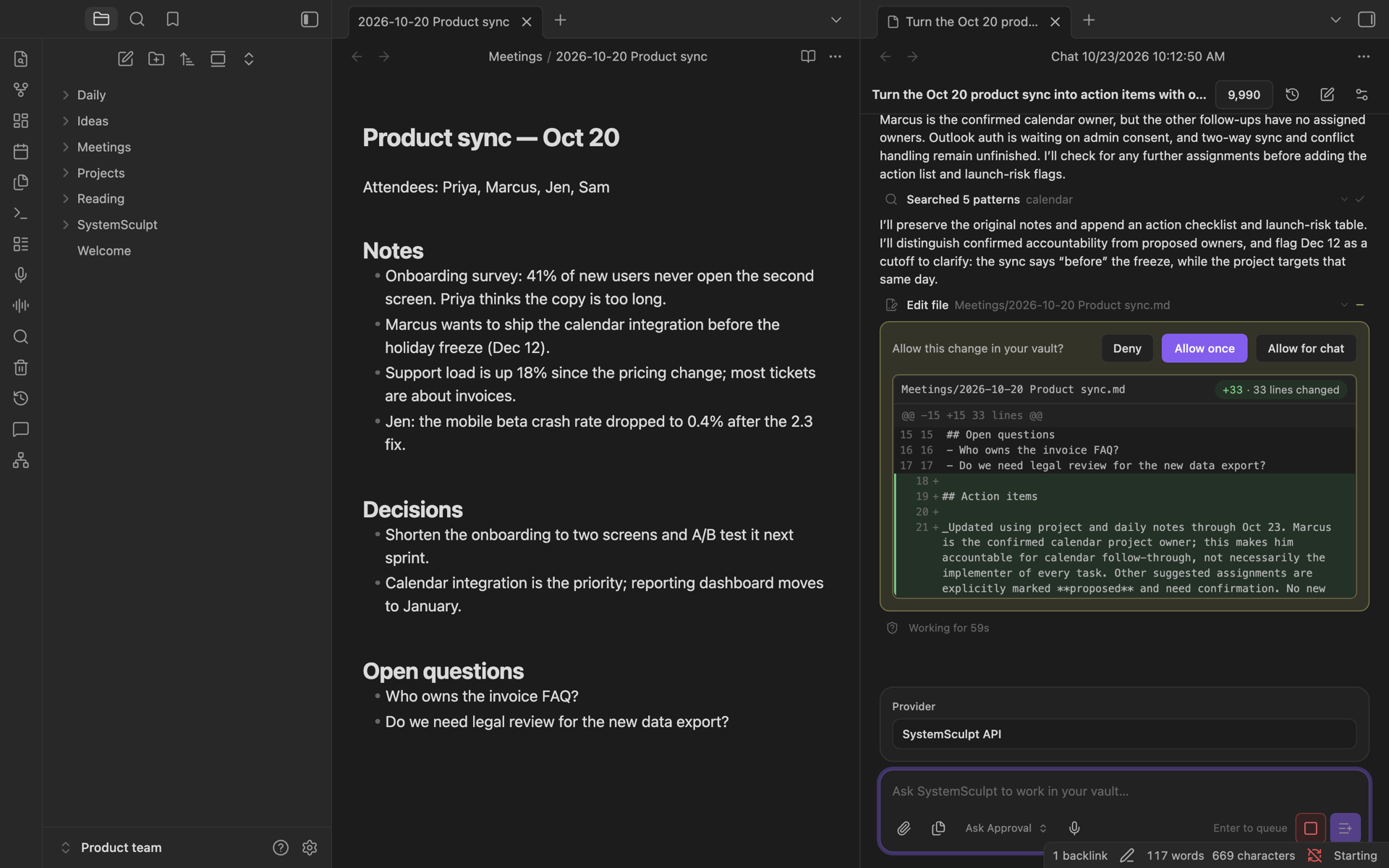
Put Claude Code, Codex or hosted AI to work on your Obsidian notes.
Free to start, two ways:
Setup guide · See what it does
Already have a plan? Sign in from the same Account settings, or paste and activate your license key there.
SystemSculpt 6's managed backend no longer supports your own API keys, custom endpoints, or local models; updating removes previously saved plugin provider keys and routing settings. Native Claude Code and Codex keep their own configuration. Your SystemSculpt license and credits carry over. On desktop, you can use your own installed, signed-in Claude Code or Codex without a SystemSculpt account or plan, or use the free one-time hosted starter credits if eligible and available.
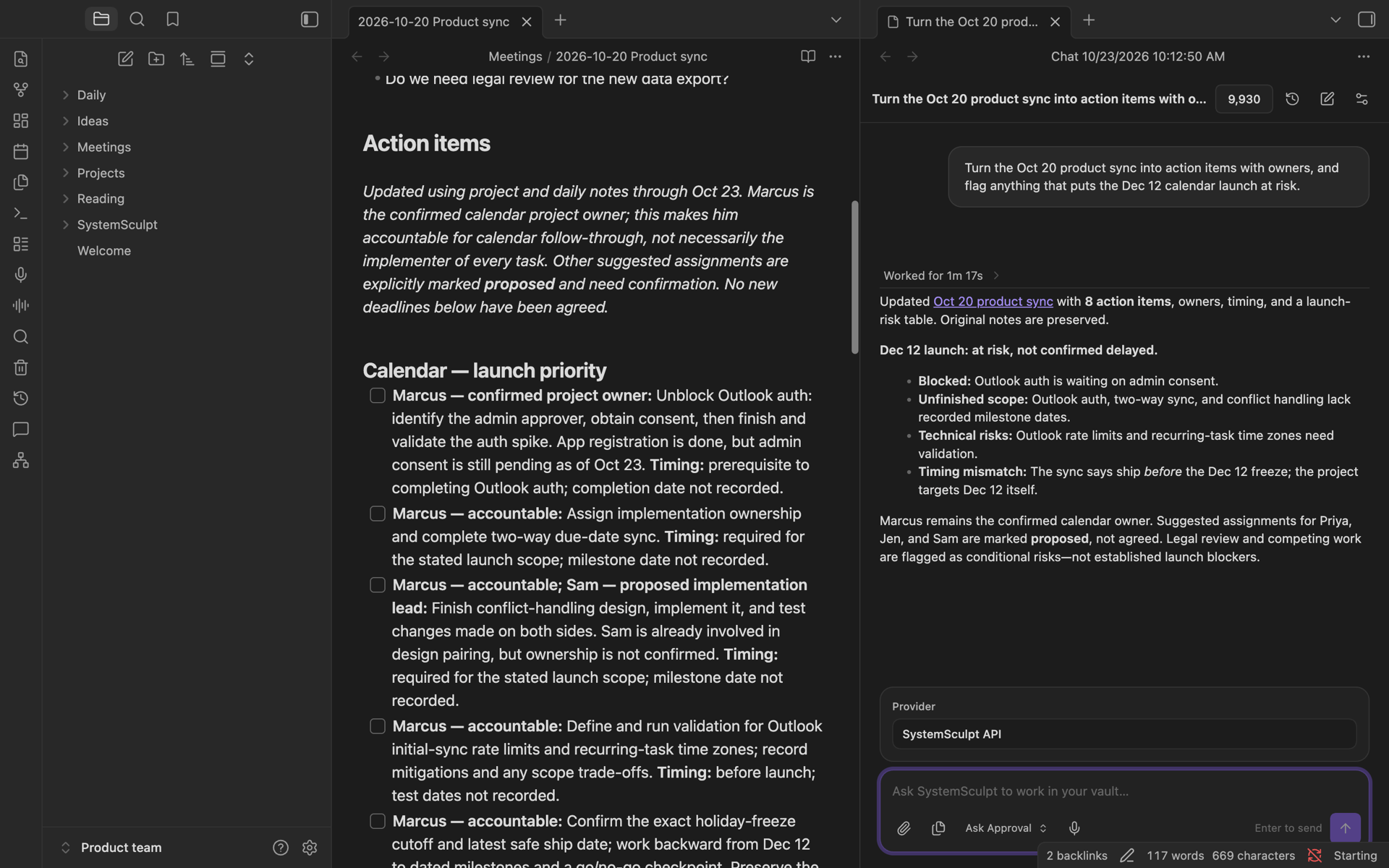
SystemSculpt runs on desktop and mobile. Studio exposes portable nodes on both; local CLI, dataset-adapter, media-ingest, and FFmpeg nodes require Obsidian Desktop. Studio image generation was retired in 6.17; your saved images and projects stay, and video generation still works.
The plugin is free to install. Hosted AI features use a SystemSculpt account and credits. Eligible new accounts can claim 500 one-time starter credits for hosted AI, no card needed, while available. Monthly ($9/month) and Yearly ($90/year) plans include a monthly credit allowance, and credit packs add more. Existing Lifetime licenses continue to be honored. See the plan terms and your account for included usage.
Account, license, billing, and add-credit controls open first-party pages on systemsculpt.com; payments are handled there by Stripe and never occur inside the plugin. The plugin may show first-party license or credit purchase prompts when access or funds are insufficient, but it never purchases anything automatically.
SystemSculpt checks its first-party release endpoint in the background. On desktop, a newer release shows a quiet Update SystemSculpt status-bar item; the Check for updates command reports the result on any device. Neither opens a prompt. Obsidian Community Plugins exclusively owns download, installation, updates, and activation.
https://systemsculpt.com/api/plugin. This covers license validation, credits, release checks, and hosted AI, embeddings, transcription, document, audio, and video work, including image attachments. Audio uploads and result downloads can also use signed storage URLs returned by the service. Production builds reject hosted endpoint overrides. Update checks, account checks, and enabled iPhone capture or handoff sync can make network requests without sending a chat message. Native agents and user-configured Studio commands use their own network access.codex app-server child process across native threads and exchanges messages over standard input and output. The process shuts down after one minute without an active turn or catalog read, and when the plugin unloads. Codex keeps its own login, configuration, and thread history. On-machine Codex is unavailable on mobile.~/.config/systemsculpt/codex.json, which can set the binary to run and the Codex home directory. It checks that the Codex home (~/.codex by default) exists and passes it to Codex as CODEX_HOME. The plugin does not read, copy, or upload file contents inside the Codex home, including Codex credentials.claude command (claude -p with JSON input and output) as a local child process in the vault folder and exchanges messages over standard input and output. Claude Code keeps its own login, settings