Maintainer of this skill?

Automated security scan — not a certification.
Your Personal AI Assistant; easy to install, deploy on your own machine or on the cloud; supports multiple chat apps with easily extensible capabilities.
# Add to your Claude Code skills
git clone https://github.com/agentscope-ai/QwenPawGuides for using ai agents skills like QwenPaw.
Last scanned: 8/6/2026
{
  "issues": [
    {
      "file": "README.md",
      "line": 131,
      "type": "remote-install",
      "message": "Install command (remote install script piped to a shell — review the source before running): \"curl -fsSL https://qwenpaw.agentscope.io/install.sh | bash\"",
      "severity": "low"
    }
  ],
  "status": "PASSED",
  "scannedAt": "2026-08-06T06:30:03.046Z",
  "npmAuditRan": true,
  "pipAuditRan": true,
  "promptInjectionRan": true
}See how QwenPaw compares with popular alternatives.
QwenPaw is an open-source ai agents skill for AI coding assistants such as Claude Code, Codex CLI, and ChatGPT, built by agentscope-ai. Your Personal AI Assistant; easy to install, deploy on your own machine or on the cloud; supports multiple chat apps with easily extensible capabilities. It has 37,335 GitHub stars.
Yes. QwenPaw passed SkillsLLM's automated security scan — a dependency vulnerability audit plus prompt-injection heuristics — with no high-severity issues. You can read the full report in the Security Report section on this page.
Clone the repository with "git clone https://github.com/agentscope-ai/QwenPaw" and add it to your Claude Code skills directory (see the Installation section above).
QwenPaw is primarily written in TypeScript. It is open-source under agentscope-ai on GitHub, so you can review or fork the full source.
Yes. SkillsLLM lists many other AI Agents skills you can browse and compare side by side. Open the AI Agents category from the badge at the top of this page, or use the Related Skills and comparison links further down to weigh QwenPaw against similar tools.
No comments yet. Be the first to share your thoughts!
From $49 · 30 days · terms & refunds
⚠️ Third-Party Software Notice
This skill is third-party open-source software developed and hosted independently on GitHub. SkillsLLM is an informational directory and does not control or maintain the underlying repository.
Any security checks, ratings, or warnings displayed by SkillsLLM are automated and limited in scope. They do not constitute a security certification or guarantee that the software is safe, error-free, or free from malicious code, vulnerabilities, compromised dependencies, or prompt-injection risks.
Review the source code, permissions, dependencies, and configuration before installing or running any third-party skill. Use is at your own risk. To the maximum extent permitted by applicable law, SkillsLLM is not liable for losses arising from third-party software.
Automated security scan — not a certification.





[Documentation] [中文] [日本語] [Русский]
Your personal AI assistant — deploy locally or in the cloud, extend with Skills & Plugins, connect across every channel.
| Never forgets | Three-layer memory — live working context, full verbatim history, and a self-evolving personal knowledge base powered by ReMe. Conversations and resources continuously become readable, editable, searchable, and linked Markdown memory. |
| Local or cloud, runs free | QwenPaw-Flash models (2B / 4B / 9B / 35B-A3B / 27B) trained for agent tasks. Built-in QwenPaw Local runtime — no API key, no cloud dependency. Also works with Ollama, LM Studio, or 14+ cloud providers. |
| Security built in | Kernel-level Sandbox, Tool Guard, File Guard, Skill Scanner, and Access Policy. Dangerous commands are blocked before they run. |
| Multi-agent & parallel | Spawn independent agents with their own memory and skills. Sub-agents at runtime. Agent Communication Protocol (ACP) for cross-system orchestration. |
| File workspace | Unified file navigation, preview, editing, diffs, upload, and download across project and Agent files. |
| Extensible | Skills for scheduling, documents, browser, news, and more. Plugin architecture with a marketplace. MCP integration for external tools. Combine them into purpose-built workflows. |
| Reachable anywhere | DingTalk, Lark, WeChat, Discord, Telegram, iMessage, QQ — one instance, all channels. Console, TUI, and desktop app for direct access. |
| Yours, not ours | Deploy locally — data stays on your machine. No third-party hosting, no data upload. |
[2026-10-15] v2.2.2 | Console updates, new QwenPaw-Flash models covering 9B/27B/35B-A3B, PawPort for importing Codex/Qoder data, Creator 2.0.1, and Data 0.3.0. v2.2.2 Release Notes →
[2026-09-10] v2.2.1 | Creator 1.2 blueprint workbench, per-Agent model routing, and unified environment management. v2.2.1 Release Notes →
[2026-09-03] v2.2.0 | Self-hosted multi-user QwenPaw Hub, QwenPaw Mail, native QwenPaw Data, unified model routing, Creator 1.1, a unified marketplace, and major Console, Skills, channel, and reliability improvements. v2.2.0 Release Notes →
[2026-08-13] v2.1.0 | QwenPaw OS Shell, unified Files workspace, QwenPaw Creator, Codex/Qoder Agent integration, Browser-use, Computer-use, workspace checkpoints, and long-running conversation continuity. v2.1.0 Release Notes →
[2026-07-24] v2.0.1 | PawApp mini-app platform, user-editable Agent Modes, Oh-My-Paw plugins, ReMe memory enhancements, desktop UX improvements, and more. v2.0.1 Release Notes →
If you prefer managing Python yourself (requires Python >= 3.11, < 3.14):
pip install qwenpaw
qwenpaw init --defaults
qwenpaw app
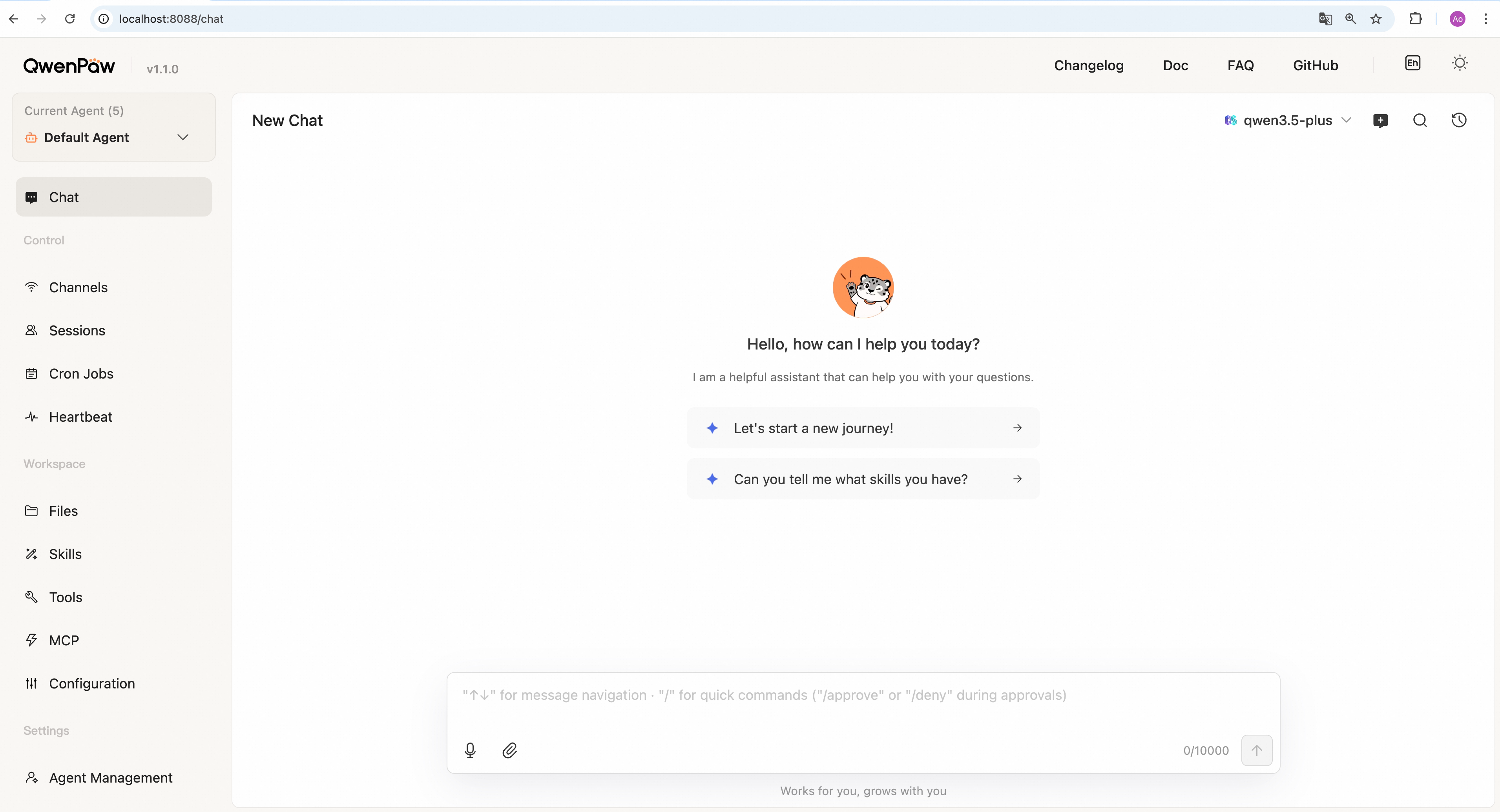
Then open the Console in your browser at http://127.0.0.1:8088/ to configure your model. To chat in DingTalk, Lark, WeChat, etc., see the Channel setup documentation.
No Python setup required, one command installs everything. The script will automatically download uv (Python package manager), create a virtual environment, and install QwenPaw with all dependencies (including Node.js and frontend assets). Note: May not work in restricted network environments or corporate firewalls.
macOS / Linux:
curl -fsSL https://qwenpaw.agentscope.io/install.sh | bash
Windows (CMD):
curl -fsSL https://qwenpaw.agentscope.io/install.bat -o install.bat && install.bat
Windows (PowerShell):
irm https://qwenpaw.agentscope.io/install.ps1 | iex
Note: The installer will automatically check the status of uv. If it