



🗿 Overview
This dotfiles repository is managed with chezmoi🏠, a great dotfiles manager.
The setup scripts are aimed for MacOS, Ubuntu Desktop, and Ubuntu Server. The first two (MacOS/Ubuntu Desktop) include settings for client machines and the latter one (Ubuntu Server) for server machines.
The actual dotfiles exist under the home directory specified in the .chezmoiroot.
See .chezmoiroot - chezmoi more detail on the setting.
📥 Setup
To set up the dotfiles run the appropriate snippet in the terminal.
💻 MacOS 
- Configuration snippet of the Apple Silicon MacOS environment for client macnine:
bash -c "$(curl -fsLS http://shunk031.me/dotfiles/setup.sh)"

🖥️ Ubuntu 
- Configuration snippet of the Ubuntu environment for both client and server machine:
bash -c "$(wget -qO - http://shunk031.me/dotfiles/setup.sh)"

Minimal setup
The following is a minimal setup command to install chezmoi and my dotfiles from the github repository on a new empty machine:
sh -c "$(curl -fsLS get.chezmoi.io)" -- init shunk031 --apply
⚙️ Install & Setup Application Individually
This repository provides for the installation and setup of each application individually. The desired application can be installed as follows (e.g., docker installation on MacOS):
bash install/macos/common/docker.sh
Each installation script can be found under the ./install directory.
📚 Documentation
This repository can generate a temporary MkDocs site from the shell-based setup assets.
The generated Markdown lives under docs/reference/, docs/index.md is regenerated as a landing page, docs/catalog.md is regenerated as the full catalog, and internal Codex working notes live under .agents/worklog/ so they are not published.
make docs
make serve
make serve PORT=8001
make deploy
make docs: generate Markdown withshdoc(falling back to source-based pages when needed) and rebuild the site.make serve: preview the generated site locally with MkDocs on127.0.0.1:8000by default.make serve PORT=8001: preview the site on a different local port when8000is already in use.make deploy: publish the current generated site to thegh-pagesbranch.
🛠️ Update & Test 🧪
Updating and testing the dotfiles follows chezmoi's daily operations. To verify that the updated scripts work correctly, run the scripts on the actual local machine and on the docker container.
💡 Develop the Setup Scripts
The setup scripts are stored as shellscripts in an appropriate location under the ./install directory.
After verifying that the shellscript works, store the chezmoi template-based file, which is based on the shellscript, in an appropriate location under the ./home/.chezmoiscripts directory.
Below is the correspondence between shellscript and template for docker installation on MacOS.
- The shellscript for docker:
install/macos/common/docker.sh - The chezmoi template for docker:
home/.chezmoiscripts/macos/run_once_10-install-docker.sh.tmpl
💾 Test on the Local Machine
Currently, chezmoi does not automatically reflect updated configuration files (ref. twpayne/chezmoi#2738).
The following command will execute the chezmoi apply command as soon as the file is modified using watchexec.
make watch
The chezmoi documentation mentions automatica application by watchman.
See https://www.chezmoi.io/user-guide/advanced/use-chezmoi-with-watchman/ for more detail.
🐳 Test on Docker Container
Test the executation of the setup scripts on Ubuntu in its initial state. The following command will launch the test environment using Docker 🐳.
make docker

# docker run -it -v "$(pwd):/home/$(whoami)/.local/share/chezmoi" dotfiles /bin/bash --login
# shunk031@5f93d270cb51:~$
Run the chezmoi init --apply command to verify that the system is set up correctly.
shunk031@5f93d270cb51:~$ chezmoi init --apply
🦇 Unit Test with Bats
Test the shellscript for setup with Bash Automated Testing System (bats).
The scripts for the unit test can be found under ./tests directory.
📦 Continuously monitor code coverage with Codecov 
The code coverage of the ./install scripts are continuously monitored at app.codecov.io/gh/shunk031/dotfiles. The following Icicle graph represents the code coverage of the scripts:

📊 Measure the startup speed of the dotfiles
The startup speed of zsh on MacOS with this dotfile is continuously measured at shunk031.me/my-dotfiles-benchmarks using benchmark-action/github-action-benchmark.
💡 Miscellaneous Tips
Minimum setup for server machine without chezmoi
- Download
.tmux.conf.d/system/server.confand deploy as~/.tmux.conf
wget -O ~/.tmux.conf https://raw.githubusercontent.com/shunk031/dotfiles/master/home/dot_tmux.conf.d/system/server.conf
- Download
.vimrcand deploy to~/.vimrc
wget -O ~/.vimrc https://raw.githubusercontent.com/shunk031/dotfiles/master/home/dot_vimrc
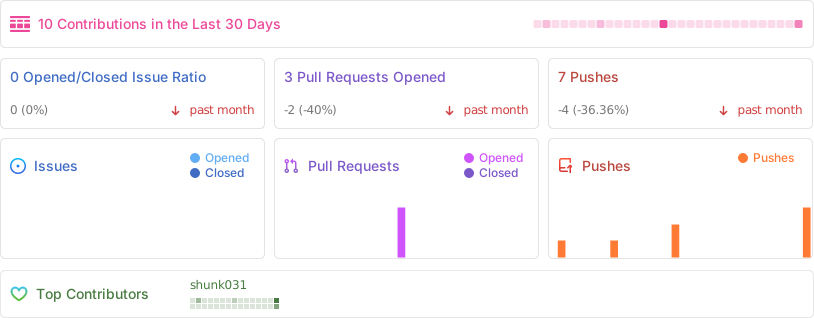
📈 Stats
👏 Acknowledgements
Inspiration and code was taken from many sources, including:
- twpayne/chezmoi from [twpayne](https://githu