Maintainer of this skill?

Automated security scan — not a certification.
by Tavotto
AI drew your research figure. Tavotto makes it publication-ready: edit matplotlib and AI-generated figures on a canvas, lay out multi-panel pages in mm, check journal rules before export. Scripts stay untouched.
# Add to your Claude Code skills
git clone https://github.com/Tavotto/TavottoGuides for using mcp servers skills like Tavotto.
Last scanned: 10/31/2026
{
  "issues": [],
  "status": "PASSED",
  "scannedAt": "2026-10-31T10:11:40.710Z",
  "npmAuditRan": true,
  "pipAuditRan": false,
  "promptInjectionRan": true
}See how Tavotto compares with popular alternatives.
Tavotto is an open-source mcp servers skill for AI coding assistants such as Claude Code, Codex CLI, and ChatGPT, built by Tavotto. AI drew your research figure. Tavotto makes it publication-ready: edit matplotlib and AI-generated figures on a canvas, lay out multi-panel pages in mm, check journal rules before export. Scripts stay untouched. It has 601 GitHub stars.
Yes. Tavotto passed SkillsLLM's automated security scan — a dependency vulnerability audit plus prompt-injection heuristics — with no high-severity issues. You can read the full report in the Security Report section on this page.
Clone the repository with "git clone https://github.com/Tavotto/Tavotto" and add it to your Claude Code skills directory (see the Installation section above).
Tavotto is primarily written in Python. It is open-source under Tavotto on GitHub, so you can review or fork the full source.
Yes. SkillsLLM lists many other MCP Servers skills you can browse and compare side by side. Open the MCP Servers category from the badge at the top of this page, or use the Related Skills and comparison links further down to weigh Tavotto against similar tools.
No comments yet. Be the first to share your thoughts!
Top skills in this category by stars
From $49 · 30 days · terms & refunds
⚠️ Third-Party Software Notice
This skill is third-party open-source software developed and hosted independently on GitHub. SkillsLLM is an informational directory and does not control or maintain the underlying repository.
Any security checks, ratings, or warnings displayed by SkillsLLM are automated and limited in scope. They do not constitute a security certification or guarantee that the software is safe, error-free, or free from malicious code, vulnerabilities, compromised dependencies, or prompt-injection risks.
Review the source code, permissions, dependencies, and configuration before installing or running any third-party skill. Use is at your own risk. To the maximum extent permitted by applicable law, SkillsLLM is not liable for losses arising from third-party software.
Automated security scan — not a certification.
AI drew your research figure. Tavotto™ makes it publication-ready. Tavotto is a free, open-source tool for finishing scientific figures: it opens the figure that an AI assistant or your own Python script already drew (matplotlib today), and you change titles, legends, curves and the page layout on a canvas. The script stays untouched, every edit is saved separately, and before export the figure is checked against a publication profile (font floor, column width, dpi).
.dmg or run the .exe from the buttons above. The installer carries its own Python with numpy, matplotlib, pandas, scipy, seaborn and Pillow, so you do not install Python. The download is about 195 MB on macOS and 89 MB on Windows..py) onto the window, or open the folder that holds your figure scripts. The home page also offers a guided example.On Windows, an unsigned installer makes SmartScreen show a prompt on first run: choose More info → Run anyway, or check the file against SHA256SUMS.txt on the release page first. More: installation details.
With the desktop app installed, open Settings → Figure assistants → Connect AI editors and press Connect on your editor's row; the first time, it asks which project folder the editor may work in.
| Assistant | With the desktop app | Without it |
|---|---|---|
| Codex | Connect | Codex plugin |
| Claude Code, WorkBuddy | Connect | Plugin (Beta) |
| Cursor, VS Code, Trae, ZCode, Claude Desktop | Connect | Config generator (experimental) |
| DeepSeek Harness, MiniMax Code | Not yet | Bundle (Beta) or config generator |
pipx install "tavotto[worker]"
tavotto
Your browser opens at http://127.0.0.1:5089. It needs Python 3.10 or later; on an older Python, uv tool install --python 3.12 "tavotto[worker]" fetches one. tavotto --figures <dir> opens a figure folder directly. More (uv, SSH to a remote server, your own Python environment): installation details.
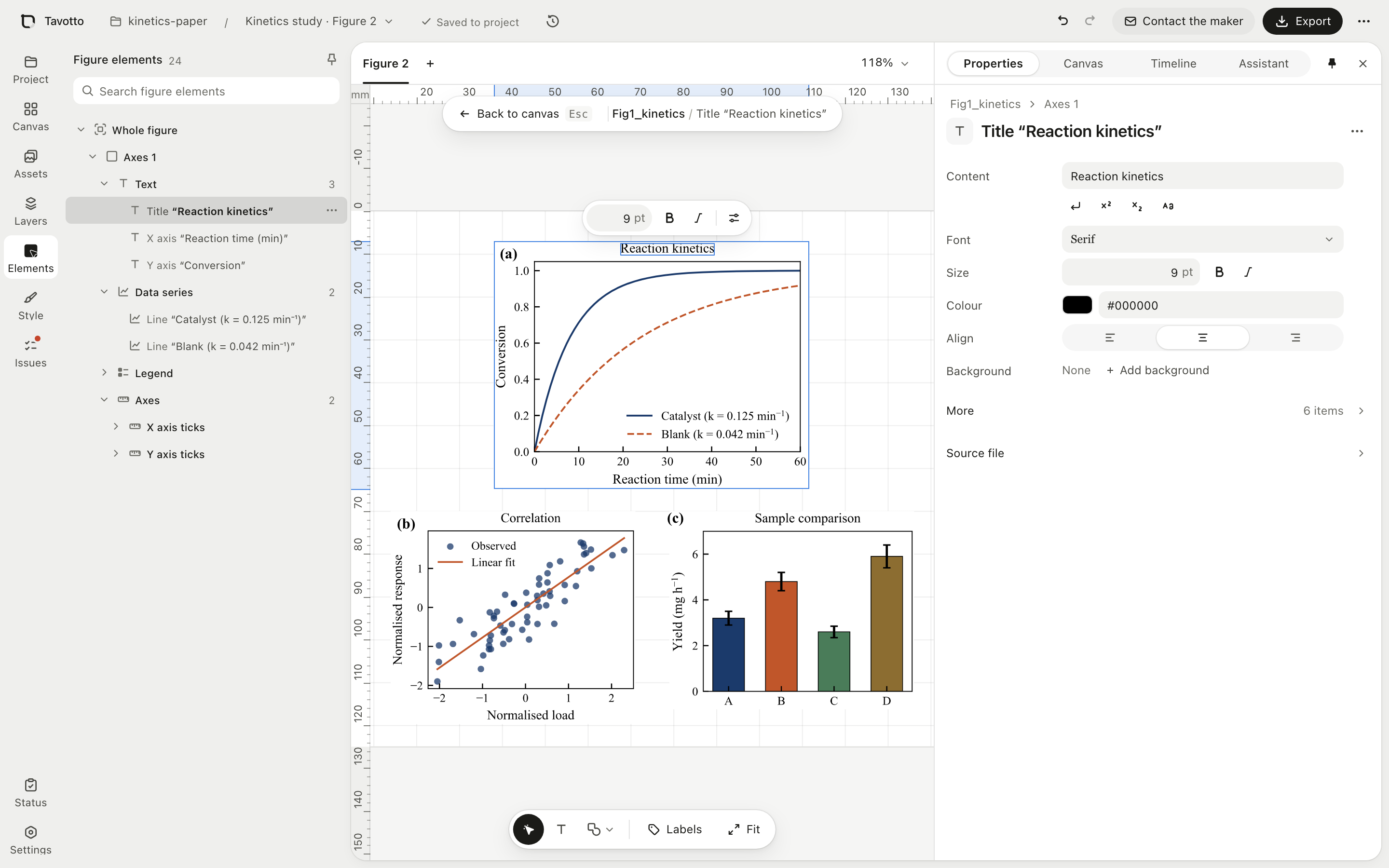
Double-click a panel and Tavotto runs your script once and keeps the matplotlib Figure in memory. Pick the title, a tick, a curve, the legend or an arrow from the tree or on the canvas, then change its size, colour, dash pattern or position; dragging follows the cursor, and matplotlib runs once when you let go. What can be edited.
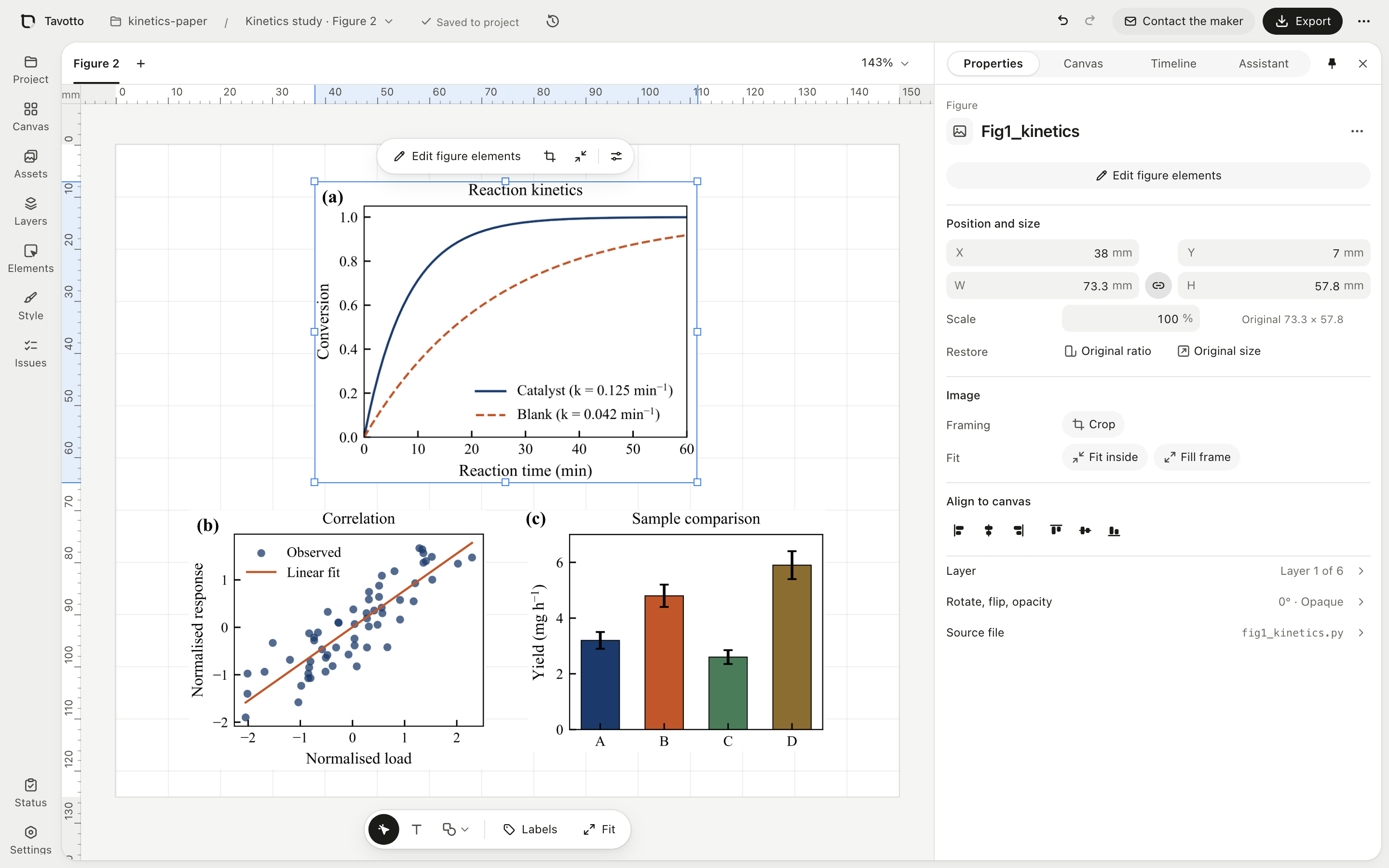
Place panels on a page measured in millimetres at the size their script drew them, snap and align them, bind them into rows and grids, add (a)(b)(c) labels, and draw arrows, scale bars and zoom boxes on top.
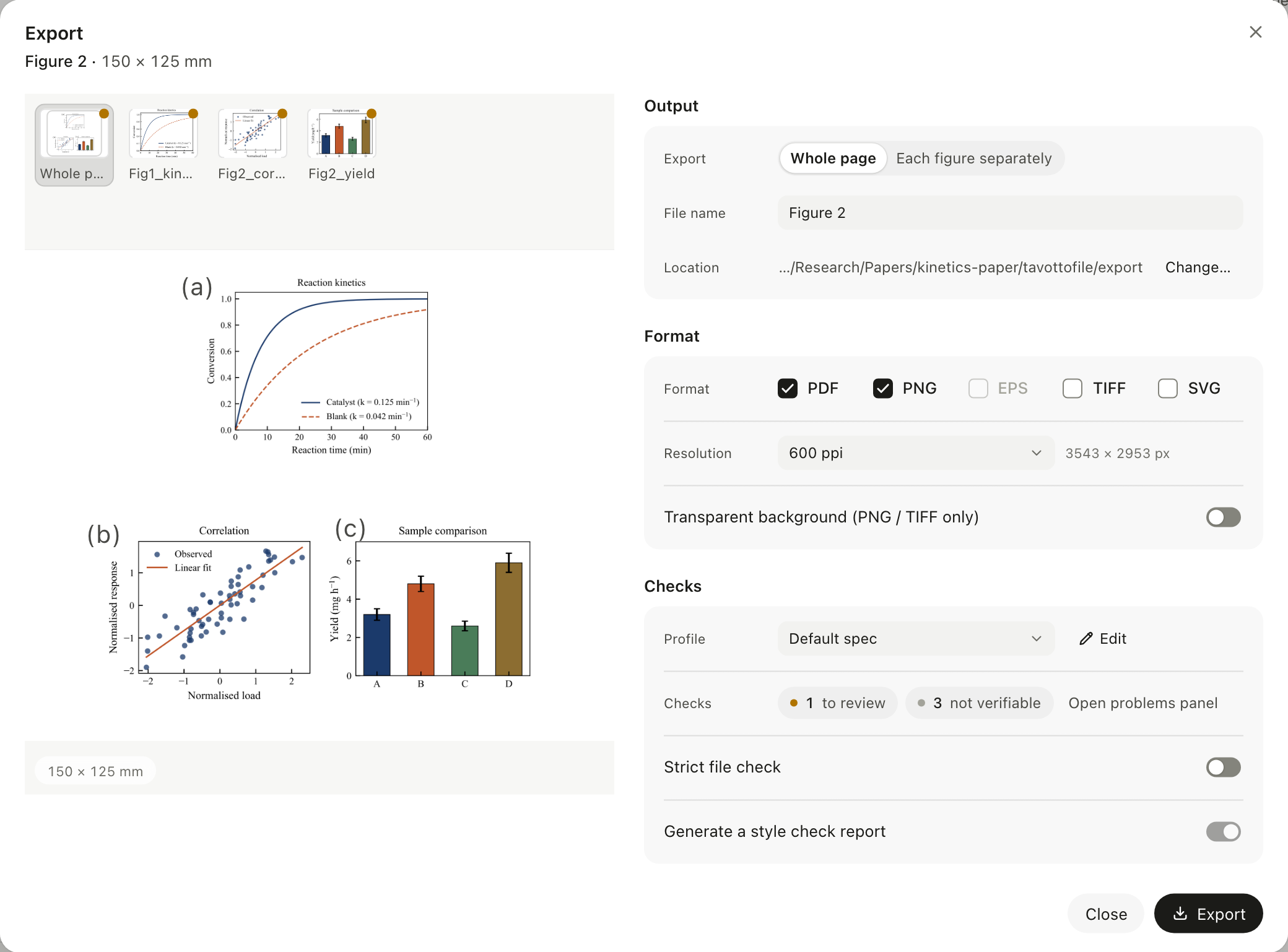
Export writes PDF with real vector text, plus PNG, TIFF and SVG (PNG and TIFF at 300 to 1200 ppi; EPS too when you export a single figure that has a script). Alongside, the figure is checked against a publication profile at its final physical size: text under the font floor, the wrong column width, low-dpi rasters. Findings are sorted into to fix, to review, not verifiable and suggestions. They never lock the Export button; anything still unresolved is recorded in a style-check report written with the files. Formats, levels and profile.
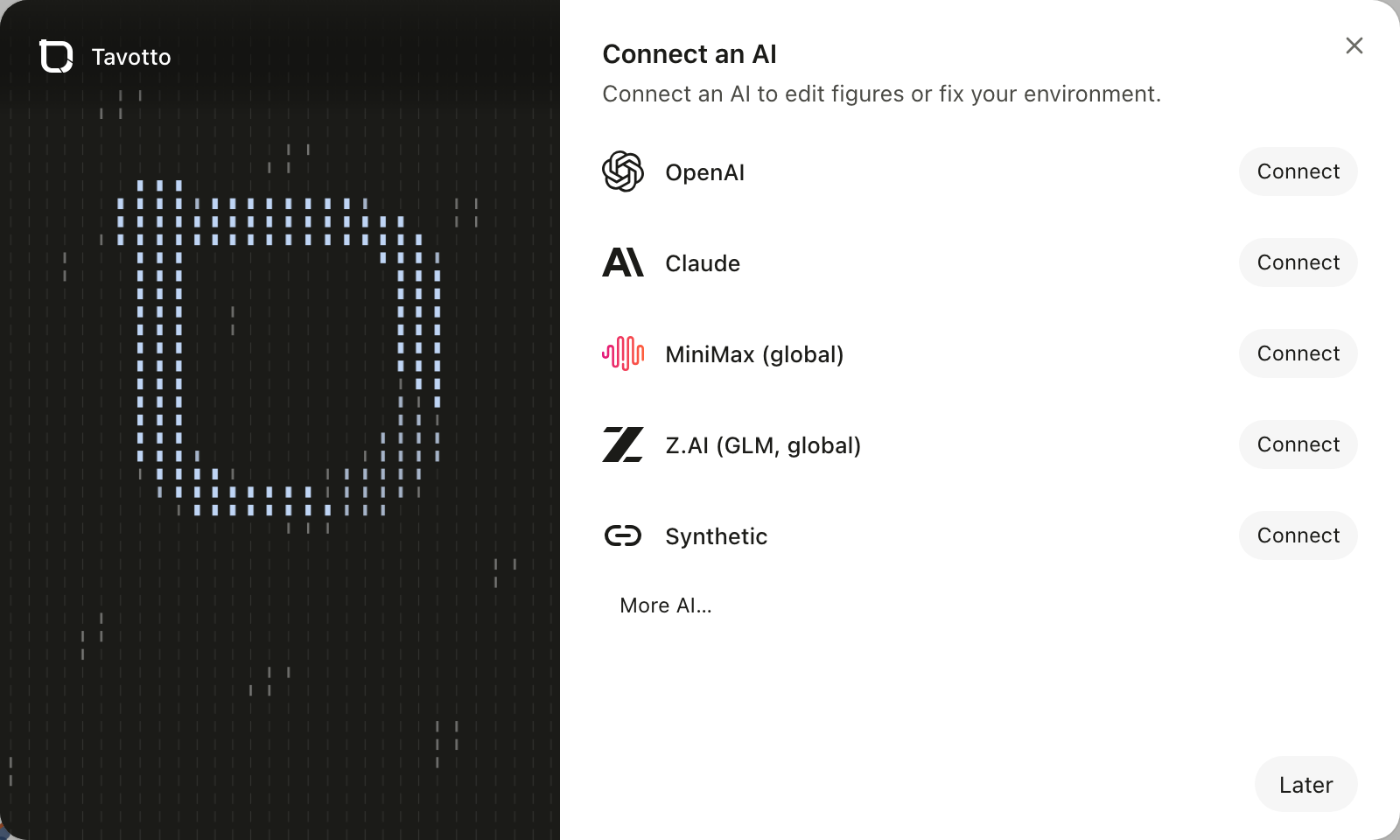
The assistant panel edits the script for you ("move the legend to the top left, 7 pt"). Connect a ChatGPT (Codex) or Claude subscription, an API key from DeepSeek, Kimi, Zhipu GLM, MiniMax, Alibaba Bailian, OpenAI or Anthropic and others, or any compatible custom endpoint. Your script is snapshotted first, you see the diff, and one click reverts it. This is the only path that touches your script, and you have to start it.
Tavotto looks for the conda, venv or system Python your script was written for and runs it there. A package it cannot find is named, and your own environments are never modified. From a terminal, tavotto run -- python figure.py attaches to figures made by the command you already use ([Beta](docs/compatibil