[!TIP] 是否曾因 Telegram 无法搜索中文聊天记录而困扰?
或者想查找一条重要消息,却被海量消息淹没,难以定位?
有了 Telegram Search,您可以便捷地备份并检索自己的 Telegram 消息。无论任何语言,强大的本地分词能力都能准确命中。
支持向量搜索,实现句子智能模糊匹配,查找信息更快速精准。
更多 AI 驱动场景,支持未读消息智能摘要、AI 助手对话等丰富功能体验。
💖 赞助者

✅ 功能亮点
📦 导出与备份
- 支持多种数据库导出聊天记录:兼容 PGlite 与 PostgreSQL
- 媒体资源可自动备份至 MinIO 对象存储,无需手动干预
- 消息导出时自动完成向量嵌入与分词处理,助力后续精准检索
- 实时同步,自动拉取并更新最新对话内容
🔍 聊天记录搜索
- 自动智能分词,支持多语言精准检索
- 融合模糊匹配与向量语义搜索,查找效率更高
- 图片语义搜索:支持图片 embedding,以文搜图
- 搜索结果无限滚动,浏览体验更流畅
- RAG 智能问答:直接与 AI 聊天,基于历史上下文获得实时解答
🤖 Telegram Bot
- 通过 Bot 搜索和导出消息
- 消息 deep link 跳转,一键定位原始对话
🚀 高级功能
- 未读消息智能摘要:一键汇总全部未读消息,自动生成精炼摘要,重点内容一目了然
- 日期范围筛选,快速缩小搜索范围
- 右键菜单跳转 Telegram 原消息,支持移动端
🛣️ 路线展望
🧠 AI 能力增强
- 自动生成会话总结
- “超级大脑”:基于历史消息,自动构建人物与事件的知识图谱
🔗 媒体与链接拓展
- 智能整理"已保存消息"收藏夹,提升内容管理效率
- 链接与图片深度索引:网页摘要、图片 OCR 文字识别及智能描述,助力搜索与归档
🌐 多平台融合
- 跨平台扩展:支持 Discord 及其他主流社交/通讯平台,实现统一检索与备份
🎉 立即使用
我们提供了一个在线体验版,无需自行部署,即可体验 Telegram Search 的全部功能。
访问以下网址开始使用:https://search.lingogram.app
[!WARNING] 本项目未发行任何虚拟货币,请警惕相关诈骗风险。
本软件仅供您导出和检索个人聊天记录使用,切勿将其用于任何违法用途。
🚀 快速开始
Agent / CLI 模式
仓库现在提供本地优先的 TypeScript CLI。用户只需为命名 profile 完成本地登录,Agent 即可自行组合命令决定是否拉取、拉取哪些会话,以及何时显式同步。
pnpm run build:packages
pnpm -F @tg-search/cli build

pnpm cli --profile work profile configure --apiId 123456 --apiHash abcdef
pnpm cli --profile work auth login
pnpm cli --profile work chats list --json
pnpm cli --profile work sync --takeout --chat 123456 --from 2026-01-01 --to 2026-12-31
pnpm cli --profile work export --from 2026-01-01 --to 2026-12-31 --output ./telegram-2026
chats list 和 messages list 只做有界的远端读取,不持久化消息。批量同步必须先征得用户同意,并由 Agent 在 sync 命令中显式加入 --takeout;未授权、用户拒绝或 Takeout 初始化失败都会停止,不会退回普通 GetHistory。文本同步只申请所选会话类别,不申请联系人或文件导出权限。同步结果写入 profile 独立的 PGlite。CLI 的 stdout 只输出 JSON 结果,Telegram 日志、提示与进度写入 stderr。导出包含按月 JSONL 和校验清单,不包含媒体二进制、登录 session、向量或密钥,也不会替用户执行 AI 总结。
完整命令与隐私边界见 packages/cli/README.md。
使用 Docker Compose
- 新建一个空目录,用于存放 Telegram Search 的配置和数据:
mkdir telegram-search
cd telegram-search
- 下载 Docker Compose 文件并启动全部服务(包括数据库、MinIO 等):
curl -L https://raw.githubusercontent.com/groupultra/telegram-search/refs/heads/main/docker/docker-compose.yml -o docker-compose.yml
curl -L https://raw.githubusercontent.com/groupultra/telegram-search/refs/heads/main/docker/.env.example -o .env
curl -L https://raw.githubusercontent.com/groupultra/telegram-search/refs/heads/main/docker/init.sql -o init.sql
docker compose -f docker-compose.yml up -d
- 然后打开 http://localhost:3333 即可使用 🎉
使用 Docker Image
若未配置 MinIO 相关参数,媒体文件将默认保存至本地的 data/media 目录。
docker run -d --name telegram-search -p 3333:3333 ghcr.io/groupultra/telegram-search:latest
自定义环境变量
[!IMPORTANT] AI Embedding & LLM 设置现在在应用内按账户配置(设置 → API)。
请在修改完成
.env文件后,再次执行docker compose -f docker-compose.yml up -d启动服务。
以下环境变量全部为可选,如果不填写,则会使用默认值。
| 环境变量 | 说明 | 示例值 |
|---|---|---|
TELEGRAM_API_ID |
从 my.telegram.org 获取的 Telegram 应用 ID | 611335 |
TELEGRAM_API_HASH |
从 my.telegram.org 获取的 Telegram 应用 Hash | d524b414d21f4d37f08684c1df41ac9c |
DATABASE_TYPE |
数据库类型,可选 postgres 或 pglite |
pglite |
DATABASE_URL |
PostgreSQL 连接字符串(仅在 DATABASE_TYPE=postgres 时填写) |
postgresql://postgres:123456@pgvector:5432/postgres |
TELEGRAM_BOT_TOKEN |
通过 @BotFather 创建的 Telegram Bot Token | 123456:ABC-DEF1234ghIkl-zyx57W2v1u123ew11 |
PROXY_URL |
代理地址(支持如 socks5://user:pass@host:port 等格式) |
socks5://user:pass@host:port |
PORT |
后端服务 HTTP/WebSocket 监听端口 | 3333 |
HOST |
后端服务监听地址 | 0.0.0.0 |
BACKEND_URL |
Nginx 作为反向代理时用于 /api 和 /ws 的上游后端地址 |
http://127.0.0.1:3333 |
MINIO_URL |
MinIO 服务地址 | http://minio:9000 |
MINIO_ACCESS_KEY |
MinIO 访问密钥 | minioadmin |
MINIO_SECRET_KEY |
MinIO 访问密钥对应的密钥 | minioadmin |
MINIO_BUCKET |
MinIO 存储桶名称 | telegram-media |
使用 Docker Image 环境变量
请根据自己的需要自行修改环境变量。
docker run -d --name telegram-search \
  -p 3333:3333 \
  -e DATABASE_TYPE=postgres \
  -e DATABASE_URL=postgresql://postgres:123456@localhost:5432/postgres \
  ghcr.io/groupultra/telegram-search:latest
💻 开发指南
纯浏览器模式
git clone https://github.com/groupultra/telegram-search.git
cd telegram-search
pnpm install
cp .env.example .env
pnpm run dev
服务器模式
git clone https://github.com/groupultra/telegram-search.git
cd telegram-search
pnpm install

cp .env.example .env

docker compose -f docker/docker-compose.dev.yml up -d pgvector minio

pnpm run server:dev
pnpm run web:dev
📖 更多开发细节和架构细节: CONTRIBUTING.md
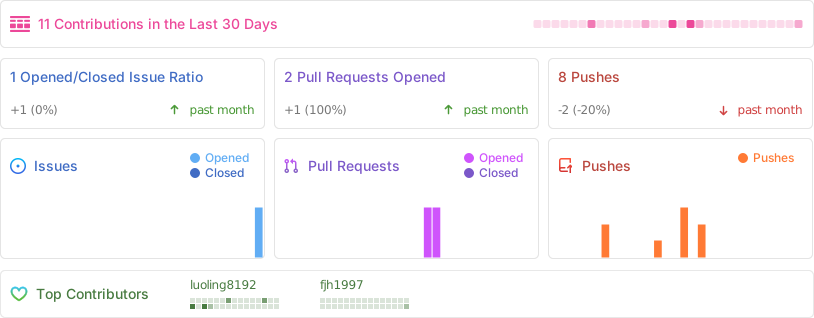
🚀 Activity