Maintainer of this skill?

Automated security scan — not a certification.
by aiworkskills
微信公众号 AI 运营助手 | 选题、写稿、审稿、排版、配图、发布全流程 Skill,支持 OpenClaw / Claude Code / Cursor / Codex
# Add to your Claude Code skills
git clone https://github.com/aiworkskills/wechat-article-skillsGuides for using ai agents skills like wechat-article-skills.
Last scanned: 9/6/2026
{
  "issues": [
    {
      "file": "skills/aws-wechat-article-images/SKILL.md",
      "line": 24,
      "type": "secret-exfiltration",
      "message": "Instruction appears to send credentials/secrets to an external endpoint",
      "severity": "medium"
    },
    {
      "file": "skills/aws-wechat-article-writing/SKILL.md",
      "line": 24,
      "type": "secret-exfiltration",
      "message": "Instruction appears to send credentials/secrets to an external endpoint",
      "severity": "medium"
    },
    {
      "file": "skills/aws-wechat-sticker/SKILL.md",
      "line": 24,
      "type": "secret-exfiltration",
      "message": "Instruction appears to send credentials/secrets to an external endpoint",
      "severity": "medium"
    }
  ],
  "status": "PASSED",
  "scannedAt": "2026-09-06T08:23:40.772Z",
  "npmAuditRan": true,
  "pipAuditRan": true,
  "promptInjectionRan": true
}See how wechat-article-skills compares with popular alternatives.
wechat-article-skills is an open-source ai agents skill for AI coding assistants such as Claude Code, Codex CLI, and ChatGPT, built by aiworkskills. 微信公众号 AI 运营助手 | 选题、写稿、审稿、排版、配图、发布全流程 Skill,支持 OpenClaw / Claude Code / Cursor / Codex. It has 703 GitHub stars.
Yes. wechat-article-skills passed SkillsLLM's automated security scan — a dependency vulnerability audit plus prompt-injection heuristics — with no high-severity issues. You can read the full report in the Security Report section on this page.
Clone the repository with "git clone https://github.com/aiworkskills/wechat-article-skills" and add it to your Claude Code skills directory (see the Installation section above).
wechat-article-skills is primarily written in Python. It is open-source under aiworkskills on GitHub, so you can review or fork the full source.
Yes. SkillsLLM lists many other AI Agents skills you can browse and compare side by side. Open the AI Agents category from the badge at the top of this page, or use the Related Skills and comparison links further down to weigh wechat-article-skills against similar tools.
No comments yet. Be the first to share your thoughts!
30 days in the Featured rail · terms & refunds
⚠️ Third-Party Software Notice
This skill is third-party open-source software developed and hosted independently on GitHub. SkillsLLM is an informational directory and does not control or maintain the underlying repository.
Any security checks, ratings, or warnings displayed by SkillsLLM are automated and limited in scope. They do not constitute a security certification or guarantee that the software is safe, error-free, or free from malicious code, vulnerabilities, compromised dependencies, or prompt-injection risks.
Review the source code, permissions, dependencies, and configuration before installing or running any third-party skill. Use is at your own risk. To the maximum extent permitted by applicable law, SkillsLLM is not liable for losses arising from third-party software.
Automated security scan — not a certification.
简体中文 | English
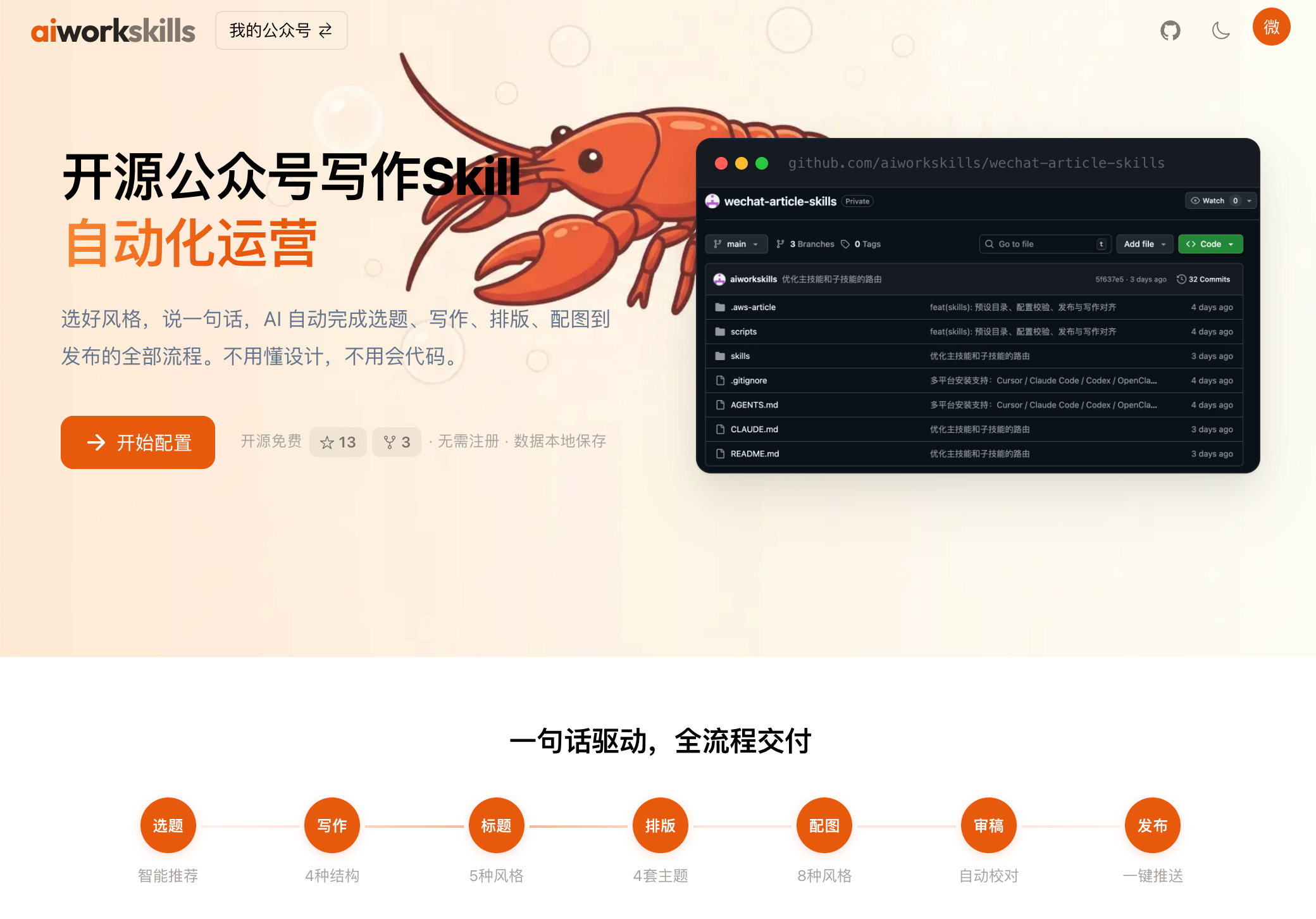
开源公众号运营数字员工。选好风格,说一句话,AI 自动完成选题、写作、排版、配图到发布的全部流程。不用懂设计,不用会代码。



📬 项目更新很频繁——点右上角 Watch → Custom → Releases,有新版本时会通知你。
你在对话框里说一句话:
帮我写一篇讲 AI 提示词技巧的公众号文章
AI 依次交付,每一步都停下来等你确认,可以打断、修改、重来:
3–5 张选题卡片 → 成稿(按你的文风规范)→ 审稿报告(敏感词 / 错别字 / AI 味)→ 微信 HTML 排版(主题 + 版式组件)→ 封面 + 正文配图(带标题的成品封面,不是背景图)→ 发进公众号草稿箱
wechat-article-skills 是一套开源的微信公众号 AI 运营技能包(AI Agent Skills)。装进你已经在用的 AI 工具后,用自然语言就能跑完公众号从选题到发布的全流程。
aws.env,不上传任何服务器。两条实操视频,按基础配置、进阶配置顺序观看:
账号定位、写作规范、模板选择,以及配置包导出与导入。
https://github.com/user-attachments/assets/54a07e52-0db7-465f-b164-992d9b3a90da
用文章提炼配置建议,分别配置写作模型与生图模型。
https://github.com/user-attachments/assets/fa89f62d-3c24-4356-85ce-df80241f4eca
打开官网配置页即可跟做。视频中的密钥及模型连接参数为模拟值,实际使用时请填写自己的配置;对标文章提炼结果请先审查再应用。
能写公众号是一件很简单的事情,把一个公众号写好你一定有独特的见解。
我们开源的skill解决能写能发的问题,可视化配置平台解决你的个性化配置的问题。
① 装智能体 → ② 安装技能 → ③ 网页个性化化配置 → ④ 导入 .aws → ⑤ 说一句话开始
推荐路径:在 aiworkskills.cn 可视化配置台选好风格、填完表,一键导出配置包给 AI。
涵盖 QClaw · ArkClaw · JVSClaw · WorkBuddy · Linclaw · NemoClaw · AutoClaw · MaxClaw · KimiClaw · DuClaw · PowerClaw · ZeroClaw,以及开源标准底座 OpenClaw。
方式 A · 最快:直接在 AI 对话框发一句话——
帮我安装这个skill:https://github.com/aiworkskills/wechat-article-skills
Claw 会自动把仓库拉到本地、把 9 个技能全部挂进对话,全程不用打一条命令。
clawhub install aws-wechat-article-main       # 必装 · 一条龙总控
clawhub install aws-wechat-article-assets     # 必装 · 业务资料库 / .aws 预设包
clawhub install aws-wechat-article-topics
clawhub install aws-wechat-article-writing
clawhub install aws-wechat-article-review
clawhub install aws-wechat-article-formatting
clawhub install aws-wechat-article-images
clawhub install aws-wechat-article-publish
clawhub install aws-wechat-sticker
OpenClaw(Claw 系列的开源标准底座)直接读取仓库
skills/目录——git clone本仓库后即生效,无需clawhub install。
克隆仓库就行,各工具按自己的规则读取 skills/ 目录:
git clone https://github.com/aiworkskills/wechat-article-skills.git
cd wechat-article-skills
| 工具 | Skill 读取路径 | 备注 |
|---|---|---|
| Cursor | 项目 skills/ 或 .cursor/skills/ |
克隆即用;也可把 skills/aws-wechat-article-* 和 aws-wechat-sticker 软链到 .cursor/skills/ |
| Claude Code | ~/.claude/skills/ 或项目 .claude/skills/ |
把上述 9 个目录复制或软链到对应位置 |
| Autohand Code | ~/.autohand/skills/ 或项目 .autohand/skills/ |
把上述 9 个目录复制或软链到对应位置 |
| Codex | 仓库根 AGENTS.md |
已随仓库维护,克隆即生效 |
装完后,对 AI 说「帮我写一篇公众号文章」就开始了。
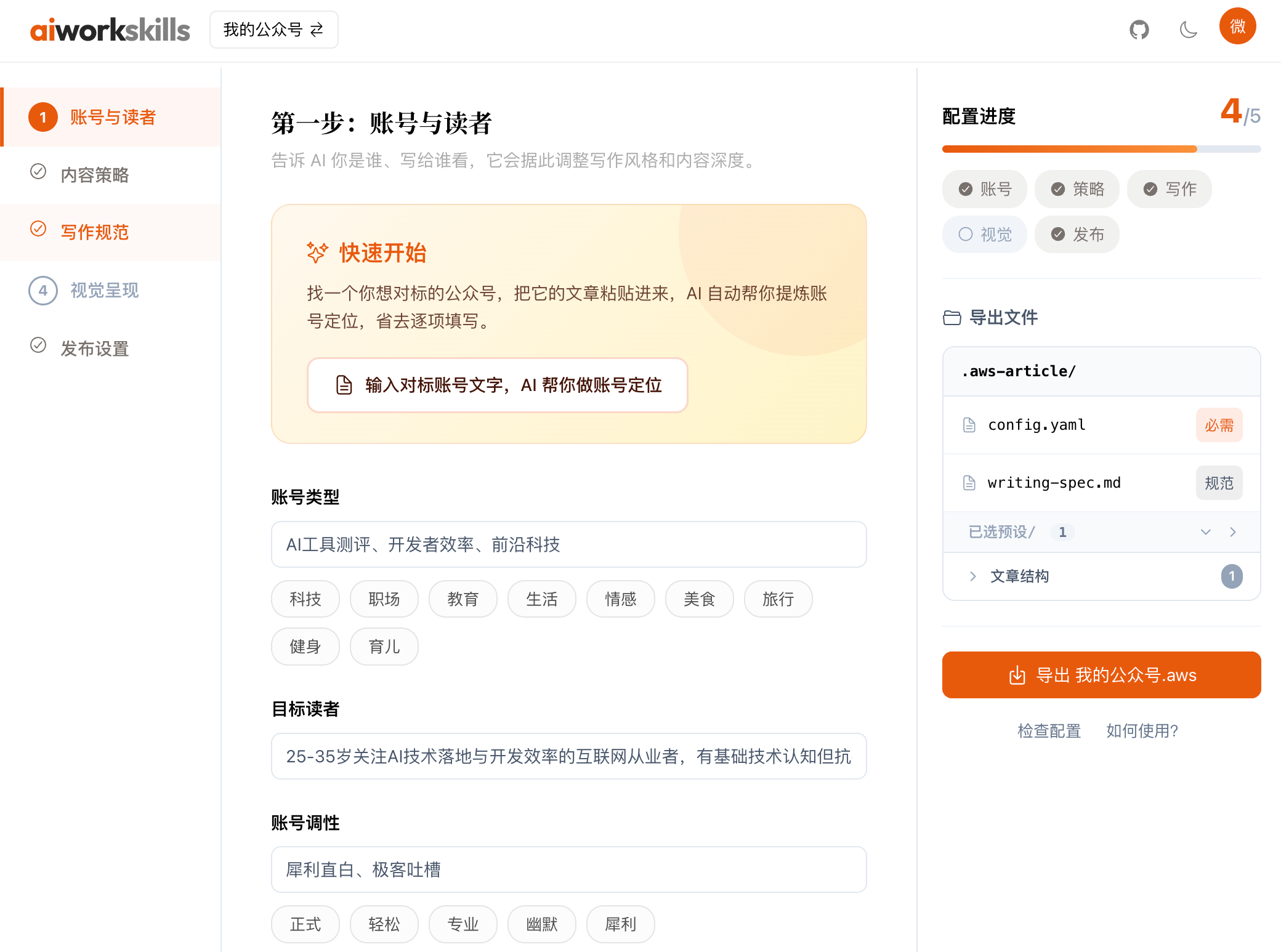
.aws 是一个配置包,把你在 aiworkskills.cn 填好的账号设定、文风规范、多种视觉风格等全部打包到一起,一次导入、一次到位。
方式 A · 永久下载链接(推荐)
在配置界面点击"复制小龙虾安装指令"配置台会给你一个永久链接,形如 https://aiworkskills.cn/xxxx/你的名字.aws。在小龙虾对话框粘贴,格式如:
请用 aws-wechat-article-assets 技能,导入这份预设包:
https://aiworkskills.cn/xxxx/你的名字.aws
这个链接永远有效——回配置台改了设置,链接里的内容会自动跟着更新,重新在小龙虾界面说“更新aws”就可以了。链接默认不含 API Key;想让 AI 顺便拿到 Key,末尾加上 ?with_secrets=true 即可。万一链接泄露,回配置台点「换链接」就能让旧链接立刻作废。
方式 B · 手动下载安装.aws 文件
在配置台直接下载 .aws 文件,拖给 AI 说「导入这个预设包」。
首次通过 .aws 包导入时会自动建齐;手动建用 mkdir -p 即可,结构如下:
.aws-article/
├── config.yaml
├── writing-spec.md                 # 可选,写作规范
├── presets/                        # 7 类预设
│   ├── structures/                 #   文章结构
│   ├── closing-blocks/             #   文末区块
│   ├── title-styles/               #   标题风格
│   ├── formatting/                 #   排版主题
│   ├── cover-styles/               #   封面风格
│   ├── image-styles/               #   配图风格
│   └── sticker-styles/             #   贴图风格
├── products/                       # 用户业务资料库(按产品名分目录,AI 写第一份业务介绍时自动建)
│   └── {产品名}/                   #   每个产品一个独立目录
│       ├── 项目介绍.md             #     业务介绍 .md 直挂产品根(命名按行业)
│       └── images/                 #     业务配图(含同名说明 .md)
└── tmp/
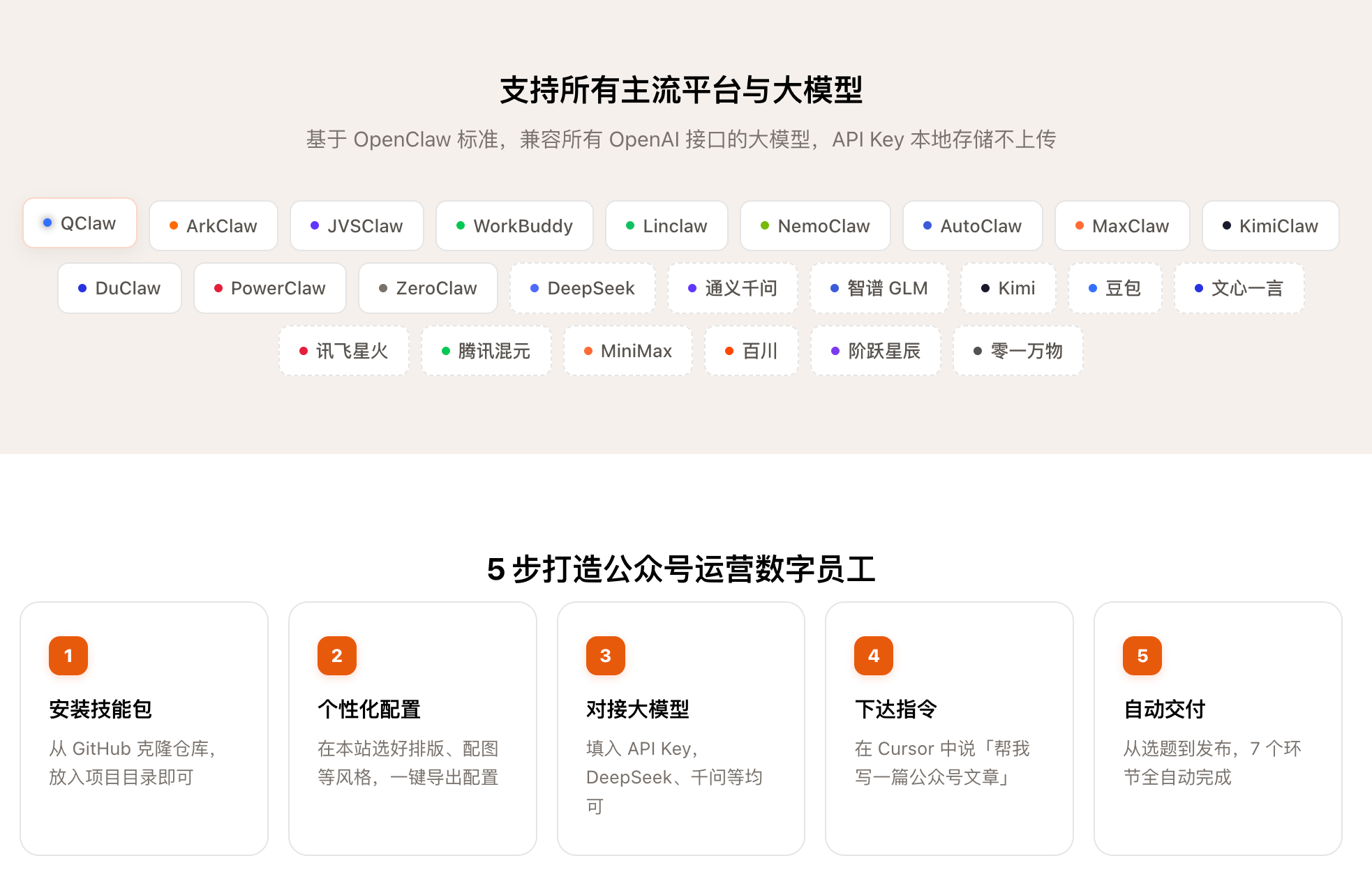
基于 OpenClaw 标准,兼容 13+ Claw 系列工具:
QClaw · ArkClaw · JVSClaw · WorkBuddy · Linclaw · NemoClaw · AutoClaw · MaxClaw · KimiClaw · DuClaw · PowerClaw · ZeroClaw
同时支持 Claude Code · Autohand Code · Cursor · Codex 等主流智能体。
DeepSeek · 通义千问 · 智谱 GLM · Kimi · 豆包 · 文心一言 · 讯飞星火 · 腾讯混元 · MiniMax · 百川 · 阶跃星辰 · 零一万物 · GPT · Claude
兼容所有 OpenAI 接口大模型,API Key 本地存储不上传。
| Skill | 能力 | 你这样说 |
|---|---|---|
| 主流程 | 串联全流程 | 「帮我写一篇公众号文章」 |
| 选题 | 调研热点,推荐 3–5 个选题卡片 | 「帮我找几个选题」 |
| 写作 | 调用大模型 / AI 直写,遵循文风规范 | 「写一篇 AI 入门」 |
| 审稿 | 敏感词 / 错别字 / 规范比对,三级结果 | 「审一下这篇」 |
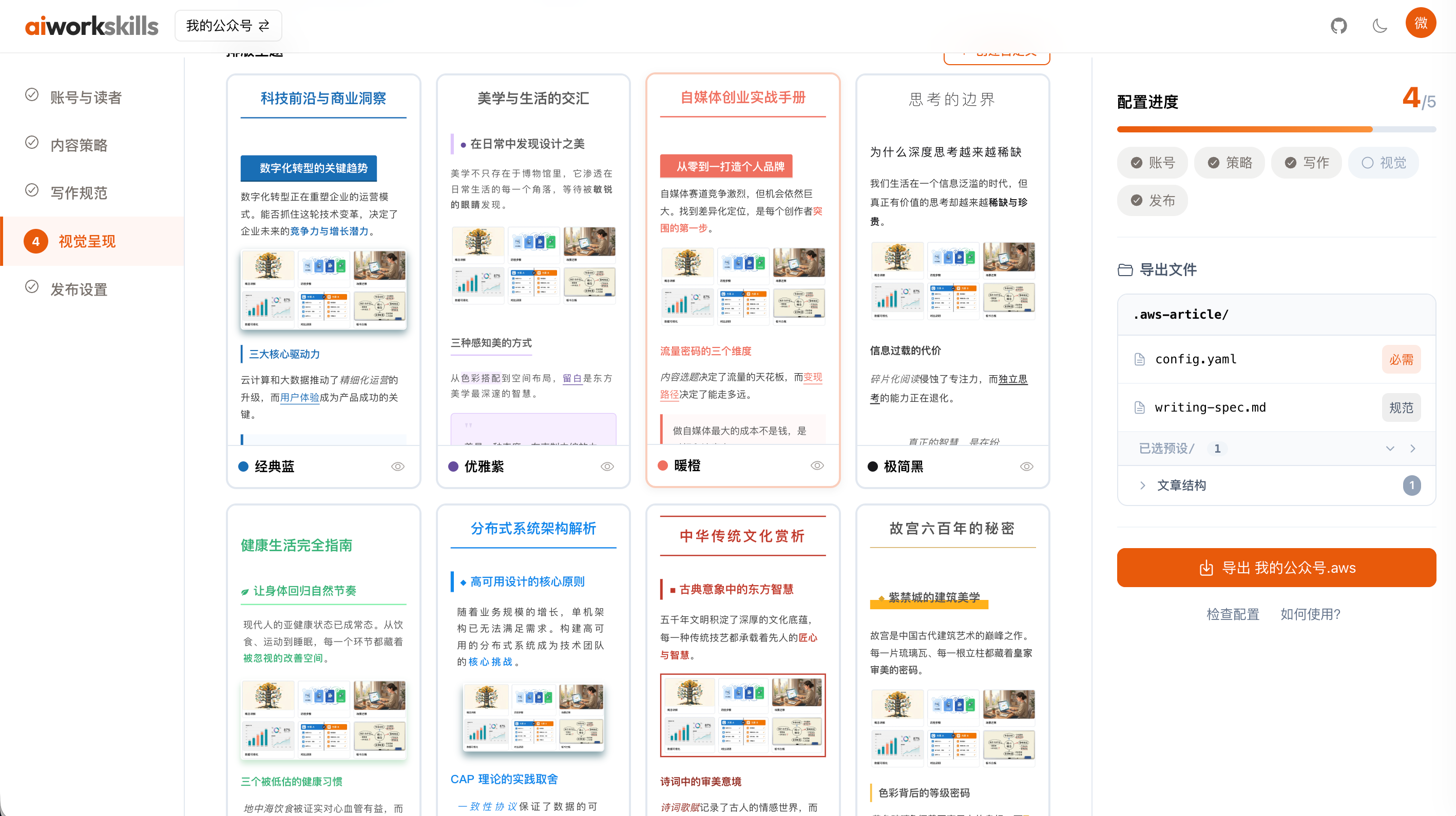
| 排版 | Markdown → 微信 HTML,8 套模版 × 3 套配色 + 9 个版式组件 | 「排版」 |
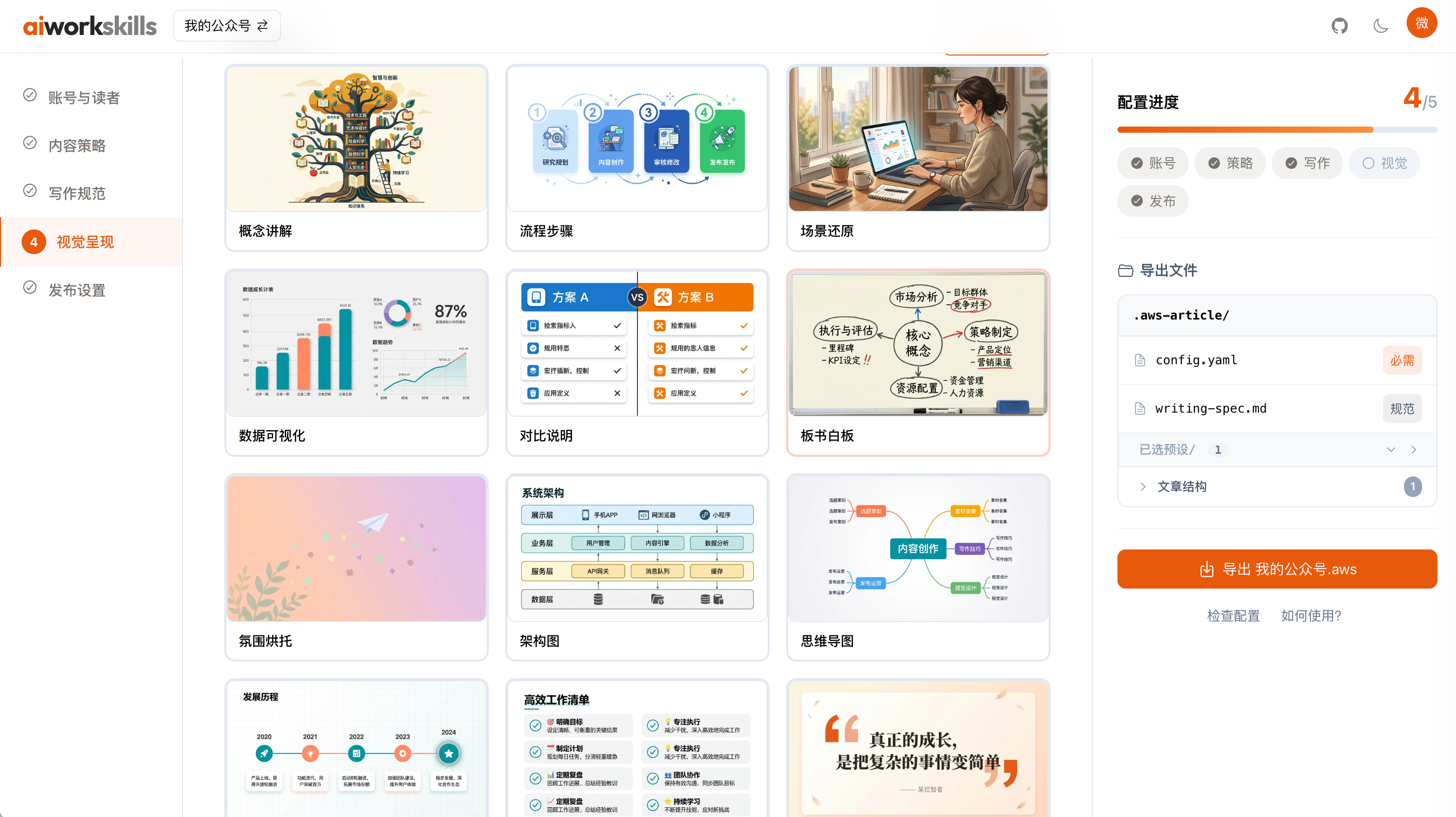
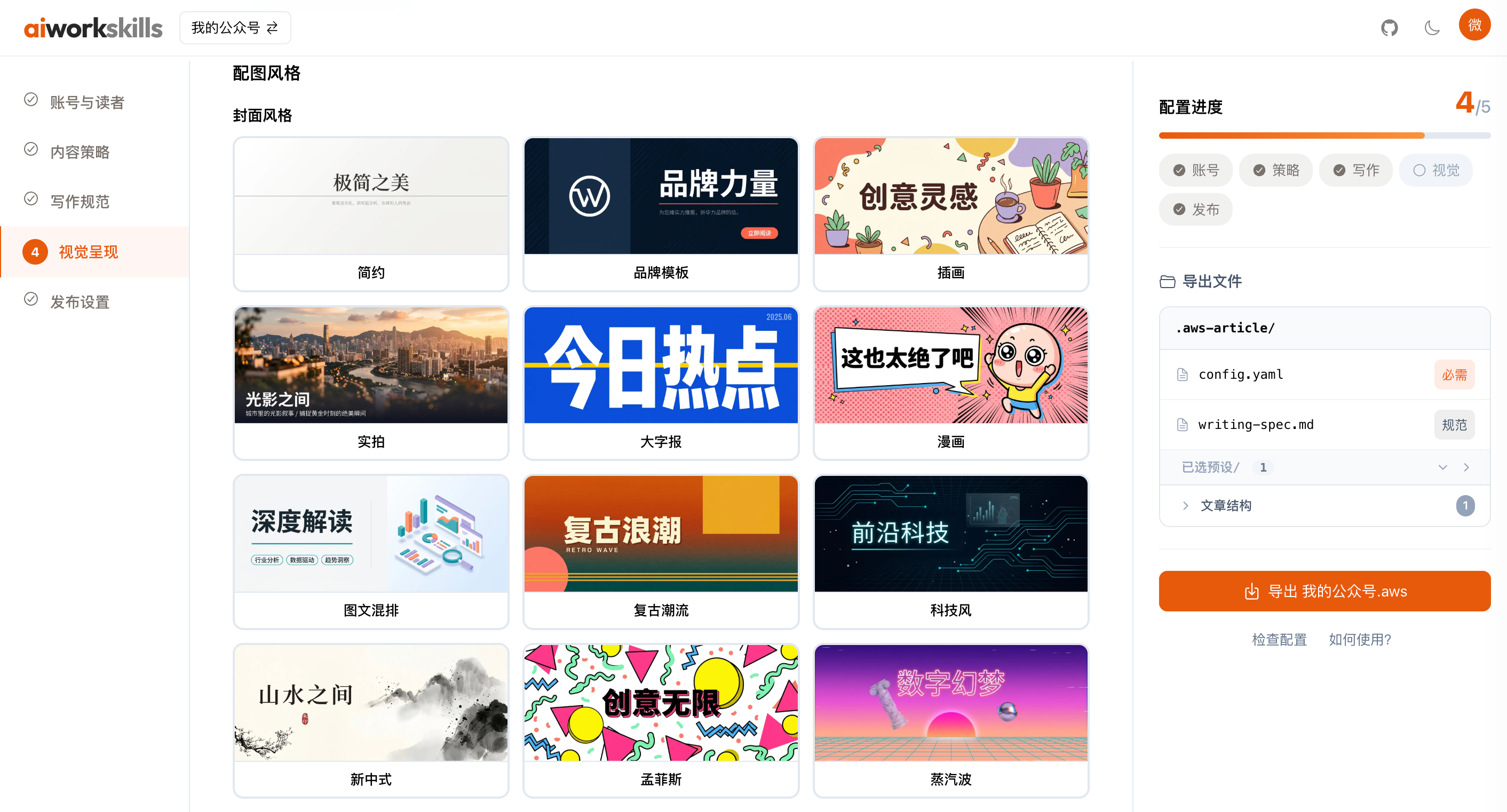
| 配图 | 封面 12 个形态 + 正文 8 个形态,按文章内容现推 | 「配个图」 |
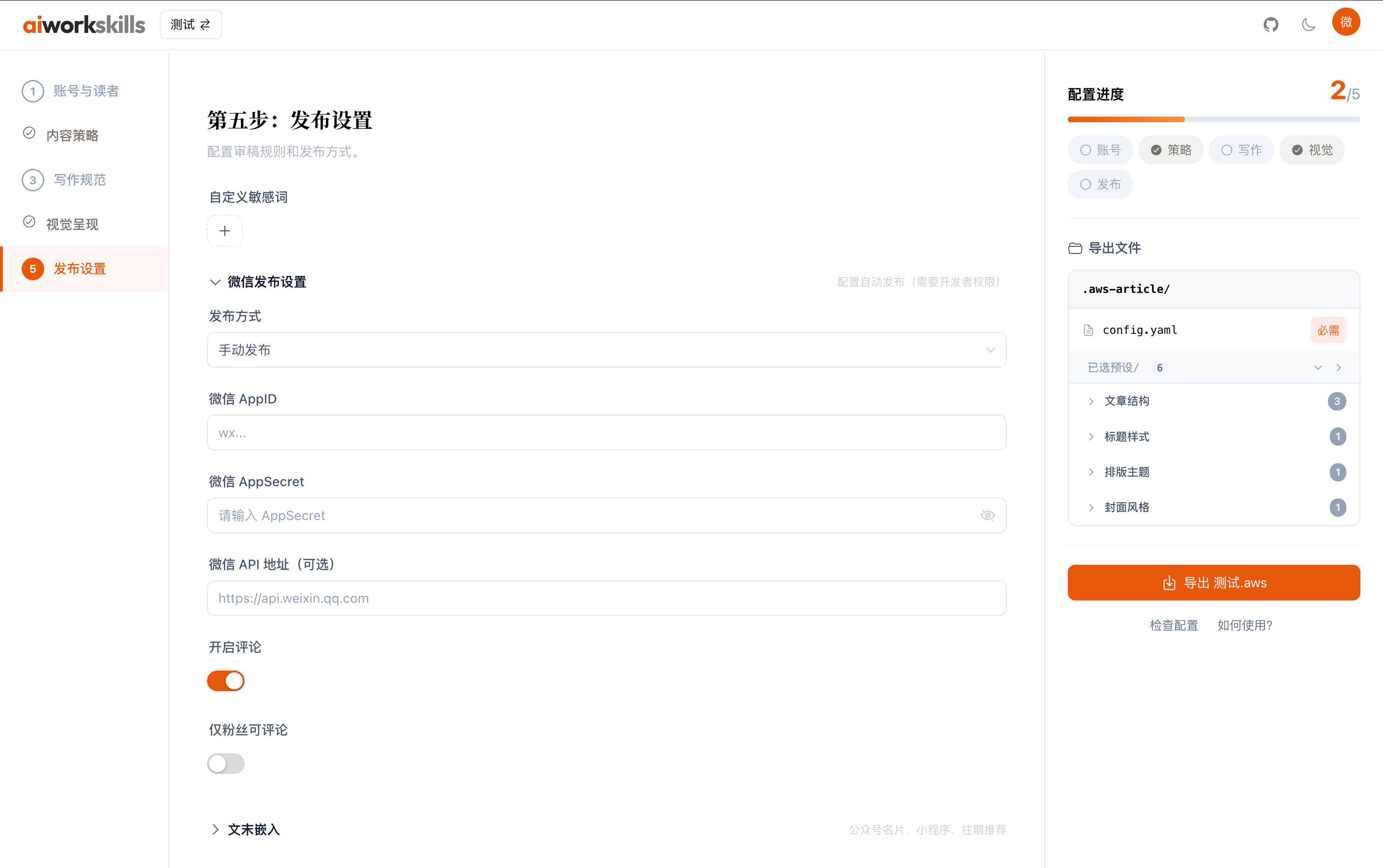
| 发布 | 微信 API 直发,多账号,自动压缩,封面按 2.35:1 裁 | 「发布」 |
| 贴图 | 多图推送独立流程(小绿书内测中) | 「做一组贴图」 |
| 素材 | 业务资料库(按产品名分目录)+ 图库 + .aws 预设包导入导出 |
「导入这个预设」「保存为产品介绍」 |
每一步都会暂停等你确认,不会自动跳走。全程可以打断、修改、重来。
业务资料库:写涉及自家业务的文章前 AI 自动查
.aws-article/products/{产品名}/;聊出来的产品介绍也会引导你存进去,下次直接复用——AI 不用每次重新问"你是干什么的"。
- 封面走七步推导——找张力(这篇文章里什么变成了什么)→ 定关系 → 找隐喻(明令躲开机器人、发光大脑、齿轮堆这些 AI 默认值)→ 套你选的视觉语言 → 按 2.35:1 布局 → 写成一段散文 brief → 回看。12 个封面形态各自带文案规格(字号 / 颜色 / 位置),出来的是带标题的成品封面,不是背景图。
- 正文配图先问一句「删掉这张图,读者是看不懂还是读不下去」:看不懂=信息位,图上每个字都从文章里逐字抄;读不下去=节奏位,不加字;都不影响就直接删掉这个图位。
- 手绘媒介每篇选一个(马克笔白板 / 方格笔记本 / 便签 / 黑板粉笔 / 牛皮纸 / 终端等宽 / 打印稿批注 / 扁平矢量),篇内统一、篇间必换——避免整个号只有一种图。
- 图注只认显式写的 title:
。alt 冒号后那段是给生图模型的画面指令,不再兼任图注——它描述的是读者眼睛已经看见的东西,零信息。没写 title 就不出图注。
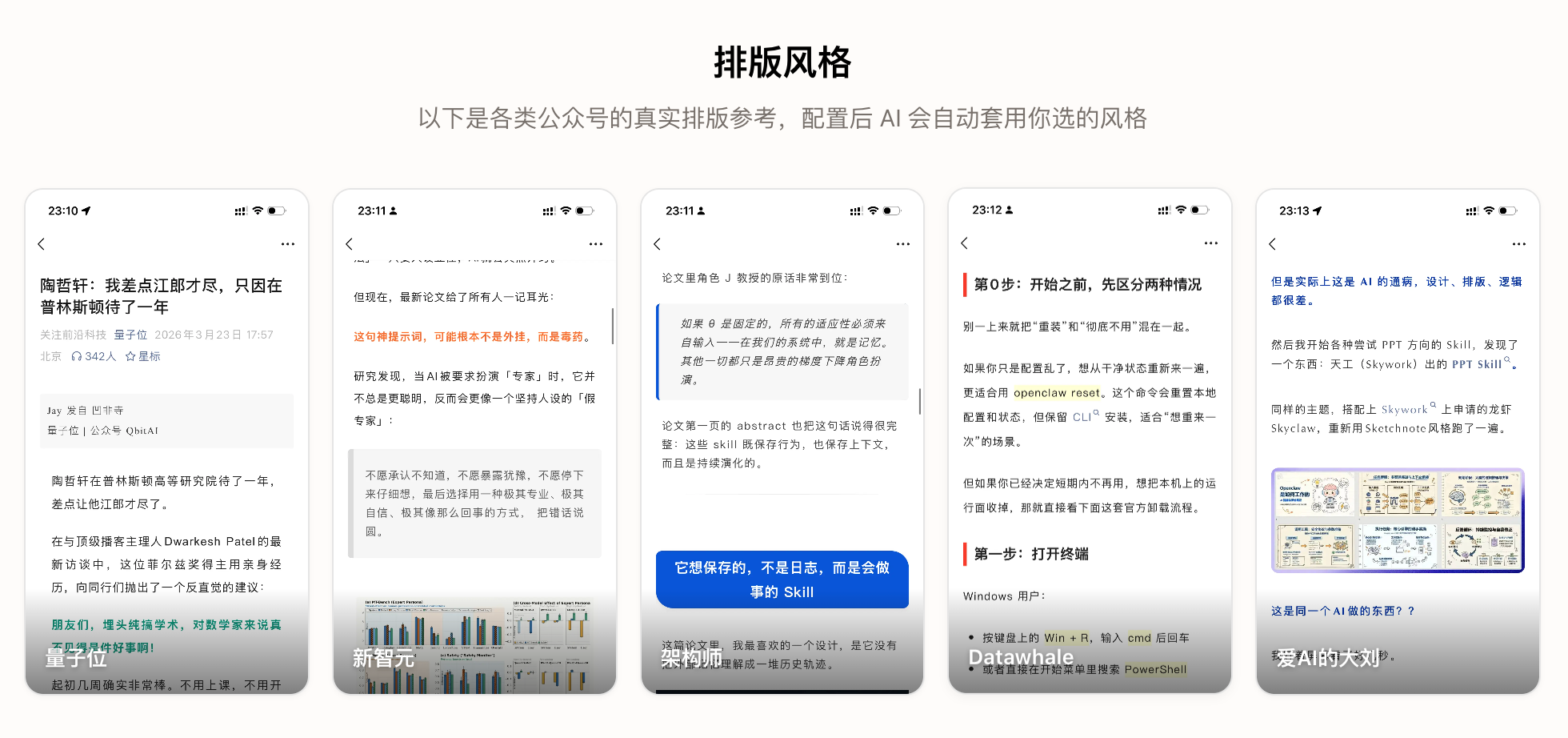
主题只能给标签配颜色和间距,表达不了结构——微信正文没有伪元素,「小标题前的编号角标」「金句卡的大引号」必须真的插元素。组件补的就是这一层,写法是
:::块,不破坏普通 Markdown::::section-title[01] 同一个模型,两个分数 :::内置 9 个:导语 / 编号小标题 / 金句卡 / 数据卡 / 步骤流程 / 对比两栏 / 结构分层 / 要点清单 / 文末区块。模板里的颜色从当前配色取值,和任意模版 × 配色组合都不脱节;自定义放
.aws-article/presets/components/,同名覆盖。每个组件的 YAML 都带when_to_use/when_not_to_use/anti_pattern——和配图方法里的判据同一个作用:拦住「因为好看所以用」。配图和组件不许干同一件事:判据是内容里有没有空间关系——有大小 / 流向 / 嵌套就用图(数据图表、流程步骤、结构分层),纯文字并列 / 对照 / 枚举就用组件(对比两栏、清单要点)。实测踩过:同一组数字在一篇文章里出现了三次(数据卡 + 对比配图 + 对比组件)。
所有配置在 aiworkskills.cn 填表完成。
如果你更愿意直接改 YAML、完全不走可视化配置台:
git clone https://github.com/aiworkskills/wechat-article-skills.git
cd wechat-article-skills
# 各工具按上文「🚀 快速开始 · 1.2」自动识别 skills/
cp skills/aws-wechat-article-main/references/config.example.yaml .aws-article/config.yaml
cp skills/aws-wechat-article-main/references/env.example.yaml aws.env
# 编辑 config.yaml(账号 / 文风 / 模型)和 aws.env(API Key / 微信凭证)
python3 skills/aws-wechat-article-main/scripts/validate_env.py
Windows 用 PowerShell,最后一行换成
py -3 -X utf8 skills\aws-wechat-article-main\scripts\validate_env.py。别用python3——没装 Python 时它会静默打开 Microsoft Store;-X utf8用来避免脚本的中文输出变成乱码。需要 Python 3.10+。
依赖:Python 3.10+ 与 PyYAML 必需;
Pillow可选,装了才有图片压缩、封面按比例裁切和封面裁剪框(没装会跳过这几步,不阻断发布)。
整条流程里有两个地方要接大模型:一个给 AI 写稿用,一个给 AI 画图用。两者互相独立——只配写稿、只配画图、
