Zacp
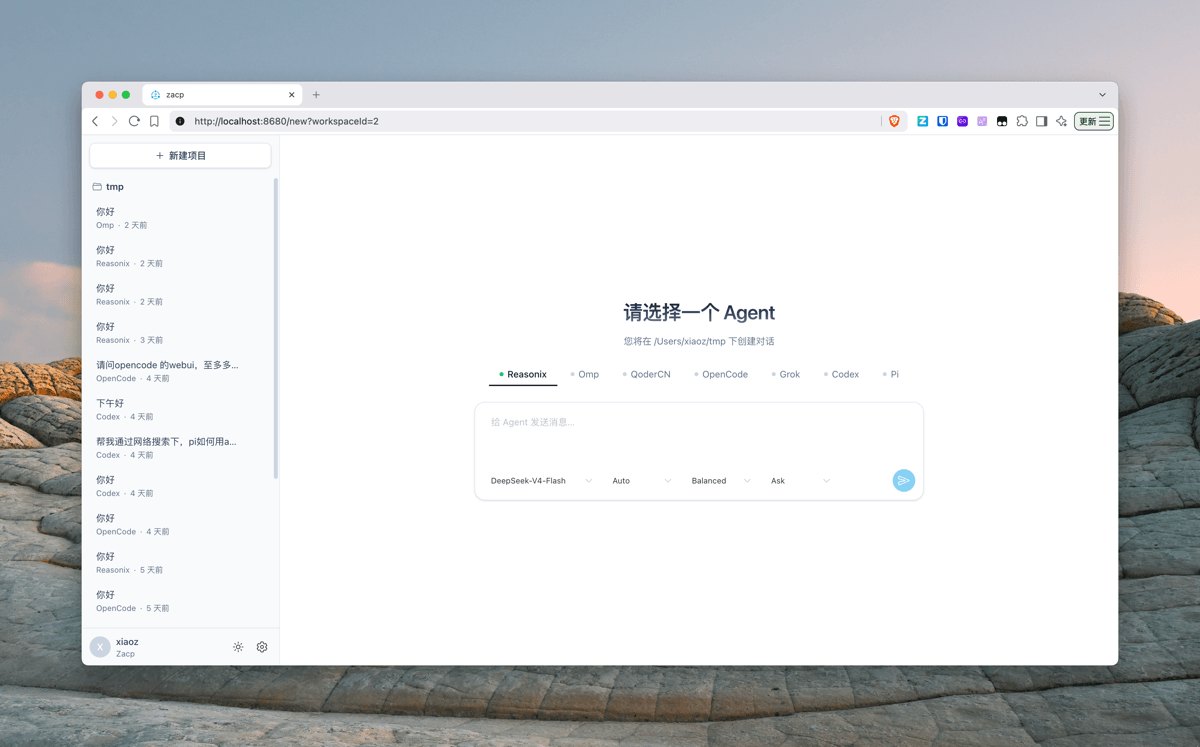
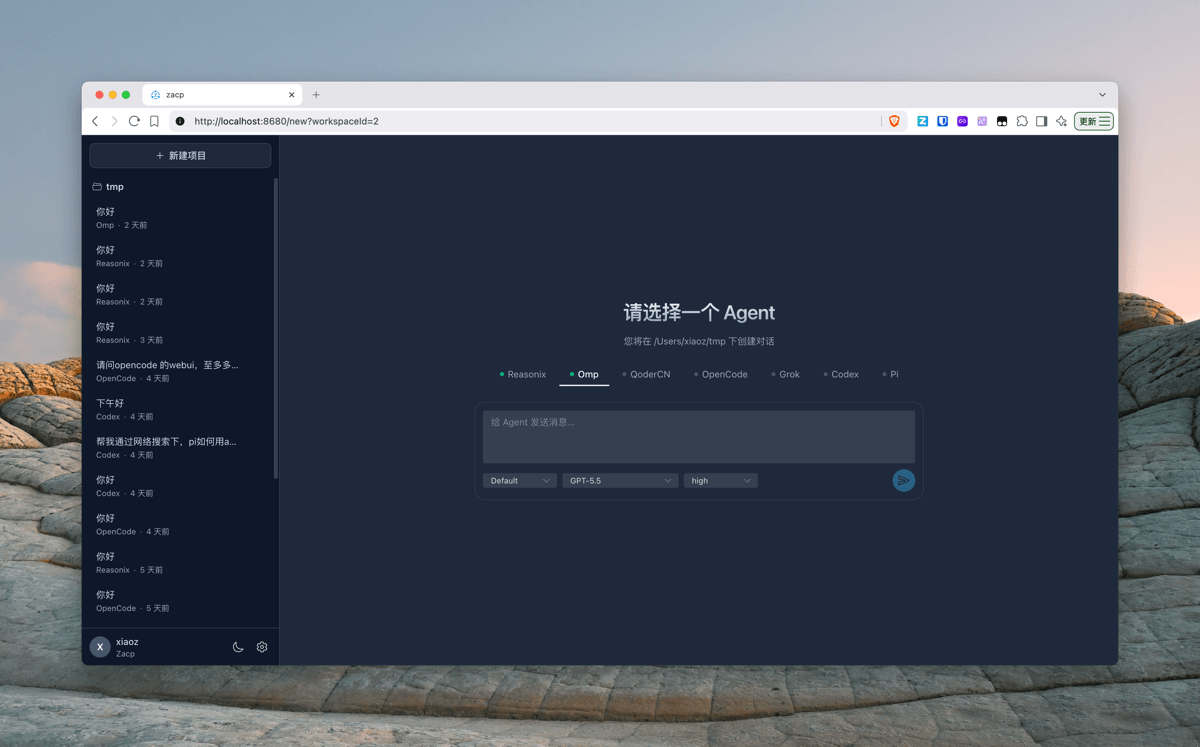
Zacp是一个基于 ACP(Agent Client Protocol) 协议的多 Agent Web 网关,让你在浏览器里同时使用多种 AI Agent 工具(如 Reasonix、Grok、Omp 等)进行对话,让原本不具备 Web 前端的 CLI Agent 也能在浏览器中使用。
技术栈
- 后端 Go(Gin + acp-go-sdk + SQLite)
- 前端 Vue 3 + Naive UI + Tailwind CSS
功能特性
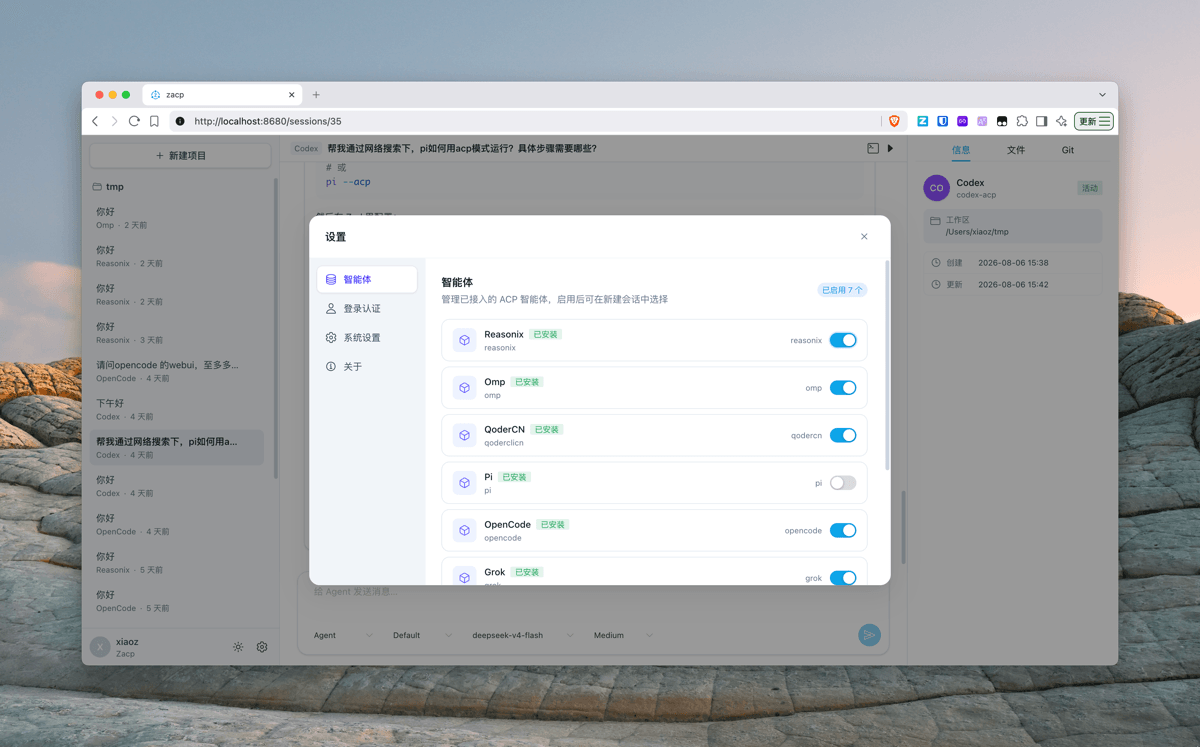
- 多 Agent 接入:适配 Codex、Reasonix、Grok、Omp、Qoder 等 CLI Agent
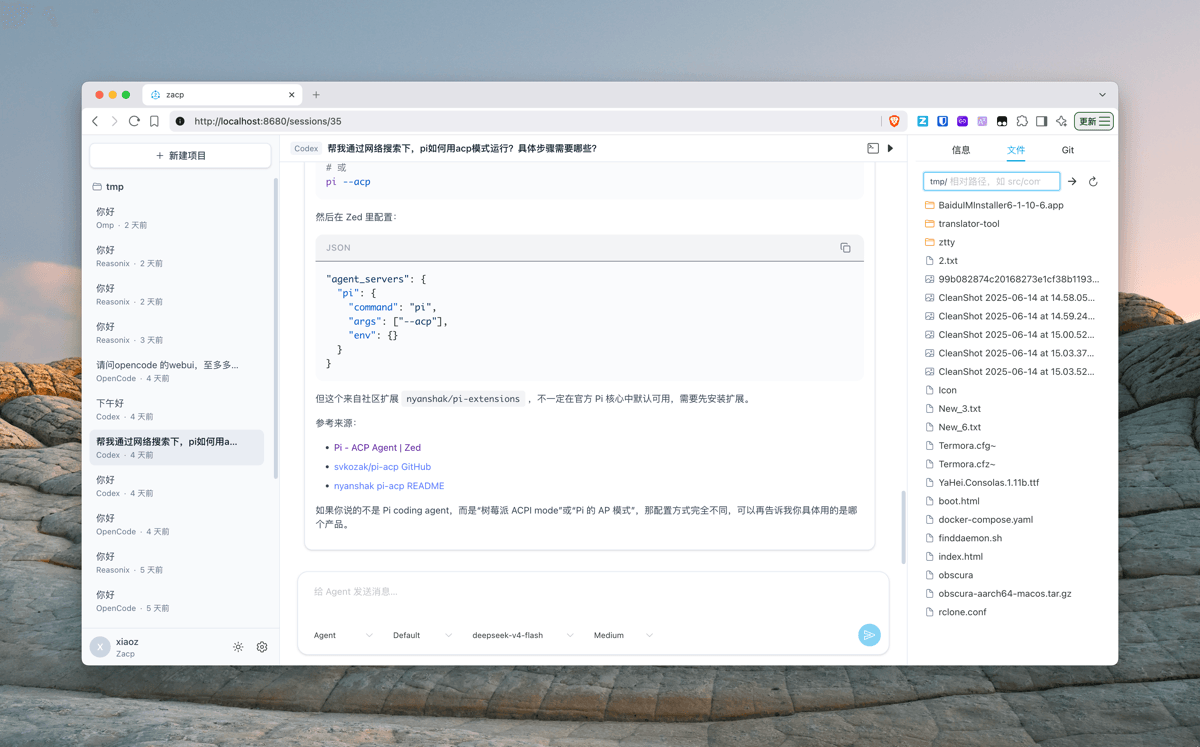
- 浏览器 Web UI:会话式聊天界面,支持多会话、多 Agent 切换,流式输出实时展示(思考过程、工具调用、执行计划等);
- 实时通信:基于 WebSocket 的流式消息推送与权限回传,交互延迟低;
- 权限确认:Agent 请求执行操作(读写文件、执行命令等)时,权限请求会推送到 Web UI 由你亲自确认
- 多Agent并行任务:支持最多三个任务并行执行。
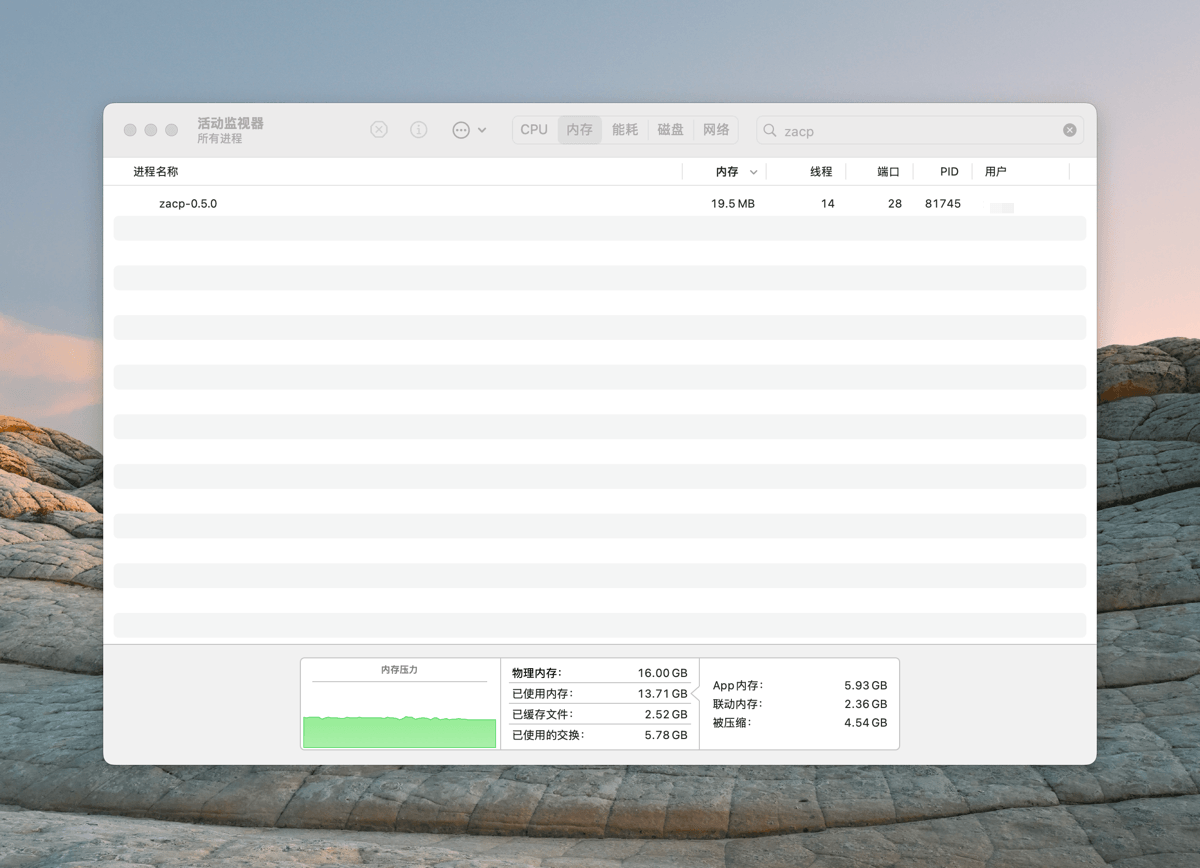
- 会话空闲回收:Agent 空闲超过设定时间(默认 30 分钟)自动停止释放内存,下次使用自动恢复,不占用系统资源;
- 智能体管理:设置页可随时启用/禁用某个 Agent,热更新配置,无需重启服务;
- 会话与消息持久化:历史会话、消息记录存入本地 SQLite(WAL 模式),重启不丢失;
- 单二进制发布:前端页面与默认配置全部内嵌进一个可执行文件,
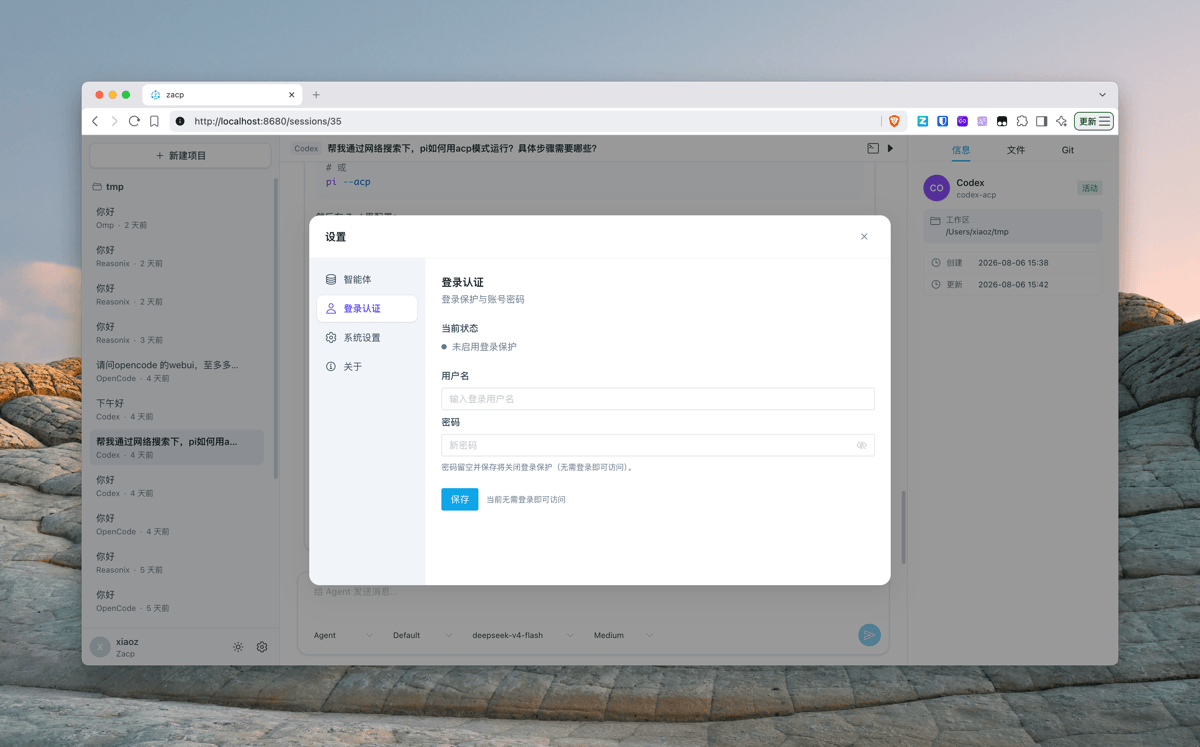
--version查看版本,即下即用; - 可选登录保护:设置页可设置用户名与密码,开启后访问需登录;
- 一键安装与更新:提供 macOS、Linux、Windows 一键安装与更新脚本,自动检测系统与 CPU 架构,下载最新版本并安装;
- 文件浏览器 :支持文件上传、编辑、删除、重命名等操作
- Git面板 :支持查看 Git 状态
- 主题模式 :支持深色模式与浅色模式切换
- Web TTY:通过
/tty?workspaceId={id}在项目目录下启动临时终端,支持 xterm.js、多 Tab、深色/浅色主题和 Linux/macOS/Windows。
TODO
- 通过WEB页面编辑配置
- 支持Docker部署
- 支持添加多个Server端
- 支持手机APP
- 支持PC客户端
安装
注意事项
- 安装前请确认您的网络可以访问Github,否则可能导致安装失败!
- Zacp无内置Agent,请确保您本地已经安装了对应的 Agent(如 Codex、Reasonix、Grok、Omp 等),否则无法使用。
macOS / Linux 一键安装(推荐)
curl -fsSL https://raw.githubusercontent.com/helloxz/zacp/main/install.sh | bash
注意:如果您需要对接第三方Agent,比如Grok、Omp等需要先自行安装,然后在设置里面启用。
Windows 一键安装
在 PowerShell 中执行(推荐):
irm https://raw.githubusercontent.com/helloxz/zacp/main/install.ps1 | iex
提示:
irm ... | iex会直接执行来自网络的脚本,请确认来源可信;首次启动若弹出 Windows 防火墙提示,允许后即可通过http://127.0.0.1:8680/访问。
首次启动
安装完成后直接运行 zacp 即可启动服务(默认监听 :8680),然后浏览器访问 http://127.0.0.1:8680/ 使用 Web UI
首次启动会自动生成配置文件 ~/.zacp/config.toml,按需编辑其中 [[agents]] 的 Agent 命令等;运行时数据(SQLite 数据库)存放在 ~/.zacp/data/。
设置登录保护(可选)
默认安装后无需登录即可访问(适合本机 / 内网单用户使用)。如需远程访问,请务必开启登录认证:
- 打开页面右上角 设置 → 登录认证;
- 填写用户名与密码,点保存(密码留空并保存 = 关闭登录保护);
- 保存后立即生效(热更新,无需重启),之后所有页面需重新登录。
忘记密码:
编辑 ~/.zacp/config.toml,把 [auth] 段的 password_hash 置空(或直接删除 [auth] 段),保存后重启服务即恢复免登录,再按上述步骤重新设置即可。
更新
一键更新(推荐)
Linux & macOS
自动检测已安装的 zacp 并升级到最新版本:
curl -fsSL https://raw.githubusercontent.com/helloxz/zacp/main/update.sh | bash
如果 zacp 安装在 /usr/local/bin(需要 root 权限),请用 sudo 执行:
curl -fsSL https://raw.githubusercontent.com/helloxz/zacp/main/update.sh | sudo bash
Windows
Windows 用户在 PowerShell 中更新(自动检测已安装的 zacp 并升级到最新版本;需先停止正在运行的 zacp 进程,更新脚本不会自动结束它):
irm https://raw.githubusercontent.com/helloxz/zacp/main/update.ps1 | iex
联系作者
- 博客:https://blog.xiaoz.org/
- X(Twitter):https://x.com/xiaozblog
欢迎反馈问题、提建议或参与贡献!