Maintainer of this skill?

Automated security scan — not a certification.
by tigusigalpa
AI-KIT is a practical starter kit for development: ChatGPT/Codex, Claude, DeepSeek, KIMI, and other coding agents. It provides reusable project context, rules for each stack, adaptive model routing, conservative installation and updates, testing and review workflows, security guidance, Docker and Kubernetes readiness, and clean project templates.
# Add to your Claude Code skills
git clone https://github.com/tigusigalpa/ai-kitGuides for using ai agents skills like ai-kit.
Last scanned: 11/1/2026
{
  "issues": [],
  "status": "PASSED",
  "scannedAt": "2026-11-01T11:04:34.053Z",
  "npmAuditRan": true,
  "pipAuditRan": true,
  "promptInjectionRan": true
}See how ai-kit compares with popular alternatives.
ai-kit is an open-source ai agents skill for AI coding assistants such as Claude Code, Codex CLI, and ChatGPT, built by tigusigalpa. AI-KIT is a practical starter kit for development: ChatGPT/Codex, Claude, DeepSeek, KIMI, and other coding agents. It provides reusable project context, rules for each stack, adaptive model routing, conservative installation and updates, testing and review workflows, security guidance, Docker and Kubernetes readiness, and clean project templates. It has 58 GitHub stars.
Yes. ai-kit passed SkillsLLM's automated security scan — a dependency vulnerability audit plus prompt-injection heuristics — with no high-severity issues. You can read the full report in the Security Report section on this page.
Clone the repository with "git clone https://github.com/tigusigalpa/ai-kit" and add it to your Claude Code skills directory (see the Installation section above). ai-kit ships a SKILL.md manifest, so compatible agents can discover and load it automatically.
ai-kit is primarily written in Python. It is open-source under tigusigalpa on GitHub, so you can review or fork the full source.
Yes. SkillsLLM lists many other AI Agents skills you can browse and compare side by side. Open the AI Agents category from the badge at the top of this page, or use the Related Skills and comparison links further down to weigh ai-kit against similar tools.
No comments yet. Be the first to share your thoughts!
From $49 · 30 days · terms & refunds
⚠️ Third-Party Software Notice
This skill is third-party open-source software developed and hosted independently on GitHub. SkillsLLM is an informational directory and does not control or maintain the underlying repository.
Any security checks, ratings, or warnings displayed by SkillsLLM are automated and limited in scope. They do not constitute a security certification or guarantee that the software is safe, error-free, or free from malicious code, vulnerabilities, compromised dependencies, or prompt-injection risks.
Review the source code, permissions, dependencies, and configuration before installing or running any third-party skill. Use is at your own risk. To the maximum extent permitted by applicable law, SkillsLLM is not liable for losses arising from third-party software.
Automated security scan — not a certification.
AI-KIT is an offline instruction/installer distribution: project memory, conditional stack/UI workflows, Kubernetes-ready containers, guardrails, adaptive routing and 11 client adapters. README lists supported stacks and workflows.
Source: https://github.com/tigusigalpa/ai-kit. The documentation site builds install commands interactively; check its flags against this repository's VERSION and --help. Commands below run from the repository root; read VERSION instead of assuming a version.
Packages: the PyPI package is ai-kit-python (pipx install ai-kit-python), which installs the aikit command; never suggest pip install aikit, a different name. The Docker image is tigusigalpa/ai-kit, tagged with VERSION.
template/ holds installable project files, templates/ the private/team ignore policies and the secret list, scripts/ the installer and helpers, integrations/ client entries, the agent registry (agents.json), and guard rules, docs/ kit decisions and evidence.AGENTS.md, PROJECT_CONTEXT.md, WIKI.md, CHANGELOG.md, docs/DECISIONS.md and docs/adr/, .agents/skills/, and ai-kit/ (CORE, settings.json, project.json, ENGINEERING, SECURITY, MCP, CONTAINERS, stacks, profiles, router). Never run the installer inside the distribution, and never copy kit history into a project.Requires Python 3.10+ and nothing else. Use a reviewed revision and a target path outside the distribution.
python scripts/install.py TARGET --preset solo --agent codex --agent claude. Show the user writes, conflicts, candidates, adapter_conflicts, detected_profiles, detected_agents, suggested_agents, and warnings.--apply; add --check to run the doctor. Exit codes: 0 success, 1 refusal, 2 unresolved conflicts./ai-kit-bootstrap in Claude Code or $ai-kit-bootstrap in Codex; other clients use BOOTSTRAP_PROMPT.md. Bootstrap confirms installer drafts against manifests, CI, and runnable checks, then fills PROJECT_CONTEXT.md and ai-kit/project.json.Existing project documents and context are preserved; customized instructions become conflict candidates; adapters are never deleted automatically.
| Option | Meaning |
|---|---|
--mode private|team |
private ignores AI-KIT files and AI client configuration in Git; team versions shared instructions |
--chat-language NAME |
Chat language; project files always stay English |
--conventions owner|standard |
owner applies the owner's Laravel conventions; standard follows the project |
--agent NAME (repeat) |
Full client list: codex, claude, cursor, copilot, devin (Devin/Windsurf), gemini, windsurf (legacy), cline, roo, aider, kimi, manus |
--preset NAME |
minimal, solo, team, or strict (below) |
--with-session-start |
Claude Code SessionStart hook injecting PROJECT_CONTEXT and Git status |
--with-guards |
Claude Code asks before git commit/push |
--with-data-guards |
Claude Code asks before rm -rf, git reset --hard, git clean, Docker prune, detected migrations |
--with-native-settings |
Allows recorded test/lint/build commands, denies secret reads, writes client ignore blocks |
--with-scoped-rules |
Per-module path-scoped rules for Claude Code, Cursor, Copilot, Devin (Windsurf), Cline |
--with-uuid |
Opt-in public UUID guidance for any confirmed stack; no schema/code changes |
--with-claude-github |
Opt-in authenticated human GitHub identity checks before authorized Claude commits; no login or Git config changes |
--with-ci |
Project workflow that validates committed AI-KIT files without cloning or installing anything; meaningful in team mode |
--docker-cleanup maximum|keep-cache |
Post-Docker cleanup scope (default maximum); keep-cache keeps the dedicated project builder cache and defers host reclamation |
--with-security-audit |
Pinned Cloudflare references and an explicit-only skill; installs files without running an audit |
--with-strix |
Pinned Strix references and explicit-only skill; installs no runtime and starts no scan |
--with-context7 |
Documentation lookup skill; MCP setup/authentication is separate |
--with-web-design |
Four UI skills, conditional guides and preserved project design documents; no external tool setup |
--interactive, --check, --dry-run |
Guided prompts, doctor after apply, explicit preview |
--accept-local PATH |
Record a reviewed semantic merge of a managed file |
--allow-downgrade |
Apply although the project records a newer AI-KIT; otherwise preview warns and apply refuses |
| Preset | Mode | Extras |
|---|---|---|
| minimal | unchanged | none |
| solo | private | session-start, native-settings, scoped-rules |
| team | team | session-start, guards, native-settings, scoped-rules |
| strict | unchanged | session-start, guards, data-guards, native-settings, scoped-rules |
Presets set their extras on or off; explicit flags win. Defaults: English project files and chat, private mode, owner conventions (no database foreign keys), codex, maximum Docker cleanup. Saved languages survive upgrades; --chat-language Russian --conventions standard selects Russian replies and standard conventions. UUID and Claude GitHub remain independent opt-ins. All Claude installs preserve human authorship and request empty native commit attribution; conflicting custom settings require review.
CI and optional integrations stay outside presets. Read the audit, Strix, Context7 or Web Design contract; installation establishes no live execution.
ai-kit/.upstream-cache/candidates/<source-hash>/; changed files are backed up under ai-kit/.upstream-cache/backups/.--accept-local PATH.adapter_conflicts: keep the client or explicitly preview aikit adapters retire TARGET --agent NAME. Applying it removes only unchanged tracked adapter files, backs them up, and deselects that one client; modified/untracked paths remain untouched.managed_json in installer state): .claude/settings.local.json in private mode, .claude/settings.json in team mode. Generated module rules are managed files that follow ai-kit/project.json; client ignore files and .gitignore get one marked block each.doctor --fix --apply); upgrade the CLI, or pass --allow-downgrade for a deliberate downgrade.aikit mcp report TARGET lists MCP servers from project client files (.mcp.json, .cursor/mcp.json, .vscode/mcp.json, .gemini/settings.json, .codex/config.toml, .roo/mcp.json, .kimi-code/mcp.json) with transports, commands, URL origins, variable names and approval settings. It prints no secret values, warns about literal credentials, inline client secrets, plain remote HTTP and auto-approval, and starts or contacts no server.python scripts/doctor.py TARGET; --fix previews the repair plan (a full install/upgrade) and --fix --apply writes it (local edits stay untouched). It compares project module facts and manifest evidence; record a reviewed snapshot with aikit context snapshot TARGET --apply.PROJECT_CONTEXT.md first, verify claims against files and commands, keep unknowns explicit, and update context, the continuity skill, and WIKI when facts change. After confirming changed manifests, preview and apply aikit context snapshot TARGET. Add a CHANGELOG entry after file changes; record significant decisions as ADRs.docker_cleanup mode: maximum leaves zero eligible disposable resources (no size threshold), removes the dedicated builder and reclaims host RAM/disk; keep-cache keeps that builder cache and reclaims the host only on request or pressure. Preserve data and unrelated workloads; follow canonical cleanup.ai-kit/MCP.md before enabling a tool server; run the stack's dependency audit after dependency changes.python scripts/router.py route "task" classifies English or Russian task text and explains signals; overrides include --operation, --risk, --level, --role, --effort, --provider, and --model.python scripts/router.py configure TARGET --apply writes ai-kit/router/resolved.json and, for Aider, .aider.conf.yml.ai-kit/router/selection.json: OpenAI, Anthropic, Kimi, Gemini, and local or Ollama models. python scripts/router.py providers lists status and sources; python scripts/metrics.py analyze TARGET aggregates the local journal per provider to inform that selection. Schema 3 adds controlled-trial strata and semantic review; schemas 1/2 remain readable.routing.json configures manual/fixed/recommended/adaptive modes, task/project pins and economy/balanced/quality profiles. Adaptive recommendations require comparable measured evidence; explicit controls win and live switching is never implied.aikit benchmark run TARGET --pack PRIVATE_PACK previews isolated A/B/C protocol-worker execution; review/report/export separates semantic acceptance from tests. metrics compare|stacks|propose|restore supports actual-cost analysis and immutable proposals without automatic selection changes. Read the worker contract before a real run.aikit context select TARGET --path MODULE --budget BYTES selects declared profiles and critical rules/ADRs, detects duplicates and reports measured bytes without changing files or dropping critical requirements.--workflow web-design|ui-review|design-extract for enabled design context; guide.python aikit_cli.py --help lists commands; the ai-kit-python package installs the same CLI as aikit. aikit flags prints the installer option schema (installer-flags.json); after changing installer options, regenerate it with aikit flags --output integrations/installer-flags.json and update the flag guide and the Options table here, because kit validation compares all three with the parser. Dialogue memory imports/merges two dialogues and exports reviewed ChatGPT/OpenRouter references. Docker mounts an application. PyPI covers checks and owner-approved release publishing; preparation uploads nothing. Standalone scripts and Makefile also work.
docs/IMPLEMENTATION.md).python scripts/check_kit.py and python -m unittest discover -s tests -v for affected behavior; build and smoke-install the wheel when packaging changes.template/ free of kit facts/history. Byte budgets: template AGENTS 2500 and CORE 3000 (always loaded); other documents 24000; root README and Docker Hub Overview have no quota. Keep always-loaded entries short.AI-KIT installs instructions and opt-in helpers. The optional text executor requires explicit apply and configured budget/key limits. Benchmark protocol workers and native client activation remain separate. Ignore/permission rules are not a sandbox; live savings require evidence.
This repository is the skill. For Claude Code, clone it into ~/.claude/skills/ai-kit; for other clients, use a reviewed checkout beside the project. Follow README, Core, adapters, containers, routing and contribution rules.
For explicitly requested optional orchestration, preview installation with --with-orchestration; use aikit orchestrate run|status|review|reconcile. Native helpers and paid external requests require separate explicit execution; no real calls during integration tests.
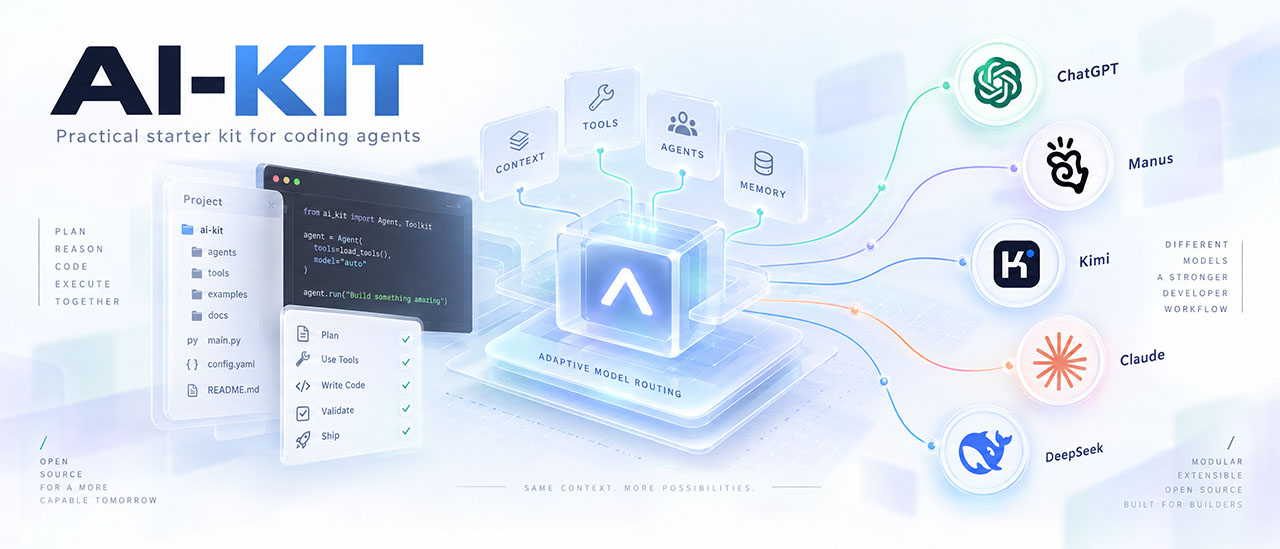
Stop re-explaining your project to every new AI chat.
AI-KIT gives your coding agents persistent project memory, expert stack rules, Kubernetes-ready container guidance, an adaptive model routing policy, and native entry files and configuration for 11 AI clients. Add Cloudflare security-audit for structured security review and Strix for scoped pentesting workflows. One offline installer, zero installer dependencies, changes previewed before you apply them.






What changed in each release: CHANGELOG.
v1.6.0: English chat defaults, Devin (Windsurf), JavaScript/Node.js, optional UUIDs and human Claude GitHub identity. Release verification and publication status.
Published and verified: PyPI ai-kit-python 1.6.0 installs from the public index; Docker Hub tigusigalpa/ai-kit:1.6.0 passed an immutable pull and offline checks. Both carry the same 319 packaged source files. Checks, hashes and digest.
Get AI-KIT · Update AI-KIT · Defaults · Features · Honest boundaries · Quick start · Docs site · Guides · Install guide · CLI flags · Windows · Docker
Build your install command in the browser instead of reading flag tables.
Pick your AI clients, preset, sharing mode, chat language and optional modules: the configurator writes the exact preview and apply commands for PowerShell or Bash and shows the resulting settings.json and file list. Every option is a real installer flag, and the commands are generated locally in your browser.
⚙️ Command configurator · 💻 Install the CLI · 🩺 After install · 📖 Flag reference · ❓ FAQ
English and Russian · light and dark themes · Windows PowerShell and Linux/macOS Bash
Python package (recommended). Requires Python 3.10+; no mandatory third-party runtime dependencies.
pipx install ai-kit-python
aikit --version
The PyPI package is ai-kit-python; the command it installs is aikit. Never run pip install aikit: that is not this project's package name. Without pipx, run python -m pip install ai-kit-python inside a virtual environment. On Windows, the Windows guide covers PATH and interpreter problems.
Docker image. tigusigalpa/ai-kit runs the same CLI without host Python (linux/amd64). Image tags follow the repository VERSION of each release and there is no latest tag, so pick a version from the tags page, for example the verified 1.6.0:
docker pull tigusigalpa/ai-kit:1.6.0
docker run --rm tigusigalpa/ai-kit:1.6.0 --version
Project mounts, preview/apply examples and the runtime contract are in Run AI-KIT with Docker.
Source checkout (alternative).
git clone https://github.com/tigusigalpa/ai-kit.git
cd ai-kit
python scripts/install.py --help
From a checkout, run python scripts/install.py or python aikit_cli.py COMMAND directly, or run python -m pip install . there to get the aikit command. Details: Get the CLI.
Update the CLI first, then update the AI-KIT files in each project. These are separate operations:
| What you update | Command | Result |
|---|---|---|
| Installed Python package / CLI | python -m pip install --upgrade ai-kit-python |
Updates the installer available to that Python environment. Existing project files are unchanged. |
| AI-KIT inside the current project | python -m aikit.aikit_cli install . --apply --check |
Uses that installer to update the current project's instructions and selected adapters, then checks the installation. |
If you installed with pip, use the same Python environment as the existing installation. For a global installation, leave any project virtual environment first; if you intentionally installed AI-KIT in a virtual environment, activate that environment instead:
python -m pip install --upgrade ai-kit-python
python -m aikit.aikit_cli --version
The package name is ai-kit-python, not aikit. The module-based version check works even when aikit.exe is missing from PATH. If you installed with pipx, use this instead:
pipx upgrade ai-kit-python
aikit --version
These commands install the newest version published on PyPI; unreleased source changes become available there only after a release. They update the CLI without rewriting the AI-KIT files already installed in your application projects.
Open a terminal in your application's root folder, the folder containing its ai-kit/settings.json. In PowerShell, use Set-Location "C:\Projects\my-app" with your own path. . means the current folder, so check that you are in the intended project before continuing.
For a routine update, keep the saved language, clients, sharing mode, conventions and optional modules. Preview first, then apply the same update and run its installation health check:
python -m aikit.aikit_cli install .
python -m aikit.aikit_cli install . --apply --check
For a pipx installation, use aikit install . and then aikit install . --apply --check. Updating the CLI once does not automatically update every project; repeat this step in each project's root folder.
Use this example when you also want to set the listed options explicitly: Russian chat, all three clients, private sharing, strict client protections, maximum Docker cleanup and documentation/design/security workflows. It changes saved choices to match the flags; choose the options for your project before running it.
Preview (one line; works in PowerShell and POSIX shells):
python -m aikit.aikit_cli install . --chat-language Russian --agent codex --agent claude --agent devin --mode private --conventions owner --preset strict --docker-cleanup maximum --with-context7 --with-web-design --with-security-audit --with-strix --with-claude-github
Review writes, preserved, conflicts, adapter_conflicts and warnings. Then apply the same selection and check it:
python -m aikit.aikit_cli install . --chat-language Russian --agent codex --agent claude --agent devin --mode private --conventions owner --preset strict --docker-cleanup maximum --with-context7 --with-web-design --with-security-audit --with-strix --with-claude-github --apply --check
For pipx, replace the python -m aikit.aikit_cli prefix with aikit; keep the remaining arguments. Future routine updates can use the shorter commands in step 2 because these choices are saved.
| Option in the example | Meaning / how to adapt it |
|---|---|
--chat-language Russian |
Russian chat replies and explanations; authored project files stay English. Use English for English replies. |
--agent codex --agent claude --agent devin |
Select Codex, Claude Code and Devin (Windsurf). An explicit list replaces the saved client selection; include every client you want to keep. Remove --agent devin if unused; append other clients as repeated --agent NAME flags. Adapter retirement is separate from deselection. |
--mode private |
Keep AI-KIT instructions/configuration local through ignore rules. Use team to share them in Git. Already tracked files are not automatically untracked. |
--conventions owner |
Apply the owner's preferences only for confirmed stacks. Use standard to follow the existing project's conventions. Neither option enables UUID guidance by itself. |
--preset strict |
Enable session-start, Git guards, destructive-action guards, native settings and scoped rules. These are instructions/client rules; verify their activation in the actual clients. CI remains a separate choice. |
--docker-cleanup maximum |
Save the maximum post-task Docker cleanup policy, preserving |

